Automated Billing
Your schedule runs your invoices. Charges accrue as events happen and subscriptions renew, so you never forget to bill for something you actually did.
How Billing Works in HayNet
HayNet's billing engine is wired directly into your schedule and your recurring revenue products. Predefined events inherit their pricing and billing configuration from their Event Product. Charges accrue automatically as events are completed, and land on a draft invoice. Recurring subscriptions like board, prepaid packages, and other products contribute to that same invoice independently.
At the end of each billing cycle, draft invoices convert to open invoices and are sent to your clients. Each invoice includes full details: services rendered, dates, rates, add-ons, and any adjustments. No manual data entry. No forgetting to bill for last Tuesday's training ride or the school horse fee from two weeks ago.
The result is billing that runs itself. You focus on your barn, your horses, and your clients. HayNet handles the rest.
Automated Invoice Generation
Every billable event on your schedule contributes charges to your clients' invoices automatically. Lessons, training rides, school horse fees, late cancellation charges—all tracked and totaled without a spreadsheet in sight.
- Charges accrue automatically from completed events
- Draft invoices convert to open invoices at billing cycle end
- Full line-item detail on every invoice
- Bookings that were paid with package credits will show as $0.00 line items with event details listed on invoices
- Late fees applied automatically based on your policies
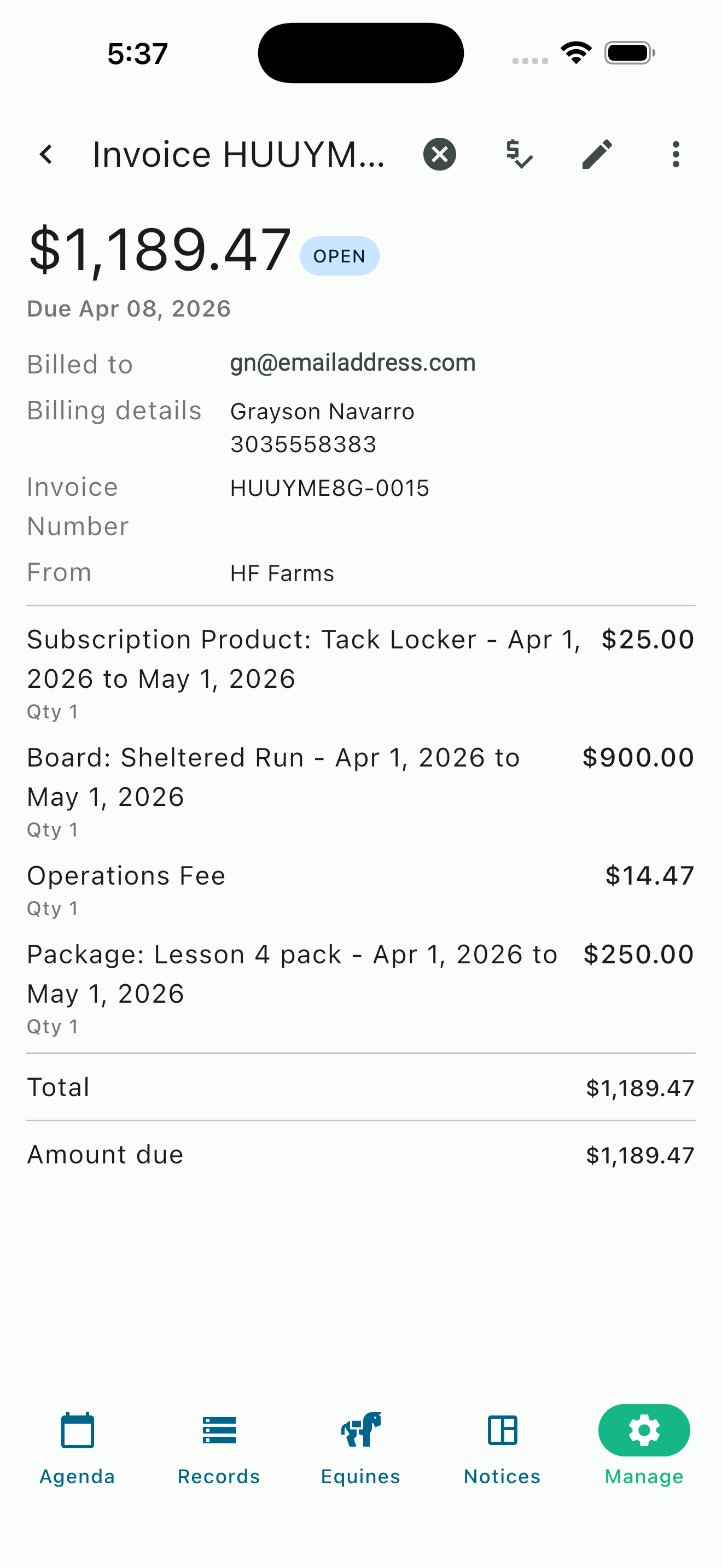
Itemized invoice with board, packages, and more
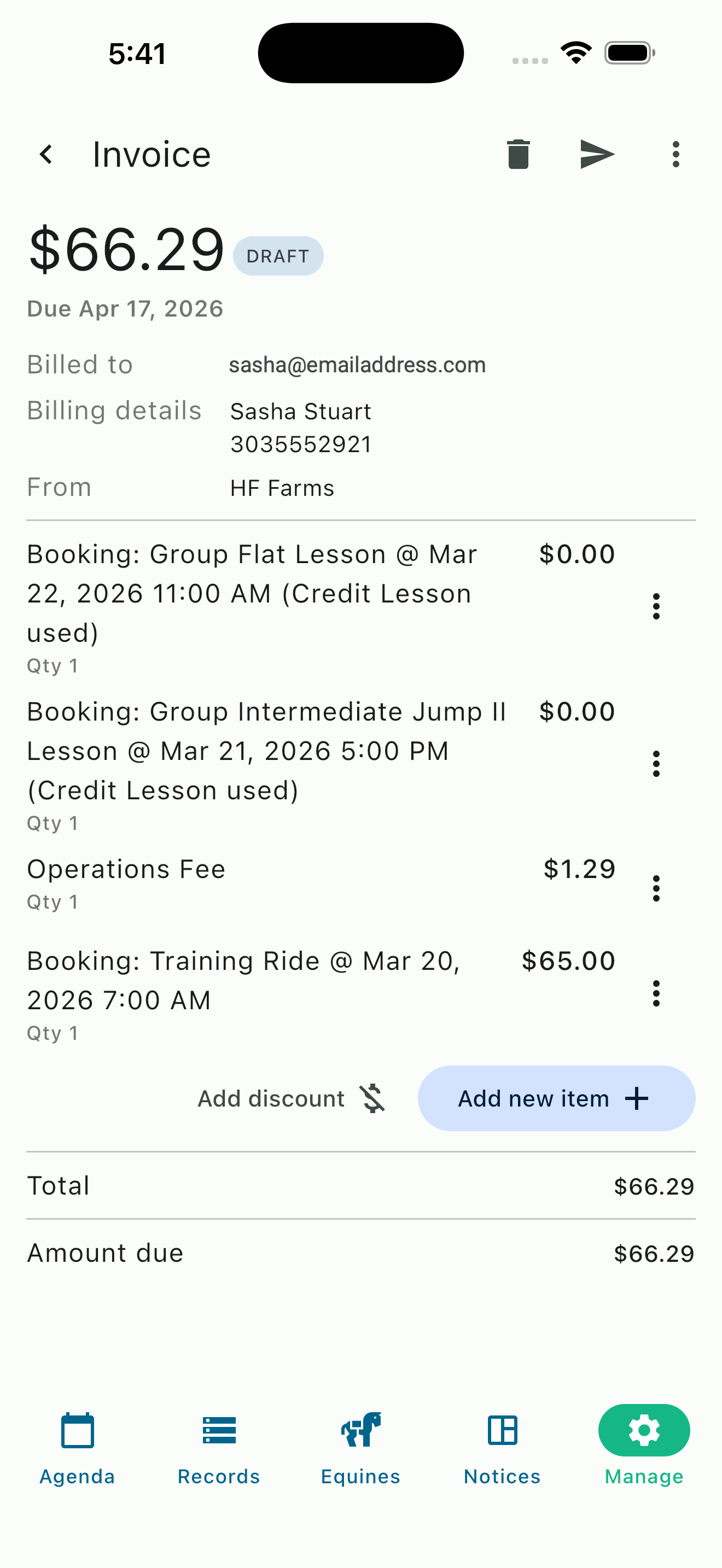
Draft invoice with prepaid credits applied
School horse fees: When a school horse is used in a lesson, HayNet can automatically include a school horse fee as an add-on to the booking. The fee is configured on the Event Product and applies whenever a facility-owned horse is assigned to an event — no manual tracking needed.
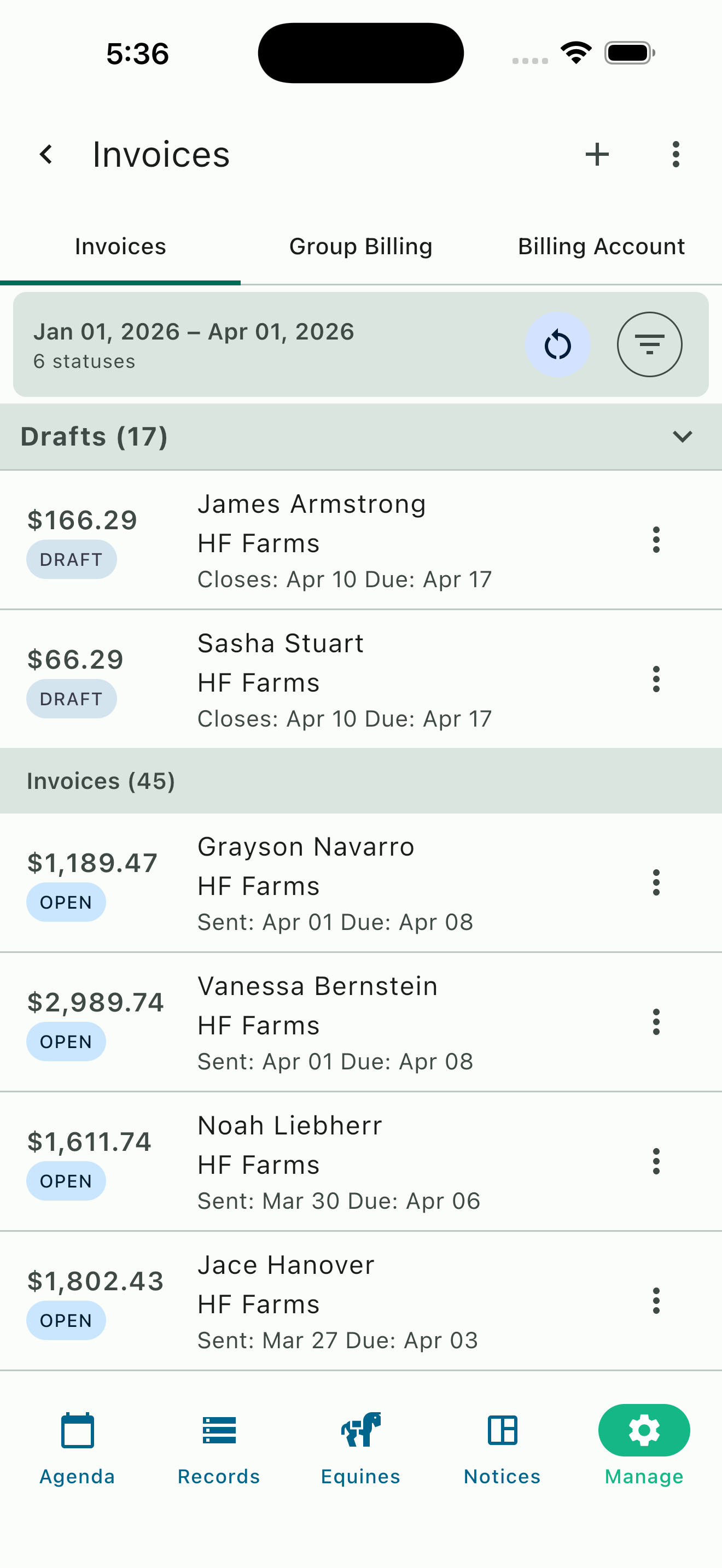
Invoice list with drafts and open invoices
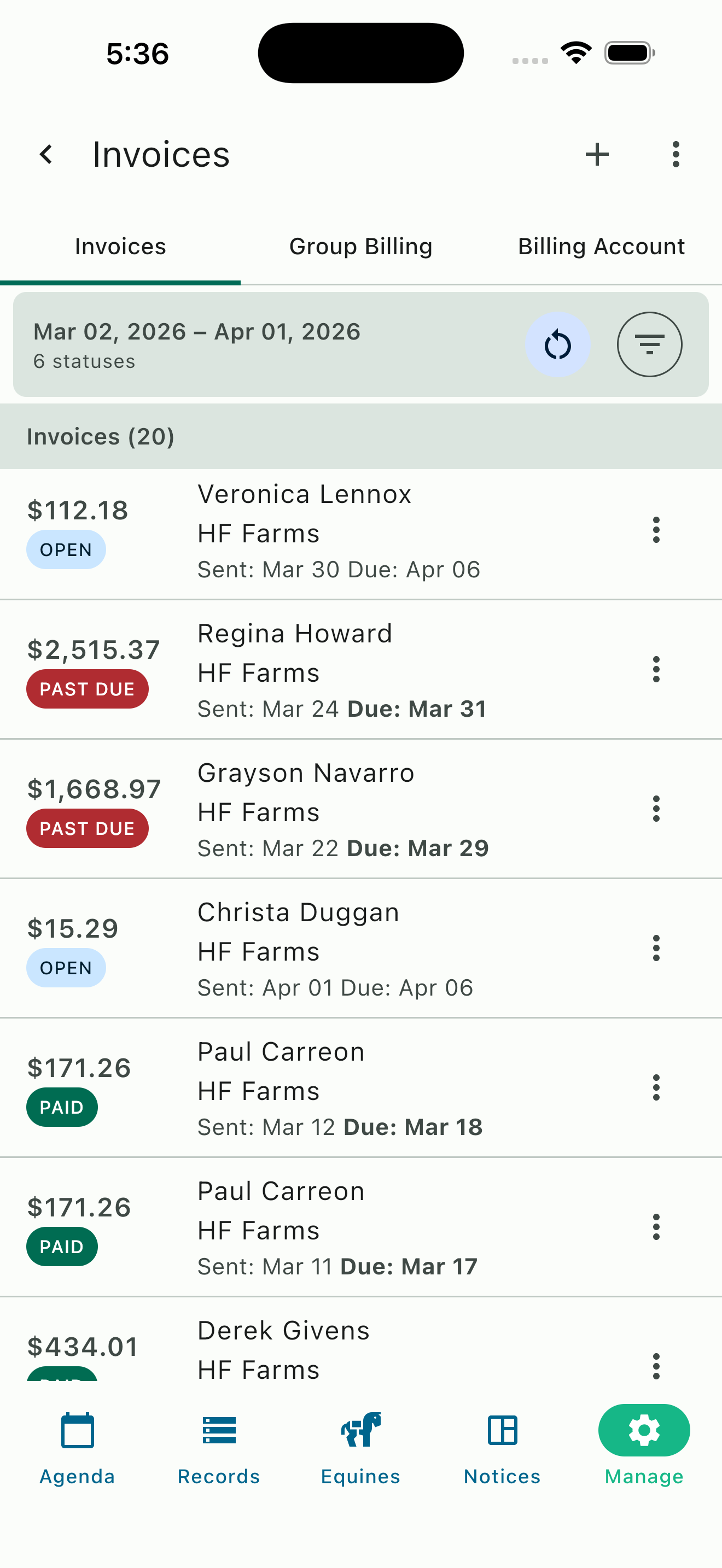
Color-coded invoice statuses
Invoice Statuses at a Glance
Every invoice carries a clear status—Draft, Open, Paid, or Past Due—so you always know where things stand. Draft invoices accumulate charges throughout the billing period. When the cycle closes, they become open and payable. Once paid, they're marked accordingly. Overdue invoices are flagged automatically, and late fees can be enforced on your terms: a fixed amount, a percentage, or both.
Bulk and Split Billing
Billing horse show expenses with multiple split costs is time consuming and tedious. HayNet's Group Billing feature handles the math for you. Create a billing group for each show, add the participants and their horses, then assign shared expenses and let HayNet divide costs by person, by horse, or both.
Need a weighted split? That works too. Hauling for three horses but one owner has two? Assign units so costs split proportionally. Combine per-person charges (like travel and lodging) with per-horse charges (like tack stalls and schooling fees) on the same show bill. Each participant sees only their portion on their invoice.
- Add charges to all your clients at the horse show in just a couple of taps
- Split expenses by participant, by equine, or both
- Weighted splits with unit-based allocation
- Per-person and per-horse charges on the same bill
- Add multiple responsible payers for a single horse
- Reimbursement tagging to exclude pass-through costs from taxable income
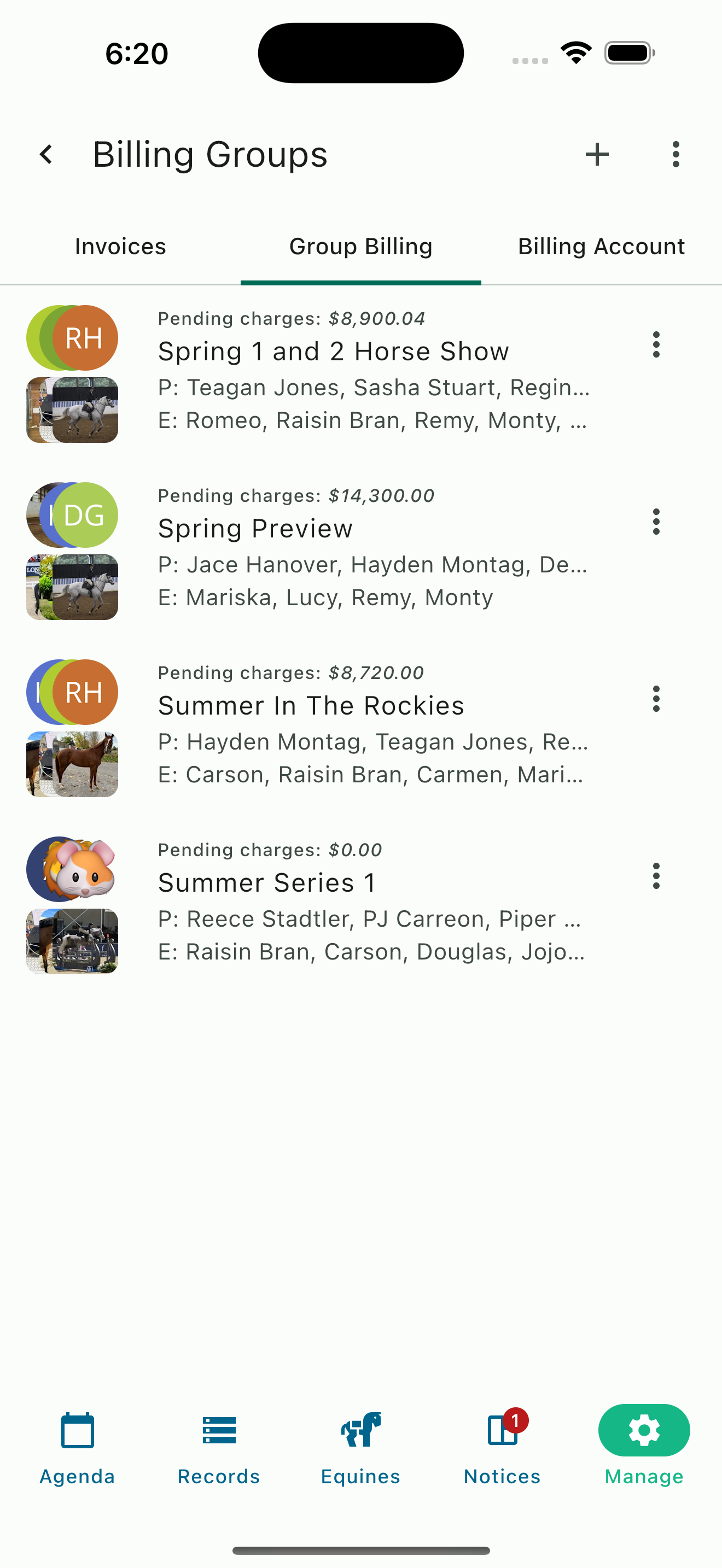
List of horse shows setup with Group Billing
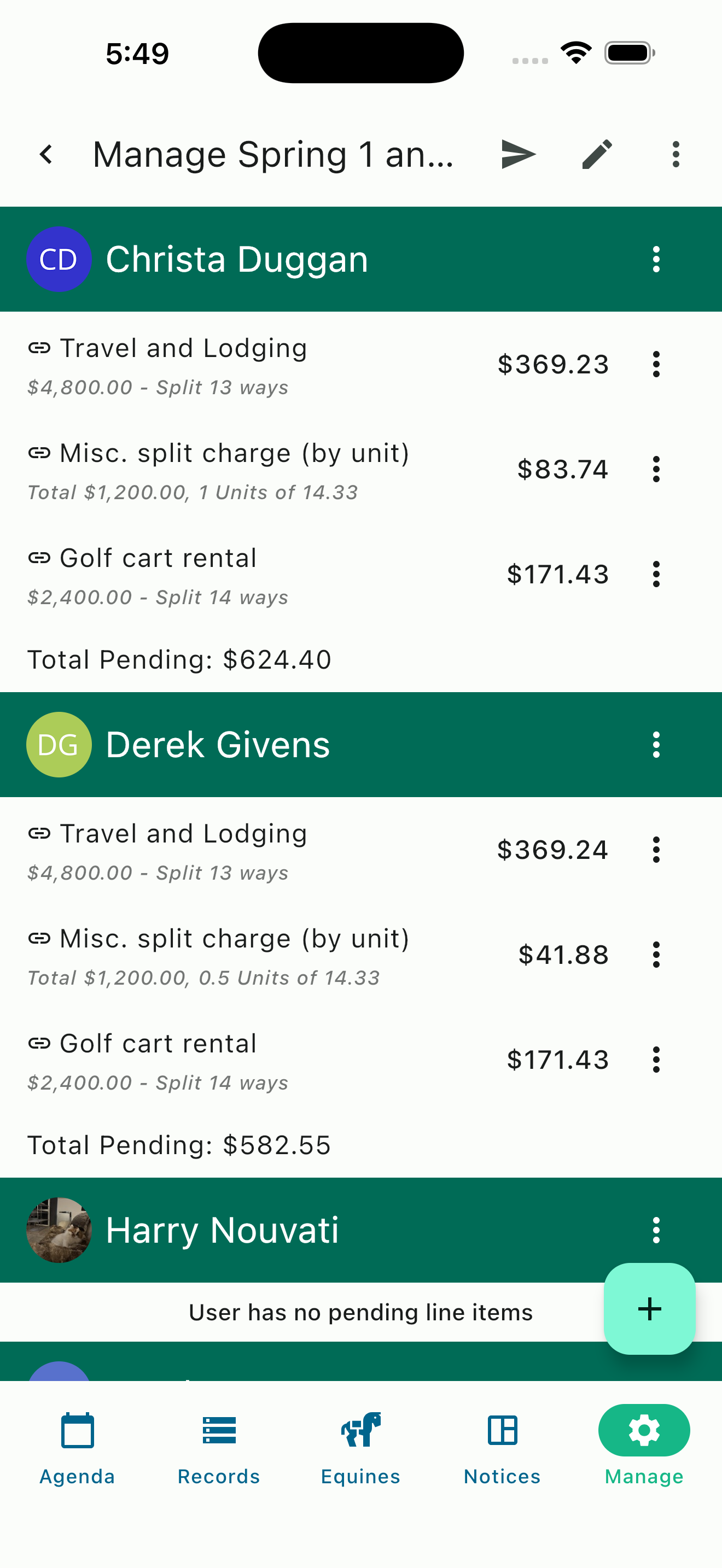
Per-person expense splits
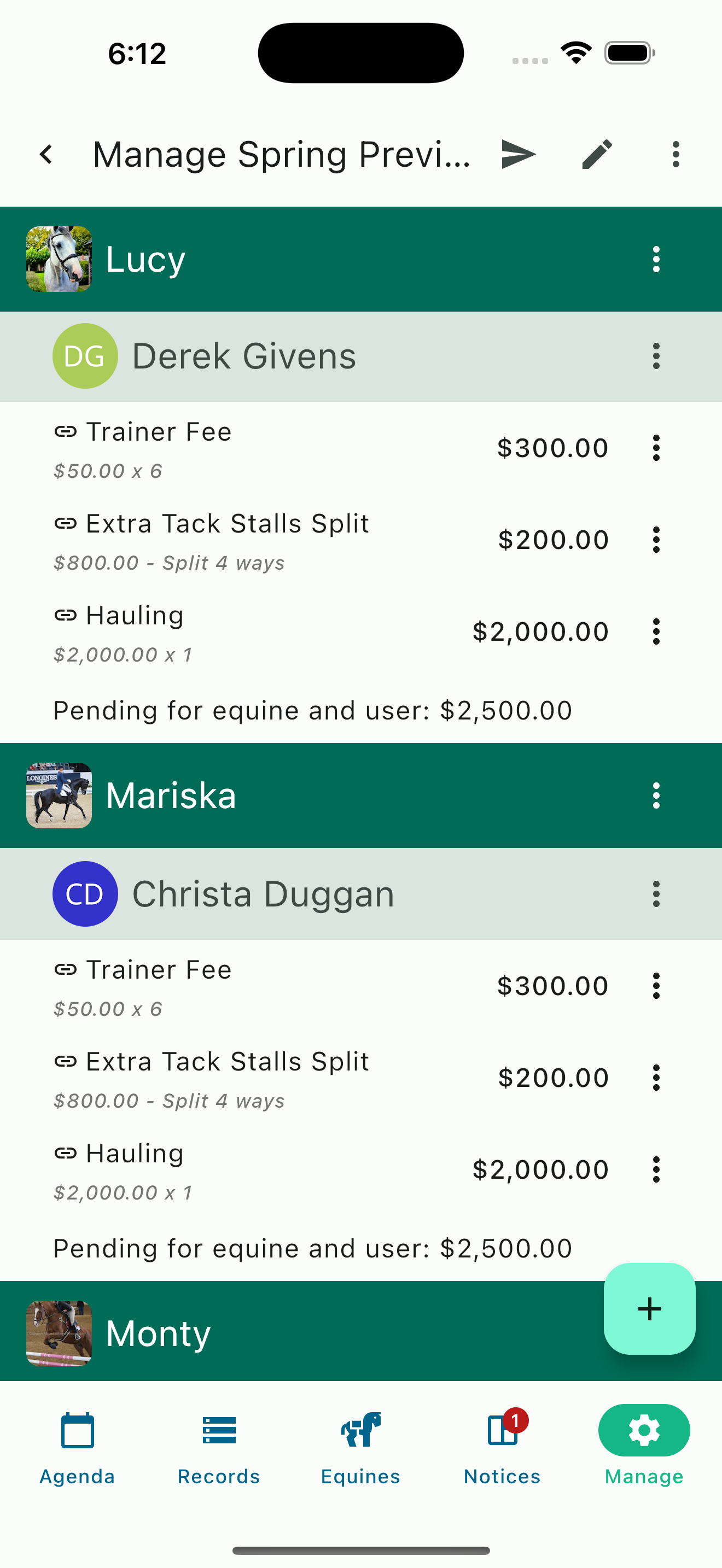
Charge by horse
Flexible Splitting Methods
Some show expenses are shared equally among riders. Others depend on how many horses each person brings. Group Billing supports both—and you can mix methods on a single show bill. For example, travel and lodging can split evenly by person or by horse, and hauling and trainer day fees can be bulk billed for each horse with just a couple of taps. Splitting by horse can be further divided if more than one party is sharing the expenses on a horse. Miscellaneous items can be bulk billed, selectively billed or divided by unit, however you see fit. Our group billing is incredibly flexible allowing for nearly any scenario you might have.
Board Billing with Add-Ons
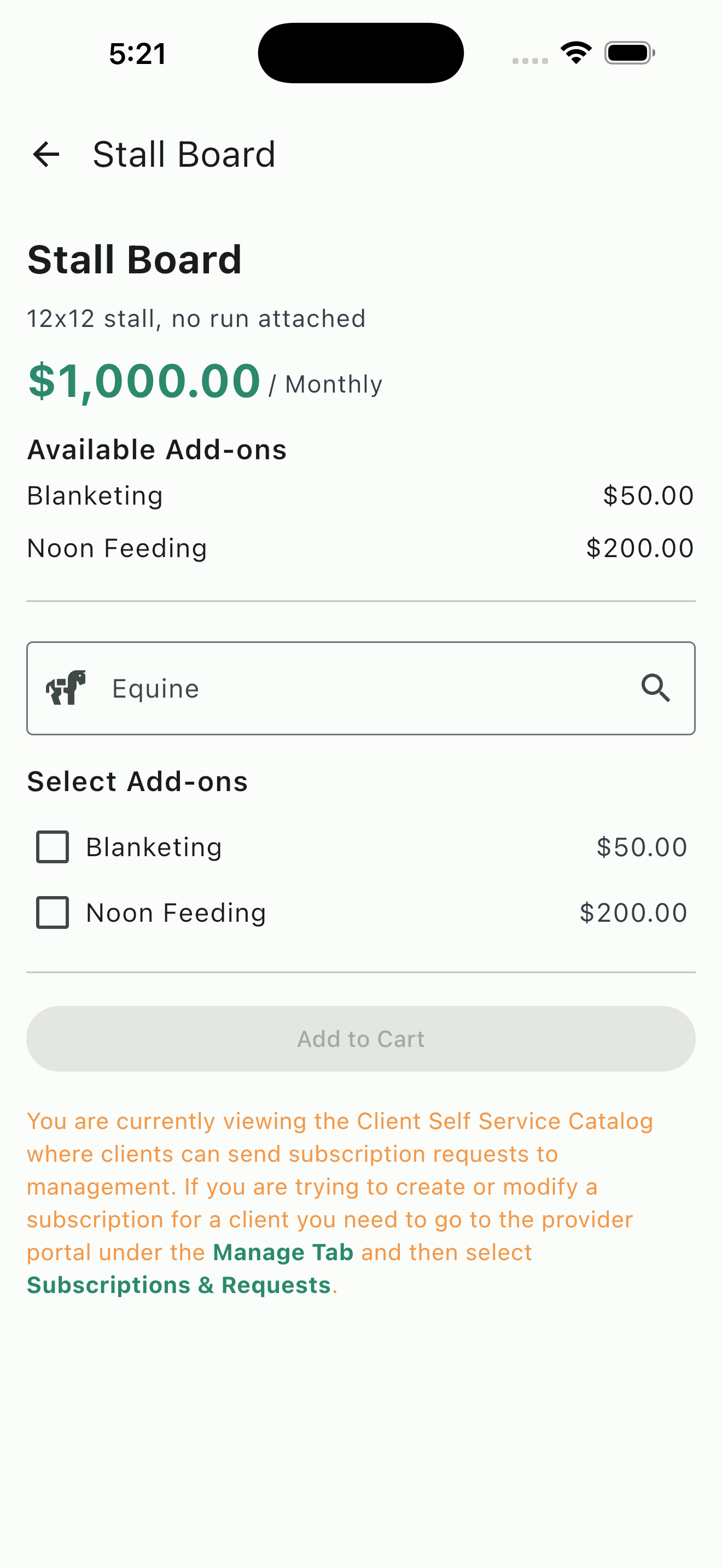
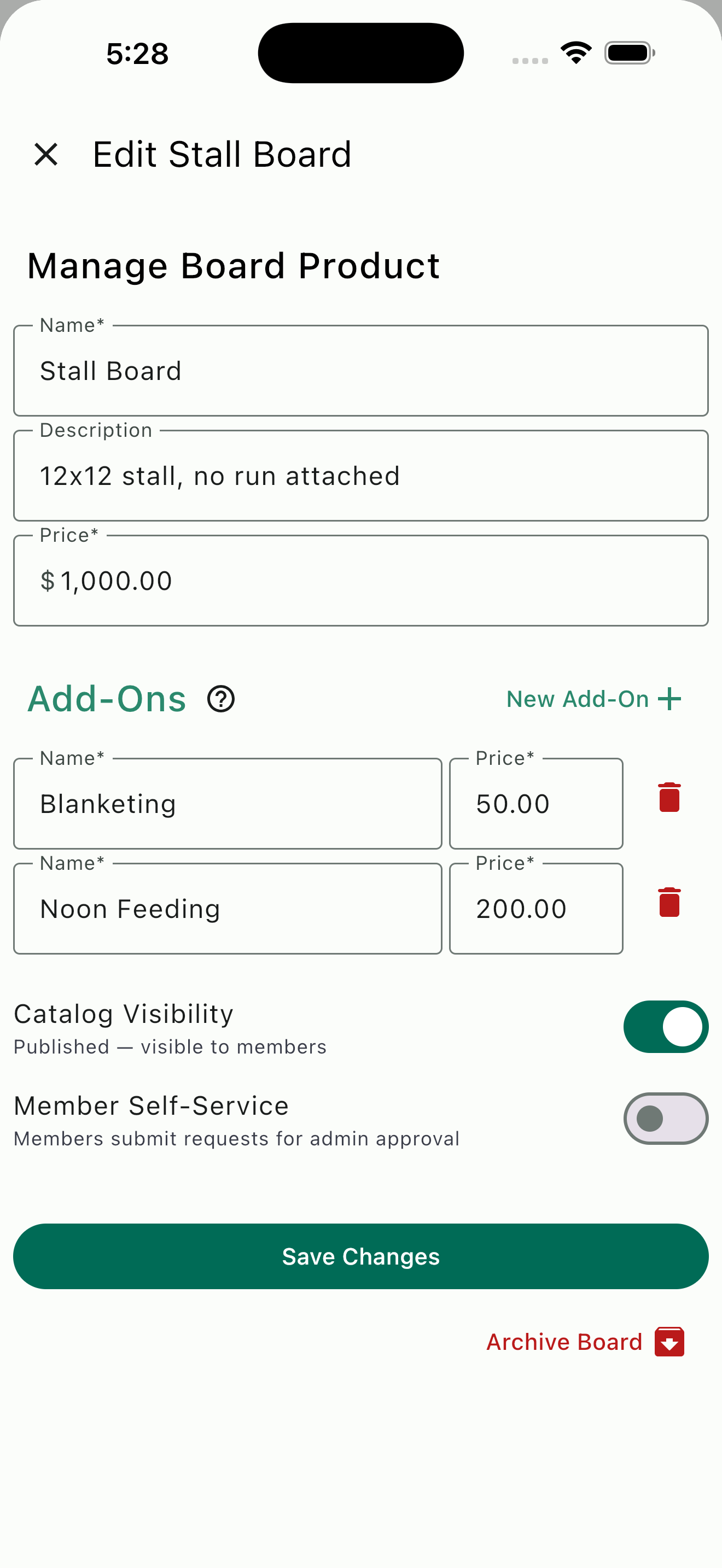
Create custom board products to cover the different boarding options your facility offers. Every board product supports custom add-on charges — blanketing, supplemental grain, extra scheduled feedings or anything else your boarders need that isn't included in the base board rate. Each add-on can be toggled on or off per client.
Add-ons are billed as individual line items on the client's invoice, so there's no confusion about what's included. Need to add blanketing for the winter and remove it in spring? Update the subscription and it takes effect next cycle. Your boarders' needs change throughout the year, and your stable management system should be designed to help you provide these accommodations with ease.
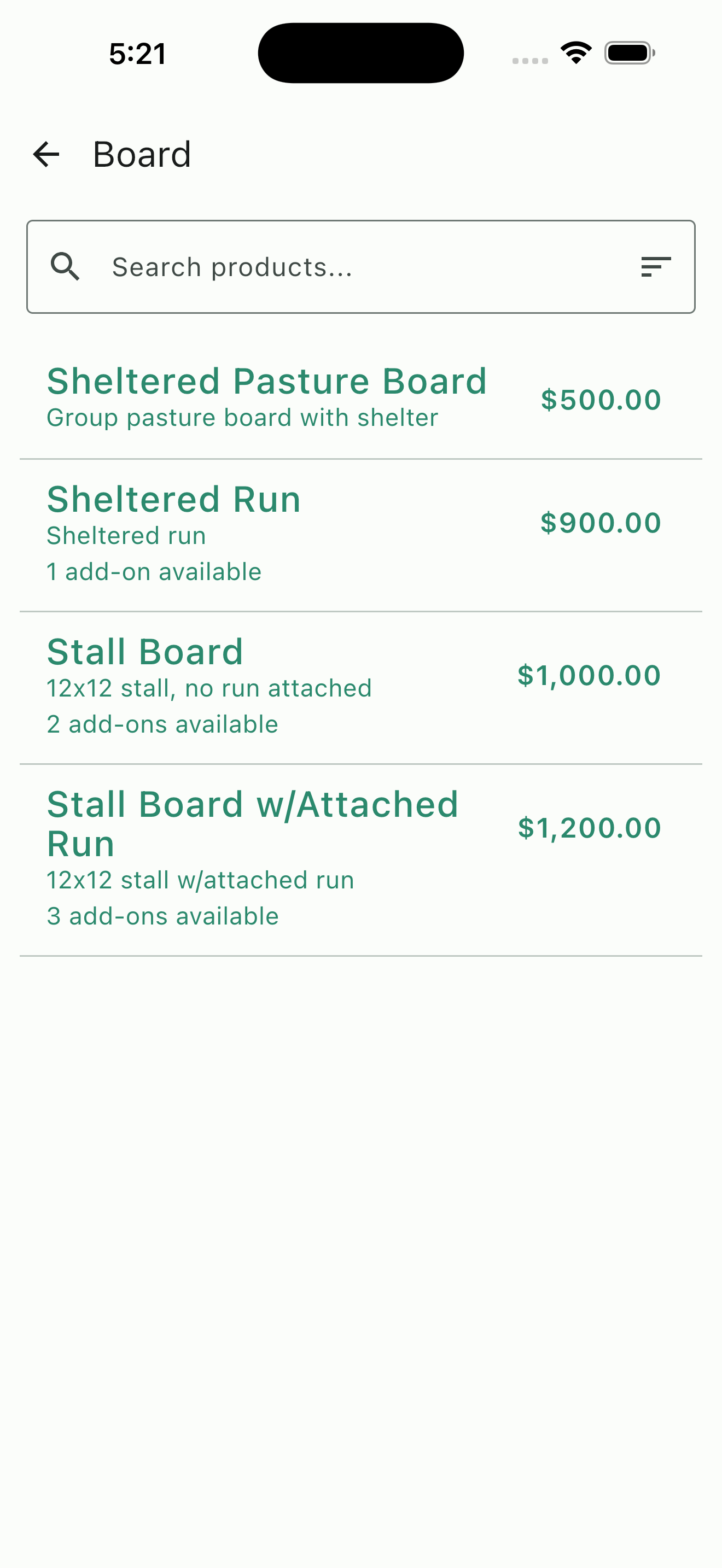
Board products with pricing
Board detail with add-ons
Edit board products and manage add-ons
- Custom add-on charges per board product
- Toggle add-ons on or off per client at any time
- Each add-on appears as its own invoice line item
- Optionally publish board products to the catalog so clients can browse options and request services
Prepaid Packages
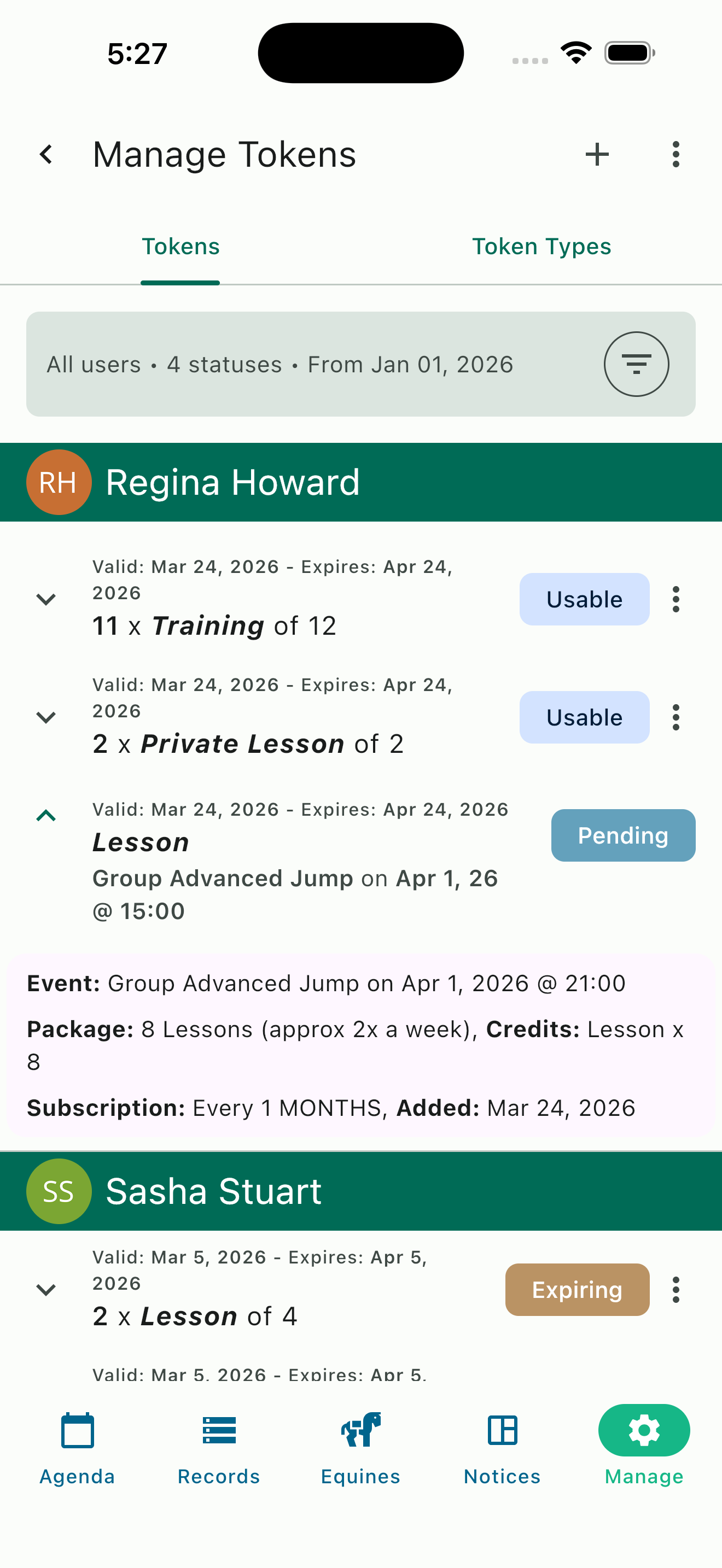
Prepaid service packages let your clients commit to a set number of lessons or training sessions up front. When their package subscription renews each billing cycle, they receive a fresh set of credits. Those credits are consumed automatically when they book qualifying events. Every credit-covered booking appears on their invoice as a no charge line item with the event details listed so there's never any confusion for your clients.
When credits run out, the client's sessions are simply billed at the standard rate. No service interruption, no manual tracking. Packages drive predictable revenue for your barn and better value for your clients. They are also the perfect solution for enforcing monthly lessons or training minimums.
Prepaid credit tracking per client
Subscription products catalog
Subscription Products
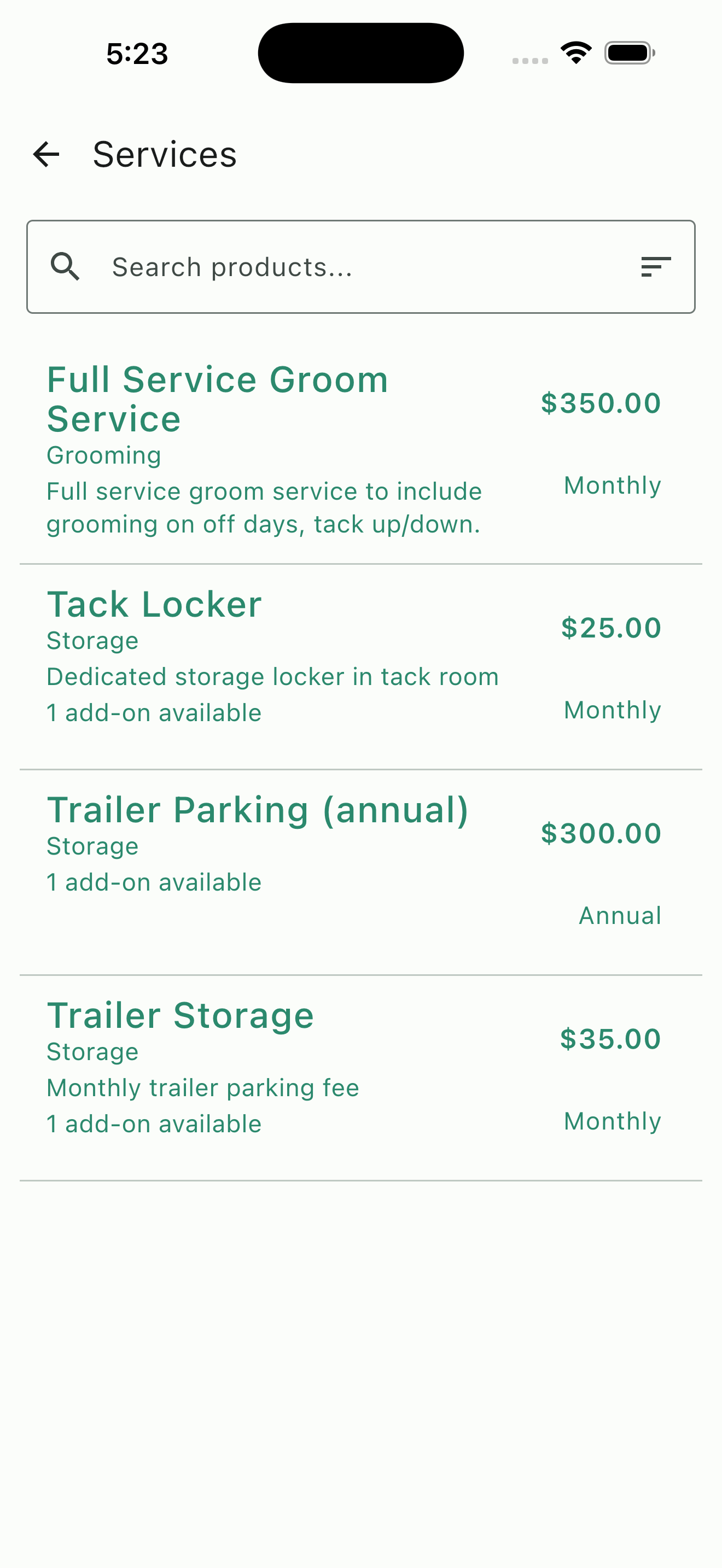
Not every recurring charge fits neatly into board or prepaid packages. Subscription Products cover the rest — trailer storage, upgraded tack storage, monthly full groom service, premium amenity access, or any other monthly, quarterly, or annual charge your barn needs to bill for.
Define the product with a name, description, price, and billing cycle. Add optional add-ons for additional upgrades (like a premium parking spot or that extra-large corner locker). Toggle catalog visibility so clients can browse and request products through the app, or keep them visible to admins only. Once assigned to a client's subscription, the charge recurs automatically each cycle.
- Monthly, quarterly, or annual billing cycles
- Optional add-ons per product
- Optionally publish subscription products to the catalog so clients can browse options and request services
Subscription Management
Board, prepaid service packages, and additional recurring products are all set up to bill clients through our subscription manager. Subscriptions that follow the same billing cycle can all be bundled together under one invoice instead of managing each recurring charge separately, you configure everything in a single place. Each subscription shows what's included, the billing period, and the total amount. Your clients can view their active subscriptions at any time through the app.
- Put your board, prepaid packages, and other recurring products in one subscription for each client
- Clients view their subscriptions in-app
- Add or remove items or adjust add-ons at anytime
- If Catalog visibility and requests are enabled, clients can request changes to subscriptions making it easy for you to update their services with just one click
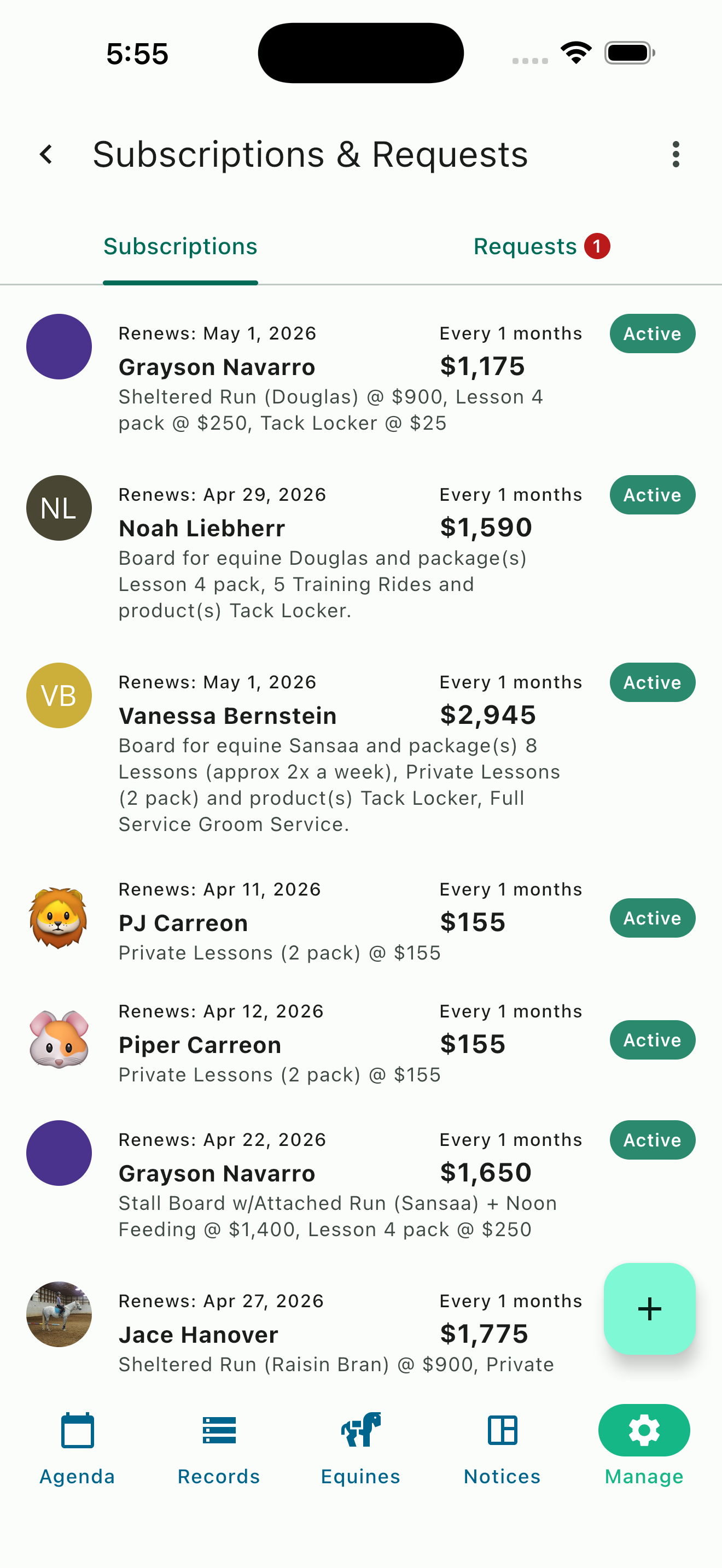
Active subscriptions by client
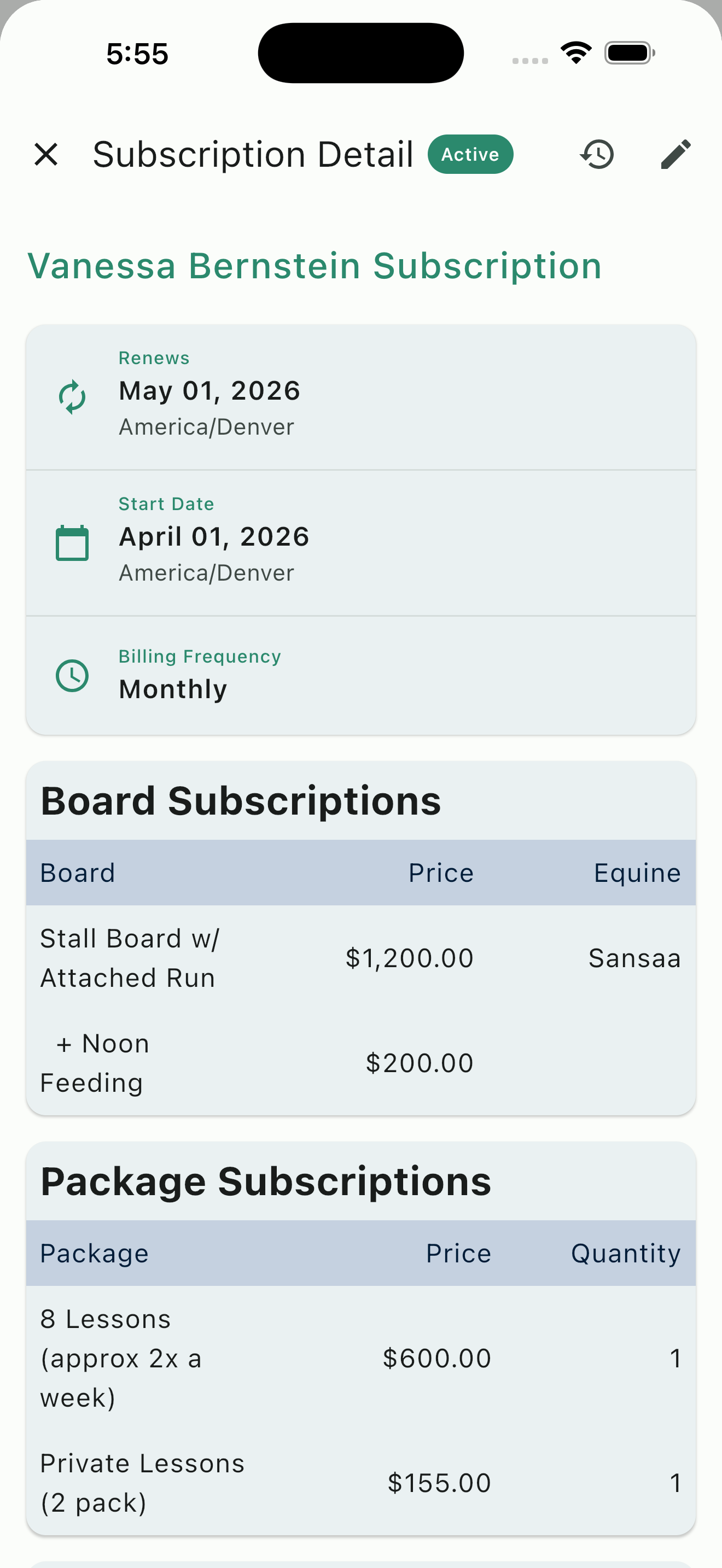
Subscription detail
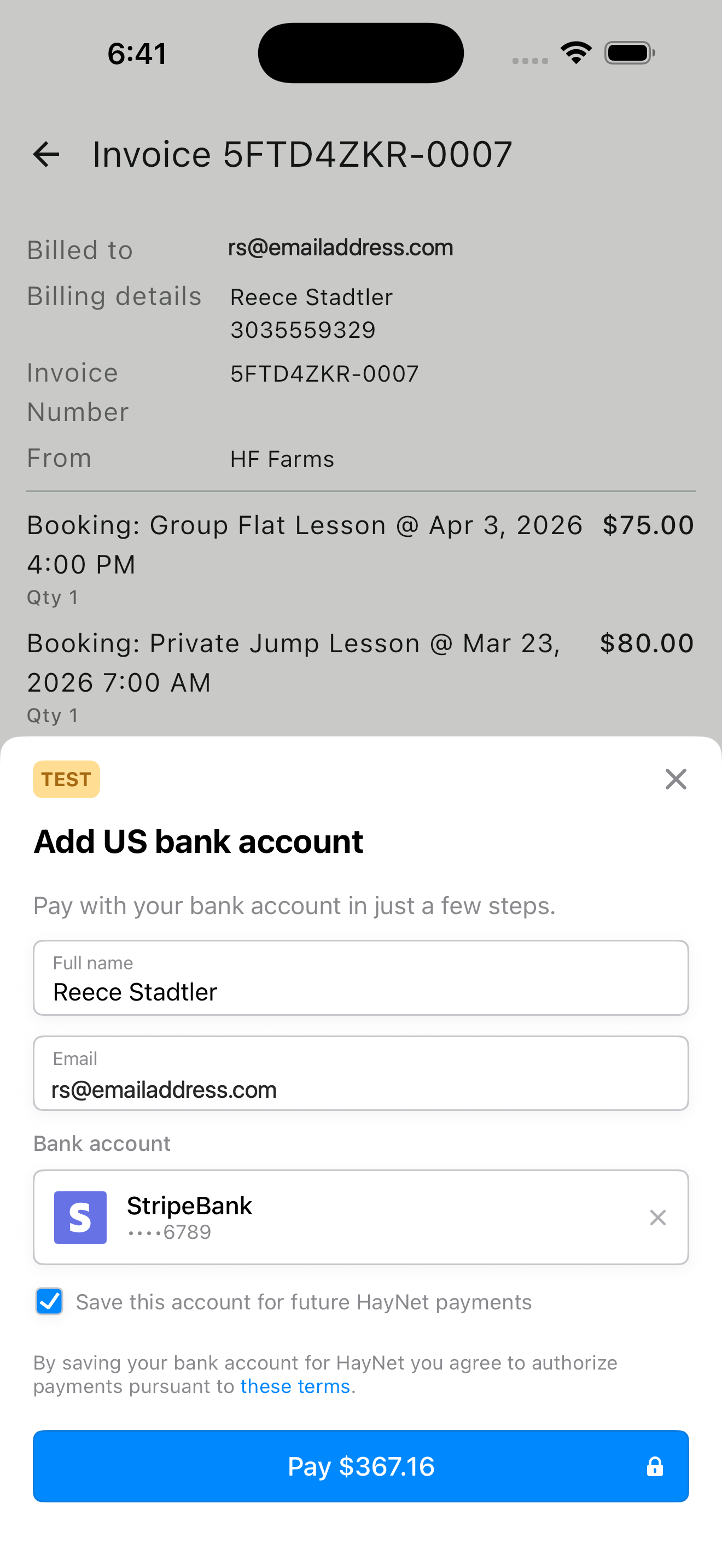
Pay invoice with bank account
Online Payments & Invoice Tracking
Clients can pay invoices online using ACH bank transfer, credit card, or debit card. They can also pay directly from the emailed invoice link without logging in. Every payment is tracked automatically and the invoice status updates in real time.
HayNet integrates with Stripe for payment processing, giving you control over payout settings and a complete view of your payment activity. Late fee enforcement is configurable per your policies: set a fixed dollar amount, a percentage of the outstanding balance, or both. Overdue invoices are flagged and late fees are applied automatically—no awkward follow-up conversations needed.
- ACH, credit card, and debit card payments
- Pay-by-email links for collection without needing to log in
- Pay in-app for convenient and quick payment with saved payment methods
- Stripe integration with payout management
- Automatic late fee enforcement (fixed, percentage, or both)
- Real-time invoice status updates
Billing Account Summary & Reporting
Your Billing Account Summary gives you a high-level view of your barn's financial health. See gross and net revenue, an invoice summary broken down by status, and your top customers by spend—all from a single screen.
HayNet also supports 1099 generation and year-end reporting, making tax season more manageable. Export ledger and reconciliation data as CSV files for import into QuickBooks or your accounting software of choice. If you have a bookkeeper on your team, assign them the Bookkeeper role so they receive automated reports directly. You can also add an external email address to receive regular automated reporting, keeping your accountant or business partner in the loop without giving them app access.
- Gross and net revenue at a glance
- Invoice summary by status
- Top customers by spend
- 1099 generation and year-end reports
- CSV export for QuickBooks and other accounting tools
- Reimbursement tagging to exclude pass-through costs from taxable income
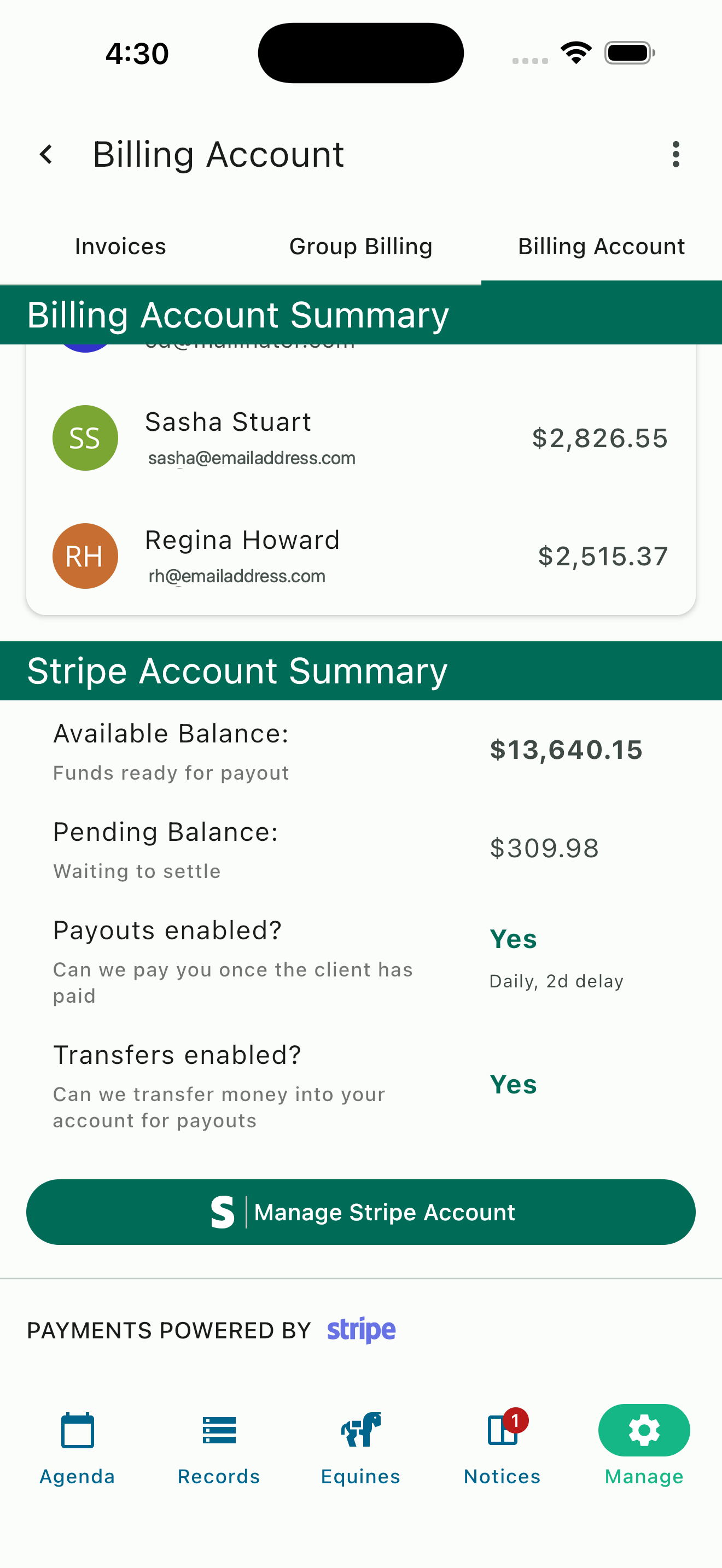
Stripe integration
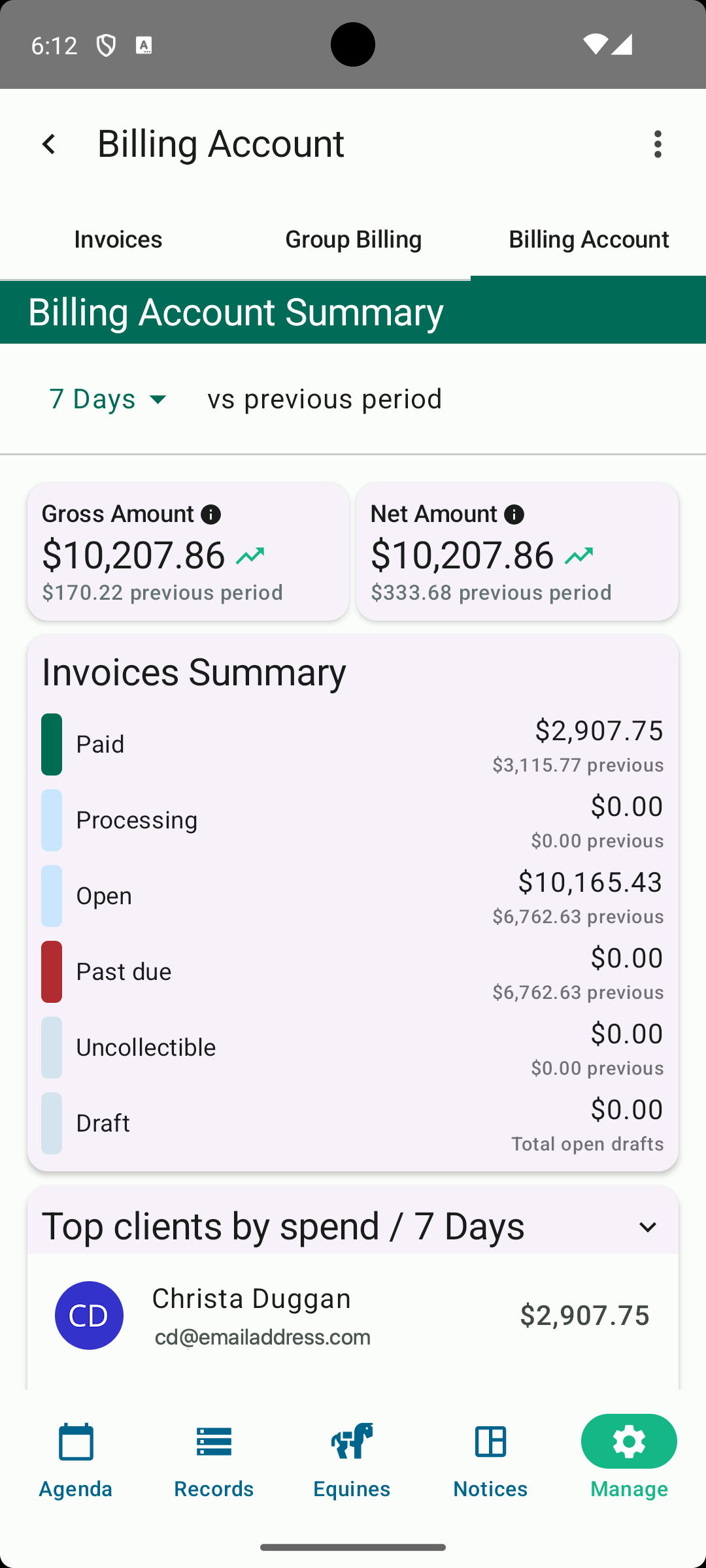
Billing Account Summary
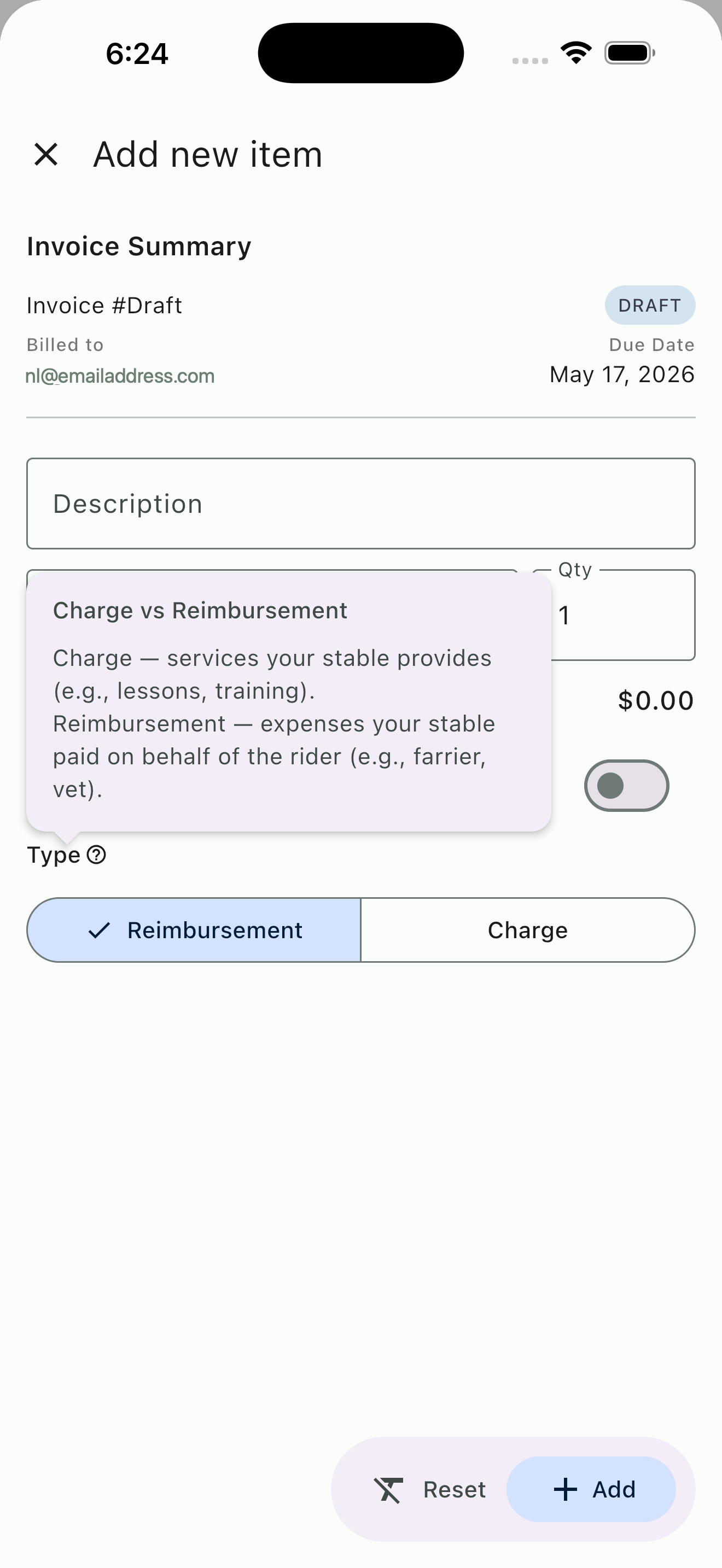
Tag line items as reimbursement
Reimbursement Tagging & Tax Optimization
Not every charge you pass through to a client is revenue. When you pay for something on a client's behalf—show stall fees, hauling fuel, veterinary supplies—and charge them for it, that's a reimbursement, not income. HayNet lets you tag individual line items as reimbursements so they're excluded from your taxable revenue calculations.
This distinction matters at tax time. Without proper tagging, pass-through costs inflate your gross revenue and you end up paying taxes on money that was never yours. With reimbursement tagging in HayNet, your financial reports accurately reflect what's actual income versus what's cost recovery. It's a small configuration step that can save meaningful money over the course of a year.
- Tag line items as reimbursement vs. income
- Exclude pass-through costs from taxable revenue
- Accurate financial reports that distinguish income from cost recovery
- Applies across invoices, reports, and CSV exports
Ready to put billing on autopilot?
Join the equestrian businesses that have stopped chasing invoices and started getting paid automatically.
Get Started Free