User Management
The right people see the right things. Organize your team, control access, and communicate with everyone at your barn, from trainers and staff to clients and their families.
Managing a barn means managing people: trainers, clients, staff, parents, working students, and everyone in between. Each person interacts with your business differently, needs access to different information, and communicates on different terms. A trainer needs to see the full schedule and make changes. A parent needs to book lessons for their child and pay invoices. A groom needs to know which horses to tack up. A bookkeeper needs financial reports.
HayNet's User Management gives you the tools to organize every person connected to your barn, set the appropriate level of access for each role, and communicate with the right groups quickly. From onboarding new clients to managing family accounts to sending a quick message to your entire show team or all of your boarders, everything is built to reflect the way equestrian businesses actually operate, where relationships are personal but the logistics need to be professional.
Whether you are running a busy riding school with dozens of families or a training program with a tight-knit team, HayNet adapts to your structure. Set roles once, and the system handles the rest by controlling what each person can see, do, and access across every part of HayNet.
Role-Based Permissions
Every person at your barn has a different job, and HayNet's role system reflects that. Assign one or more roles to each user — Admin, Manager, Trainer, User, Groom, Bookkeeper, and more — and HayNet automatically determines what they can see and do. Admins and Managers have full access to the organization. Trainers can book and modify any bookings on behalf of any other user in the org as well as equine management access. Users with Trainer only access cannot access anything in the Admin/Manager portal.
Roles like Groom ensure that barn staff see what they need — like which horses to tack and when — without being exposed to billing data or client financials. The Bookkeeper role provides access to financial reports and reconciliation tools along with receiving any configurable automated financial reports. A single user can hold multiple roles when their responsibilities overlap, and roles are managed independently for each organization a user belongs to.
This matters because equestrian businesses are not one-size-fits-all. HayNet's flexible role system lets you mirror the actual structure of your operation.
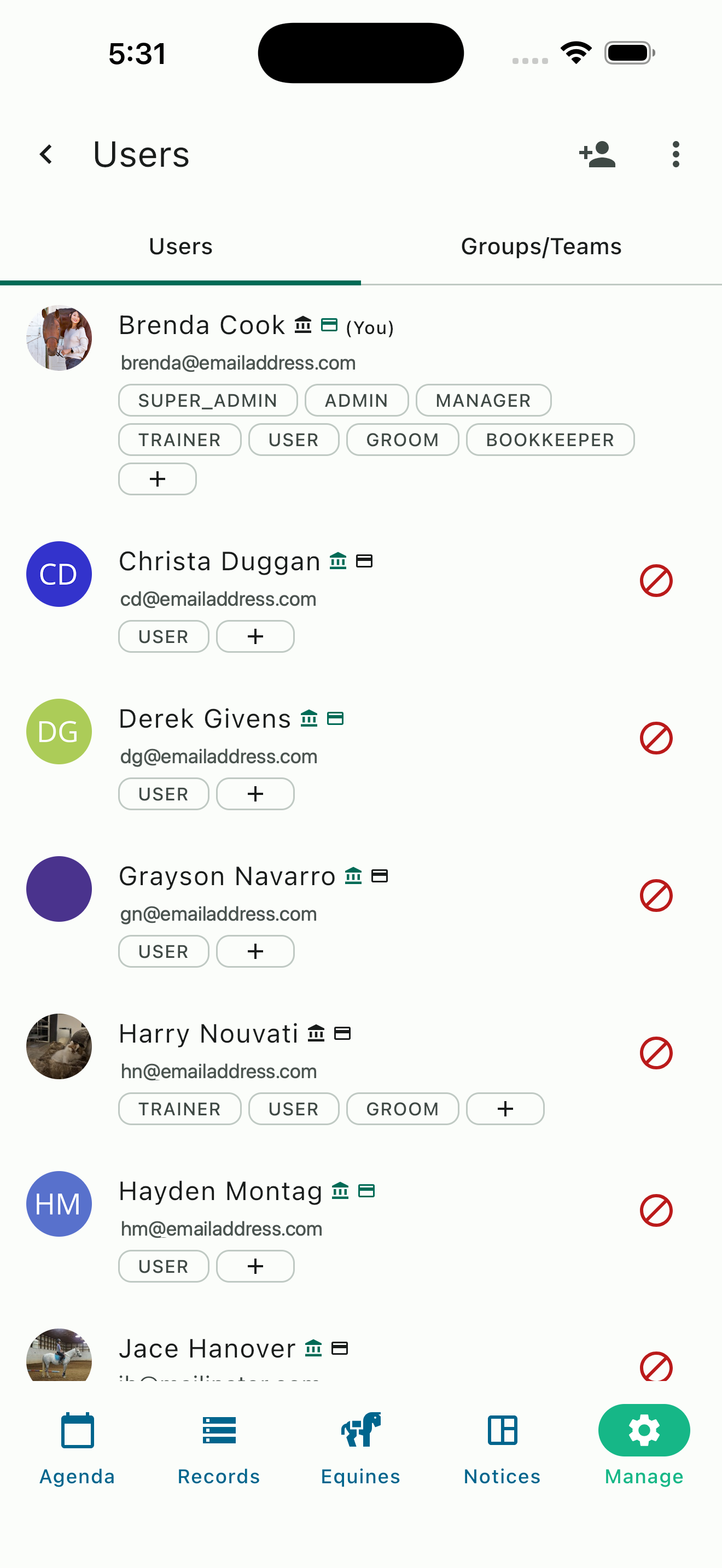
Manage users list with roles
Client Profiles and Onboarding
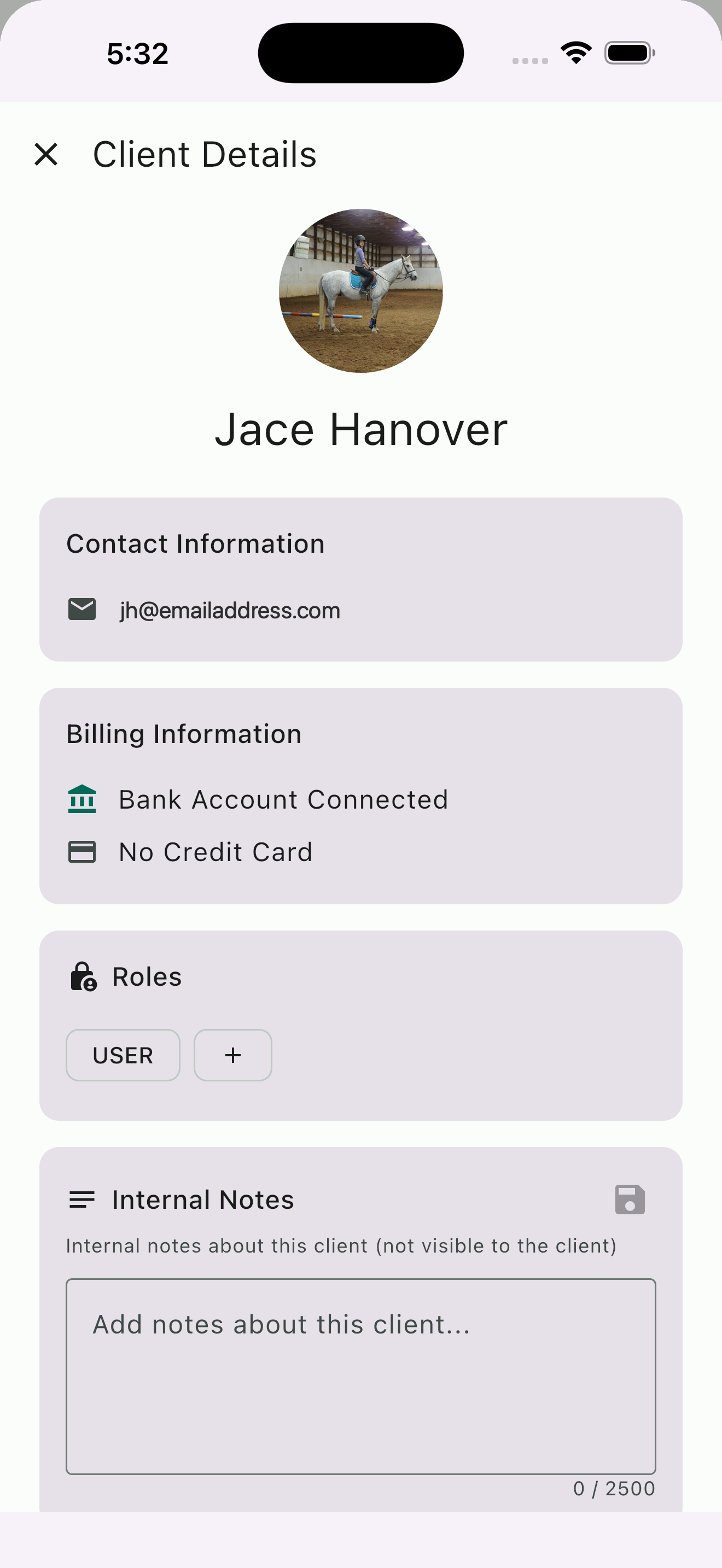
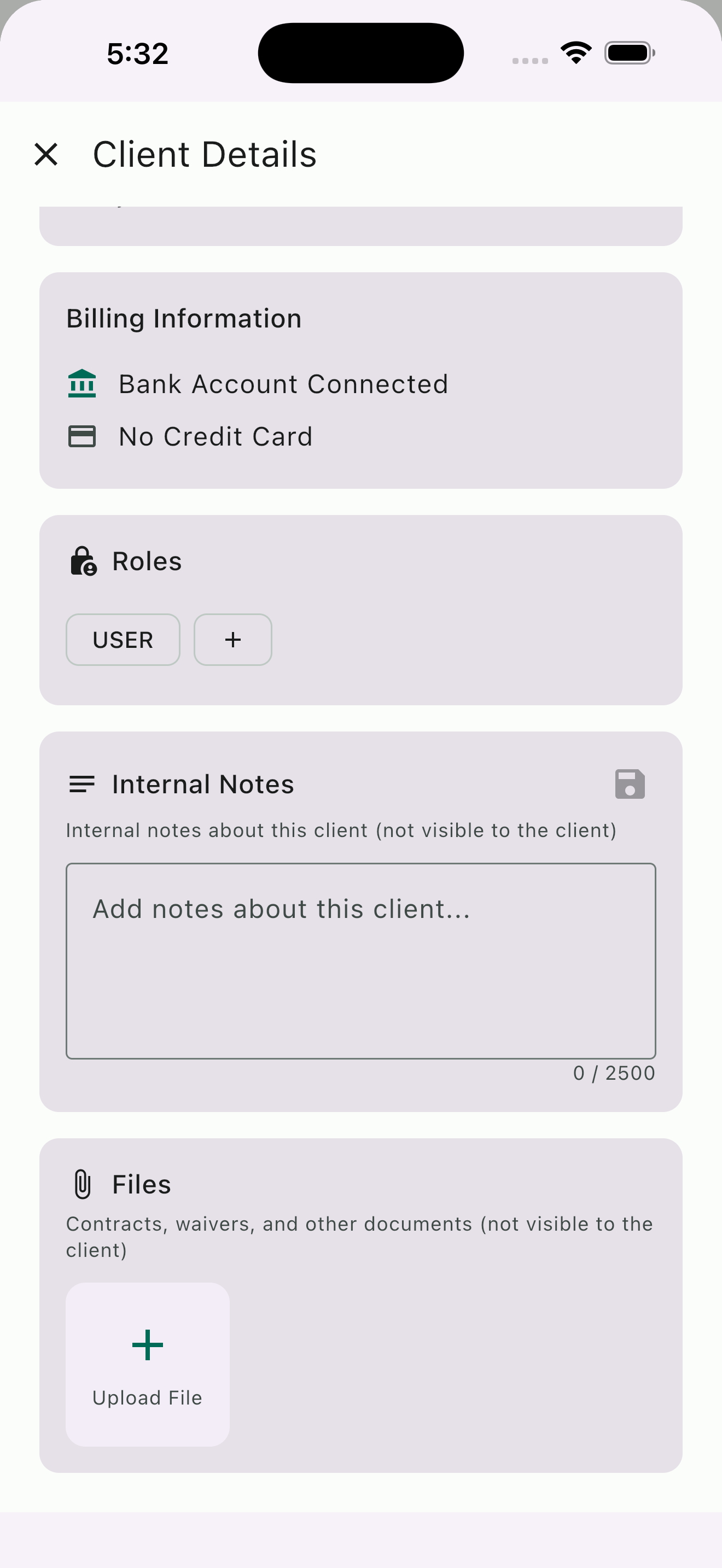
Every client in HayNet has a detailed profile that gives you a complete picture at a glance. Contact information, billing status (including whether they have a bank account or credit card connected), assigned roles, and internal notes are all accessible from one screen. Internal notes are visible only to admins — your clients never see them — making them ideal for tracking preferences, medical considerations, or any information your staff needs to know.
Client profiles also include a dedicated files section where you can upload and store important documents: contracts, liability waivers, or any other paperwork your barn requires. These files are attached directly to the client's profile, so you never have to dig through email or filing cabinets to find a signed waiver when you need it.
Getting clients connected to your barn in HayNet is a bilateral process — both sides must accept before the connection is established. As the barn, you can invite clients using HayNet's invite tool, a QR code, or a shareable link. Alternatively, a client can install the app, create an account, search for your barn, and request to join — and you accept or decline the request. This two-way acceptance ensures that no one is added to your organization without both parties confirming the relationship.
Family Accounts
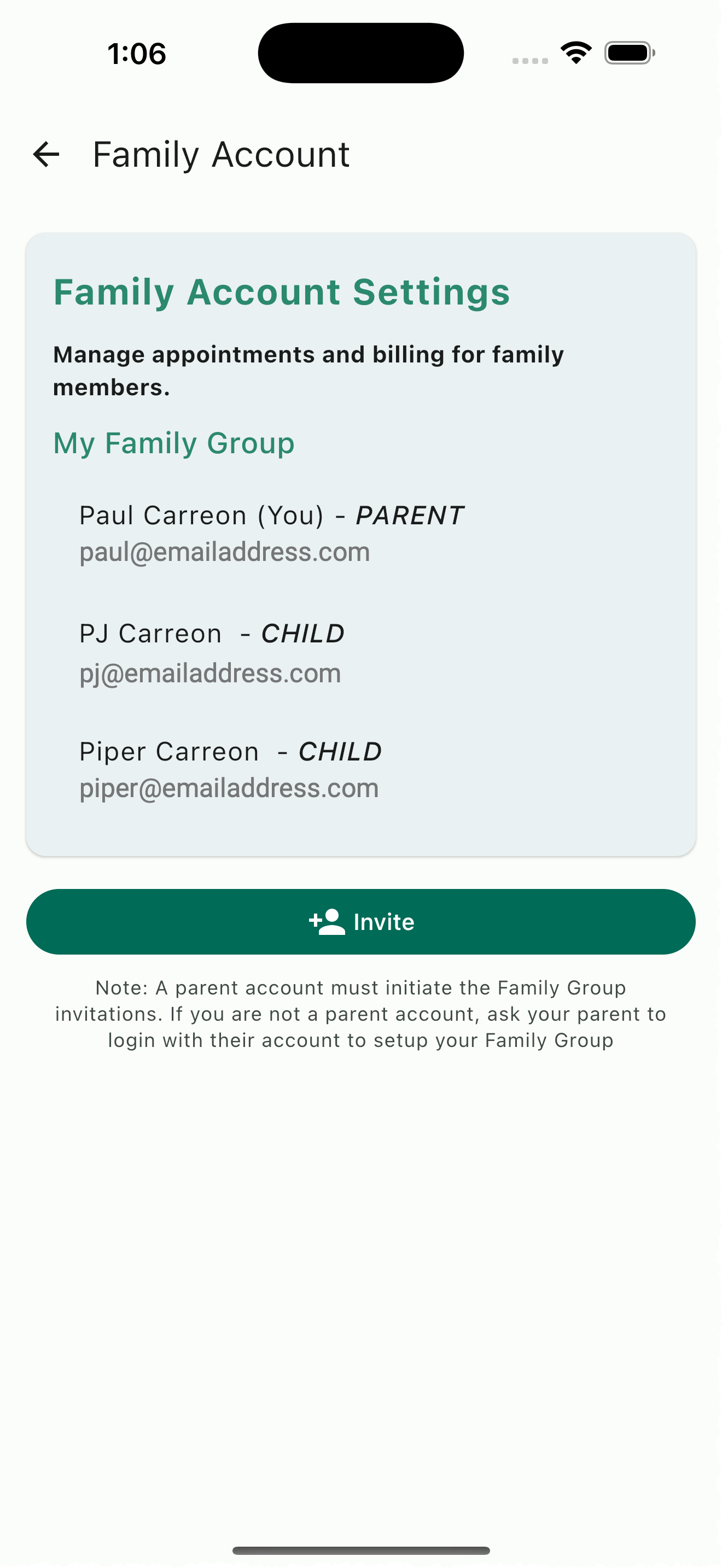
A significant portion of equestrian clients are junior riders whose parents coordinate their schedules, handle payments, and manage subscriptions. HayNet's Family Account system is built specifically for this dynamic. Parents link their account to their children's accounts and gain the ability to schedule events, view upcoming bookings, manage prepaid package credits, and pay invoices — all from their own login. Children get their own accounts linked to the parent, so their activity, schedule, and records are tracked individually.
Family Accounts support both Parent/Family Manager and Child roles, and multiple adults can serve as Family Managers within the same family. This accommodates families where both parents, a grandparent, or another guardian are involved in managing the child's riding activities. Family Managers can see the invoices of their children and anyone else in their family group, and pay them directly — so a parent can handle all of their family's billing without needing to log into each child's account separately.
For busy lesson programs with dozens of junior riders, this structure eliminates a common source of miscommunication and billing confusion. Parents can independently check their child's schedule, see upcoming token balances, review invoices, and book additional lessons without needing assistance. Your staff spends less time fielding routine questions and more time in the barn doing what they do best.
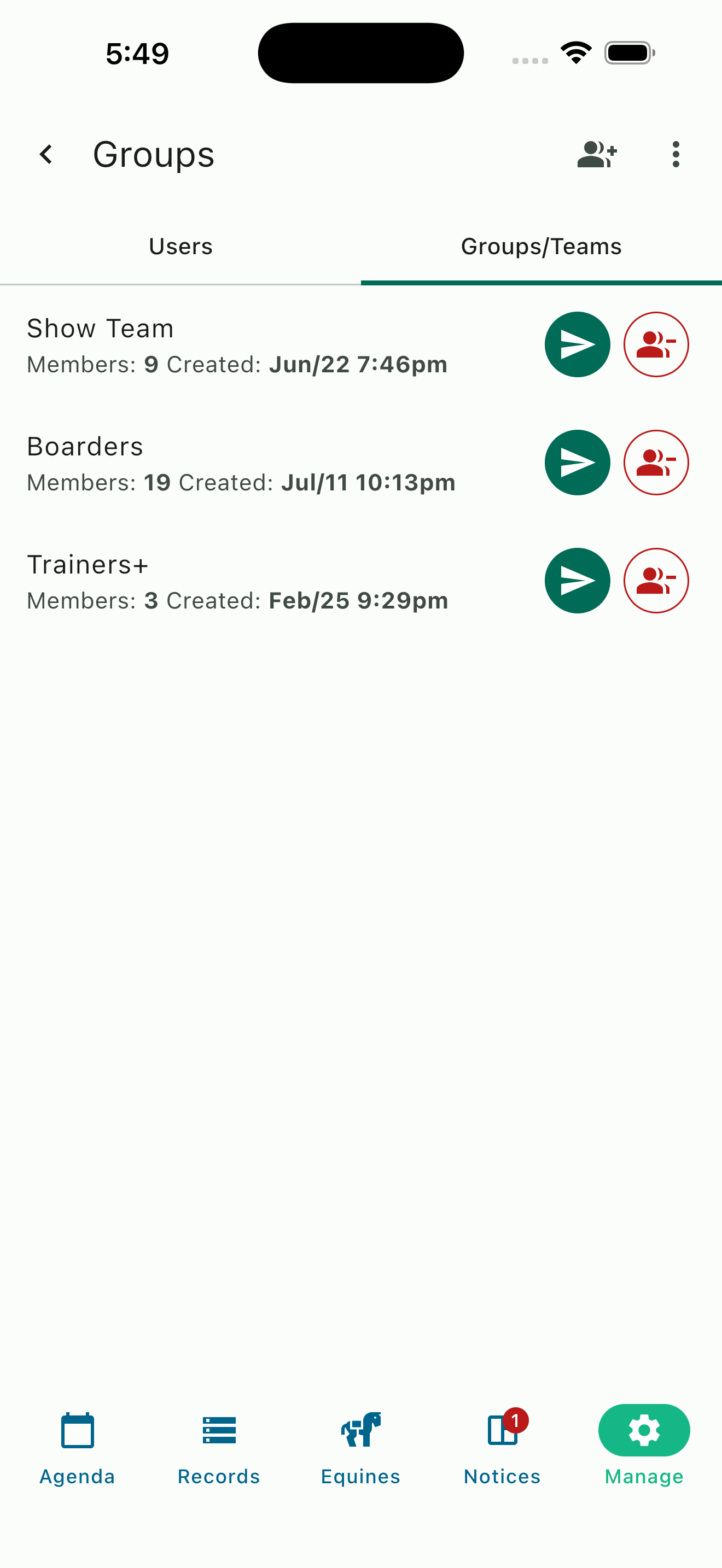
Groups and teams list
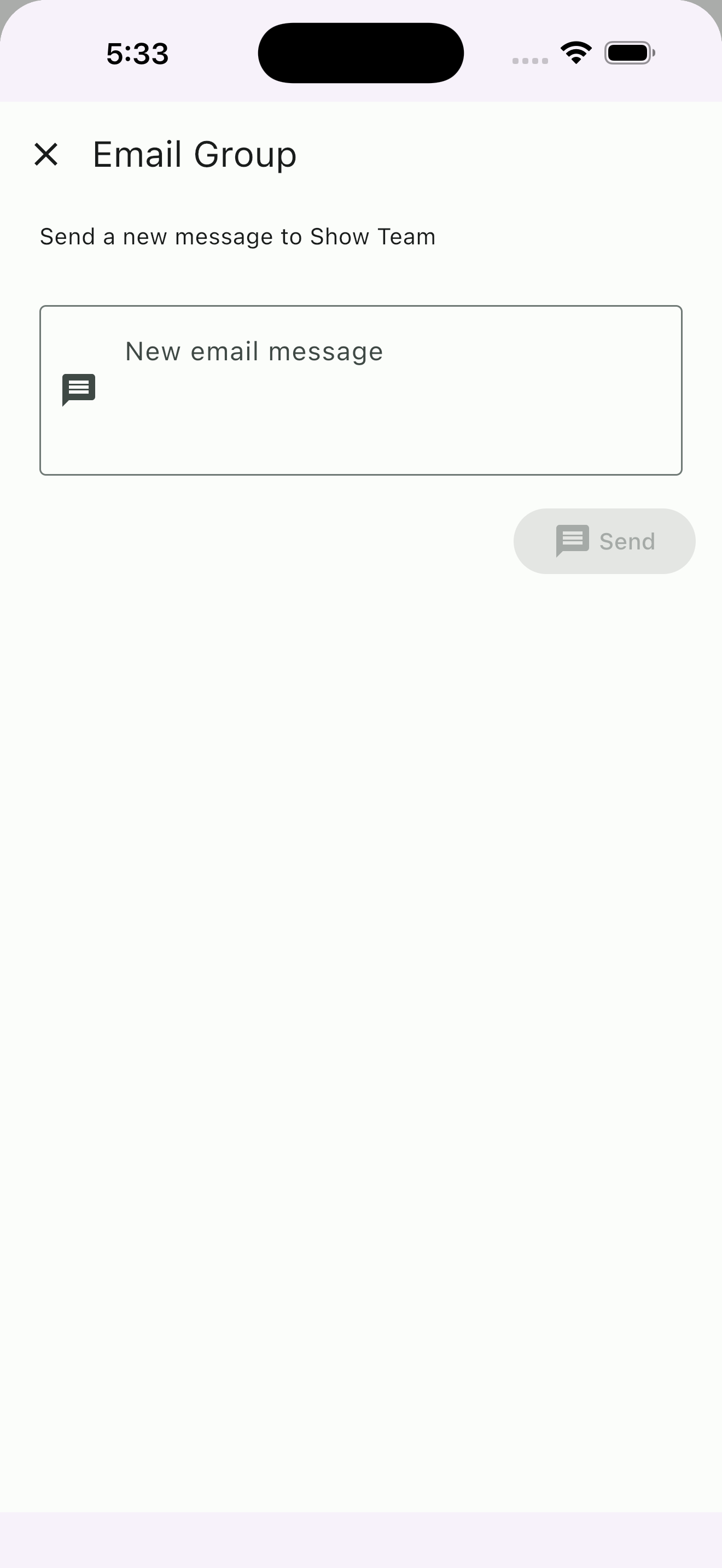
Quickly send emails to groups and teams
Communication Groups and Team Messaging
Barns communicate constantly — schedule changes, weather cancellations, show logistics, farrier reminders, event updates. But not every message is for everyone. HayNet's Communication Groups let you create reusable groups of people so you can message exactly the right subset of your barn with just a few taps. Create groups like "Show Team," "Boarders," "Trainers+," or any other grouping that makes sense for how your barn operates.
Once a group is created, you can send email messages directly from HayNet to every member of that group. Writing a message to your entire show team about an upcoming competition schedule takes seconds — select the group, compose your message, and send. No hunting through contacts, no copying and pasting from a spreadsheet, and no risk of forgetting someone who should have been included.
Groups are easy to manage. Add or remove members at any time as your roster changes. A client who joins your show team mid-season gets added to the group in a few taps, and they immediately start receiving relevant communications. Groups are especially valuable for barns with distinct subsets of clients — youth team, adult riders, competitive riders, boarders, and staff often need different information at different times, and groups let you communicate efficiently without spamming everyone with messages that do not apply to them.
Client Account Management Portal
HayNet gives your clients their own Account and Billing portal where they can manage their financial relationship with your barn independently. From a single screen, clients can view and manage their payment methods, review invoices (current and past), see their active subscriptions, check on pending requests, view their prepaid package credits, and manage their Family Account connections.
This account management approach reduces the volume of routine questions that land on your desk. When a client wants to know how many lesson credits they have remaining, they check the app. When they need to update their payment method, they do it themselves. When they want to see a breakdown of last month's invoice, it is right there. Your clients get the convenience and control they expect from a modern service provider, and your staff gets fewer interruptions.
Clients can also browse your available product catalog directly within the app. If you offer new recurring revenue products — board packages, prepaid lesson bundles, or other recurring services — clients can view what is available and request a subscription. The request goes to you for approval, keeping you in full control of what gets activated while making it easy for clients to discover and express interest in your offerings.
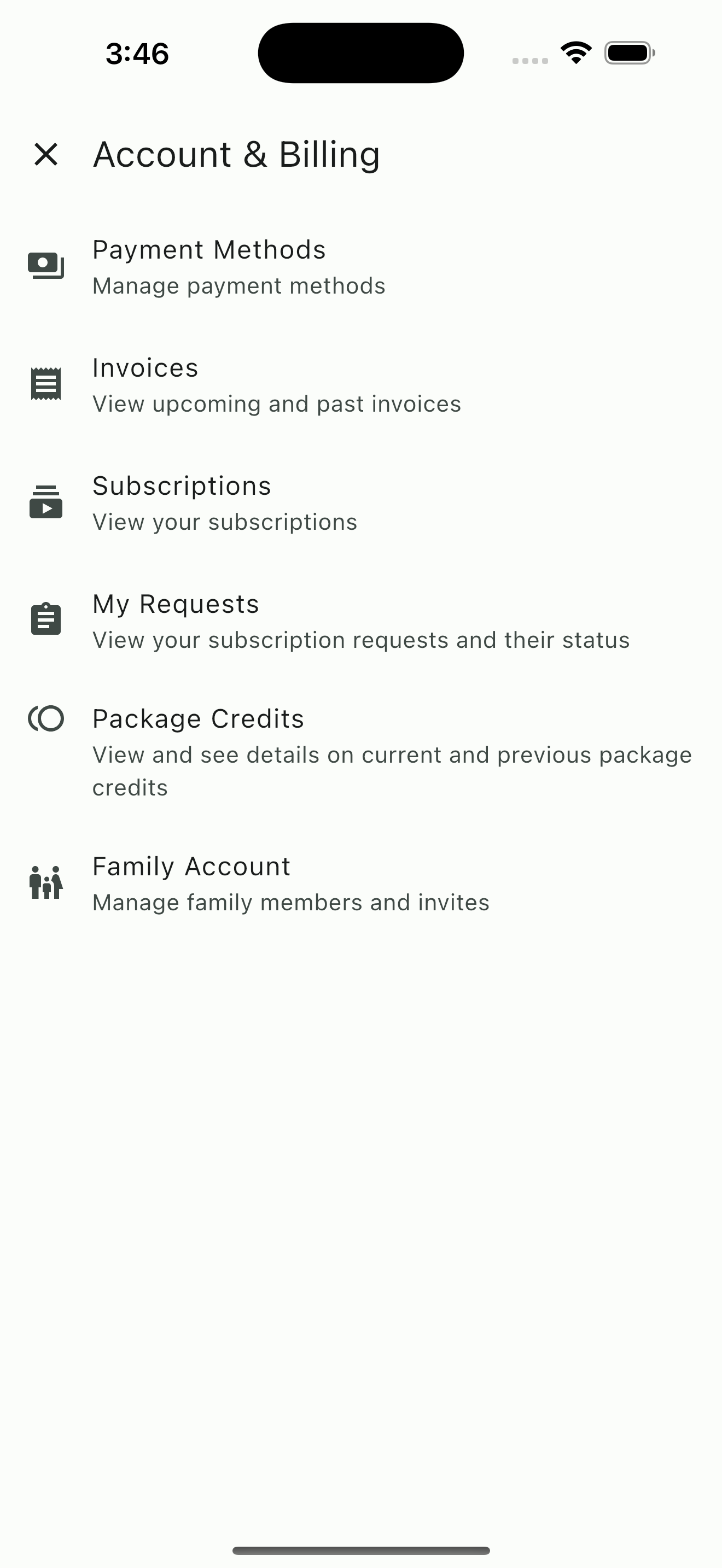
Client Account and Billing portal
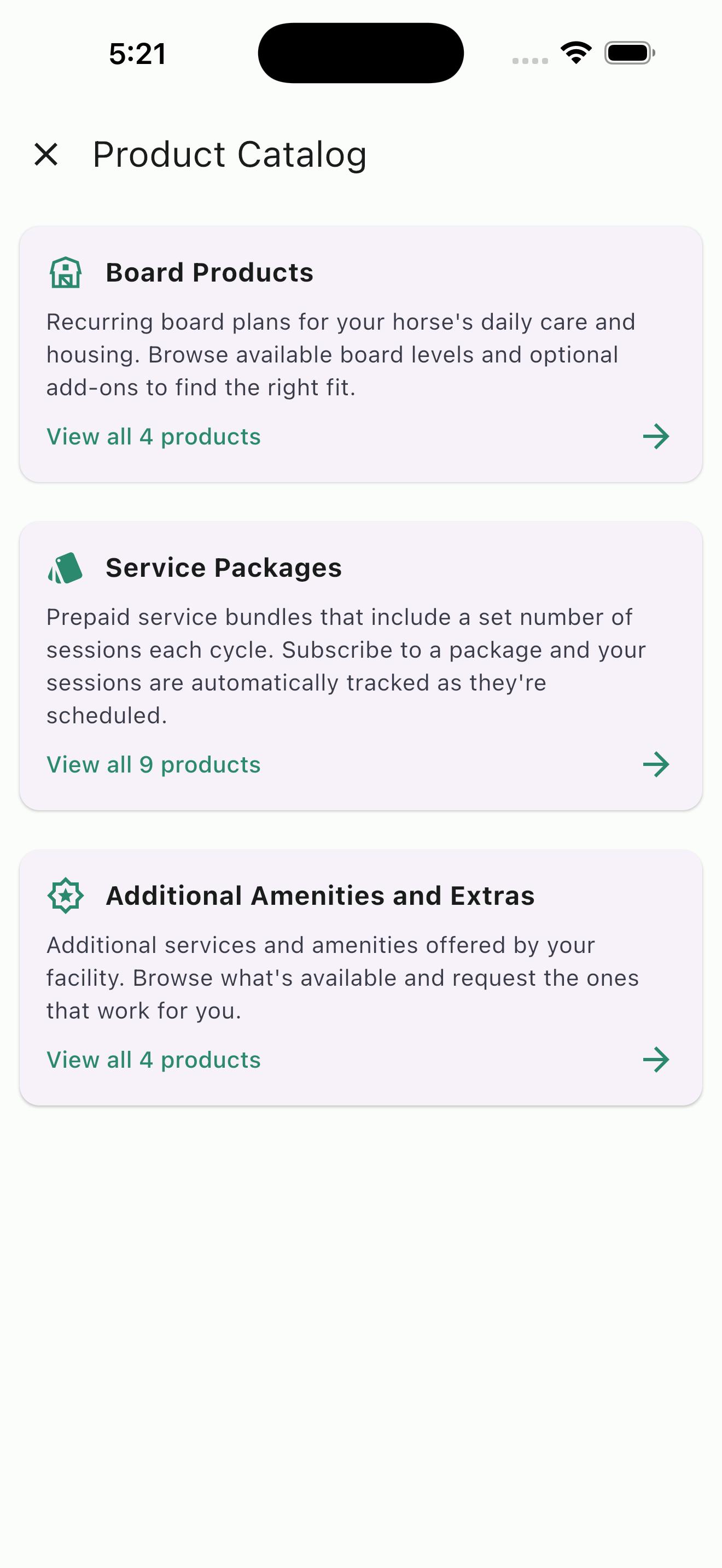
Product catalog: member clients browse board, packages, and amenities in one place
Services & Products Catalog
HayNet includes a built-in catalog where you can showcase everything your barn offers — board packages, prepaid lesson bundles, training programs, amenities, trailer storage, and any other recurring service. Member clients can browse the catalog directly from their app at any time, see pricing and details for each product, and submit a request when they find something they want.
The catalog is organized into clear categories so member clients can quickly find what they are looking for. Each listing displays the product name, description, and pricing so member clients understand exactly what they are signing up for. When a member client adds a product to their cart and submits a request, it goes into your approval queue — nothing is activated without your say-so.
This self-service approach means fewer phone calls, texts, and emails asking what you offer and how much it costs. Your catalog serves as an always-available storefront that member clients can browse on their own schedule, from their phone or computer. You spend less time answering routine questions and more time running your barn.
Service and Product Requests
When clients browse your product catalog and request a new service or subscription — whether it is a board package, a prepaid lesson bundle, trailer storage, or another recurring product — the request appears in a centralized queue for your review. You can see at a glance what has been requested, who requested it, and take action with a single tap.
This keeps you in control of what gets activated on each client's account while making the process easy and self-service for your clients. Instead of fielding phone calls or texts about signing up for a new package, clients can browse what you offer and submit a request on their own time. You approve or decline, and the subscription is activated or the client is notified accordingly.
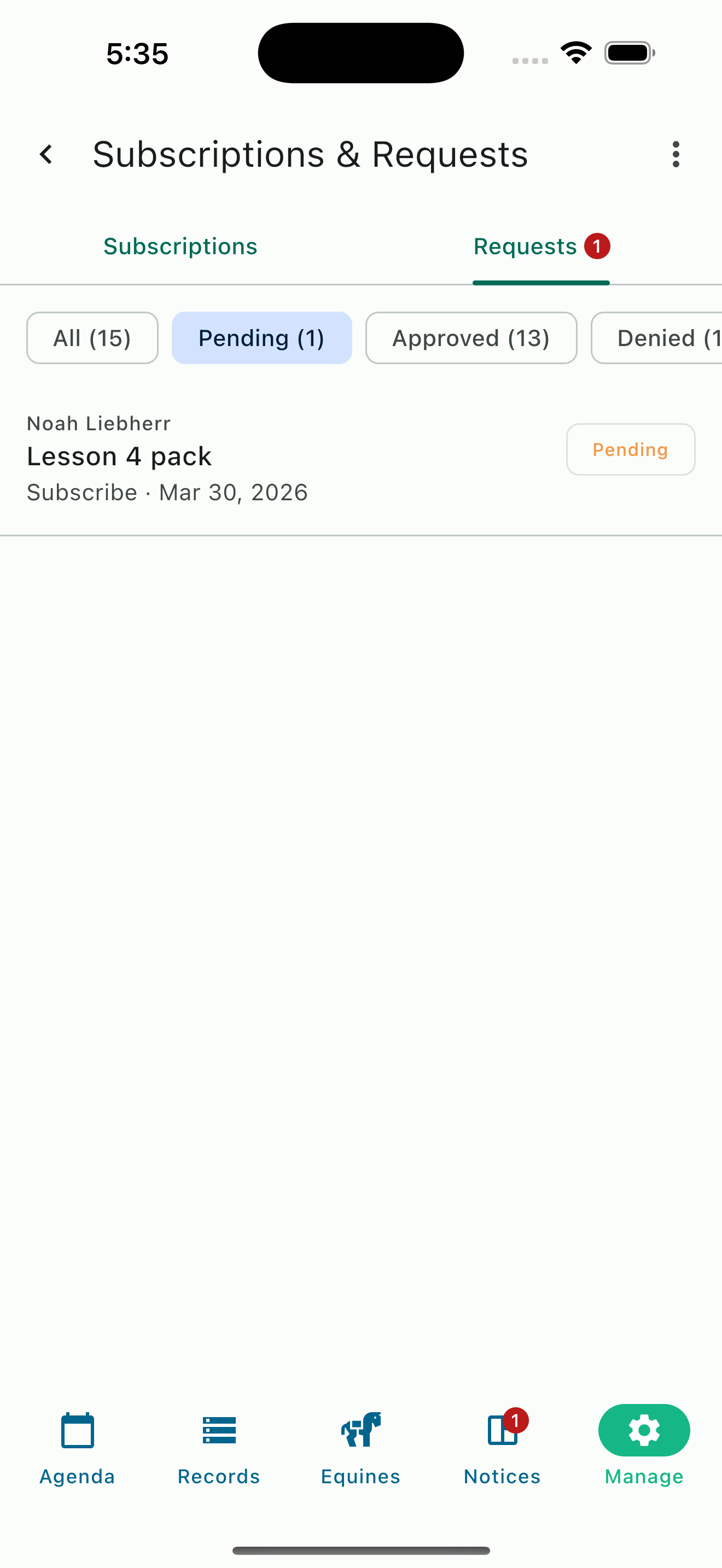
Pending request in admin portal
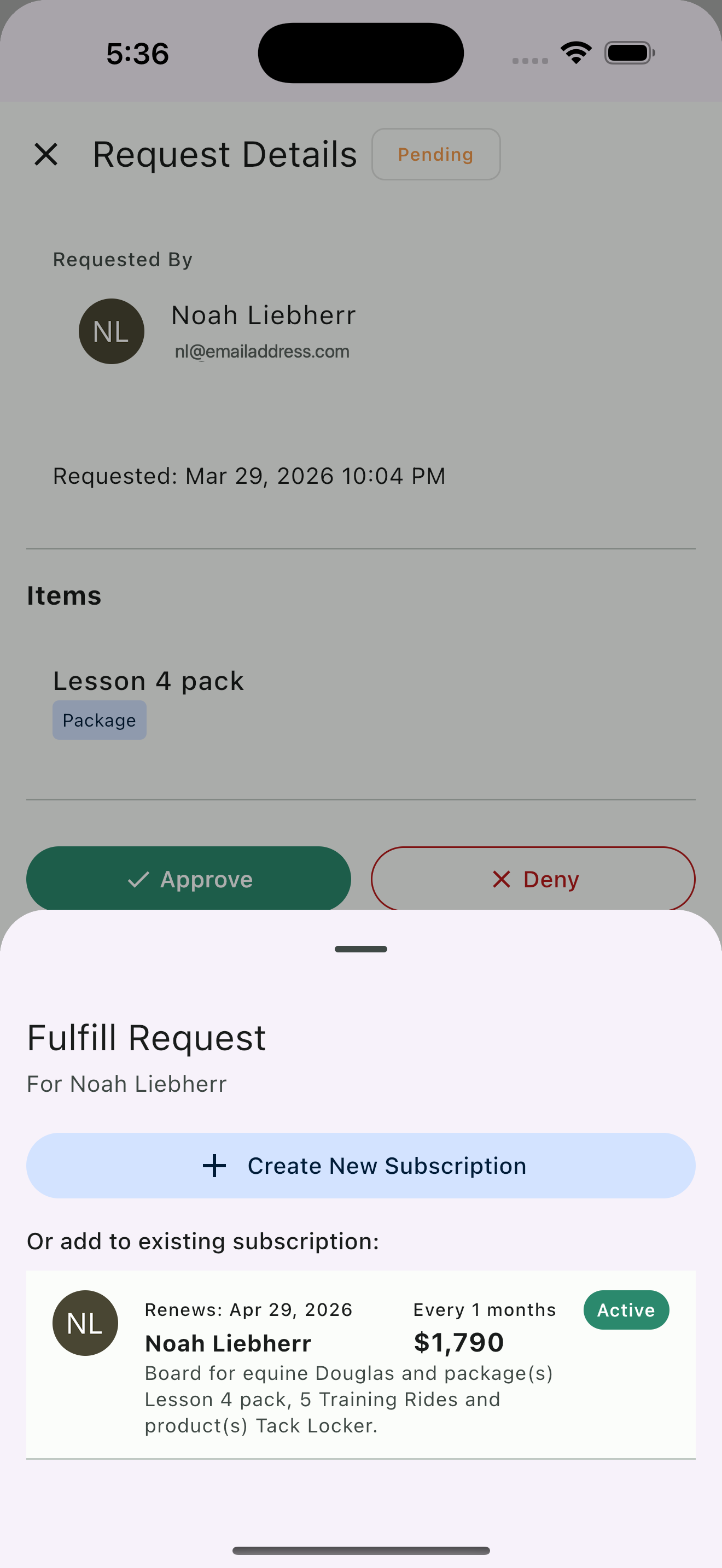
Add to subscription
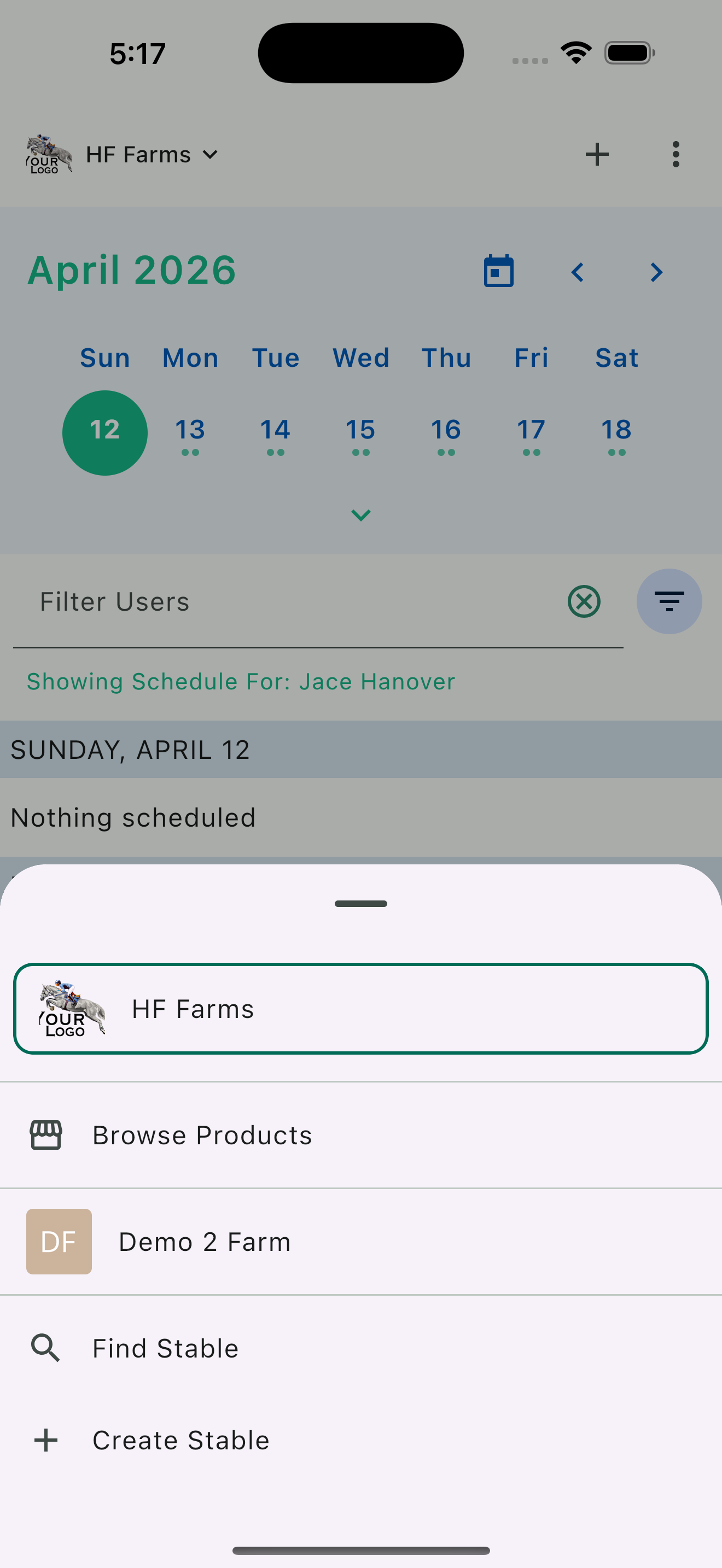
Stable picker for multi-barn support
Multi-Stable Support
It's not uncommon for someone to be connected to more than one barn, especially in the case of trainers who may teach at multiple facilities, or someone who boards at one barn and teaches at another.
One HayNet login works across every organization you belong to. Switch between barns within the app quickly using the stable picker menu. This design eliminates the need for multiple accounts and logins — everything lives under one roof.
Ready to Organize Your Barn's Team?
Give every person the right access, the right information, and the right tools — from day one.
Get Started Free