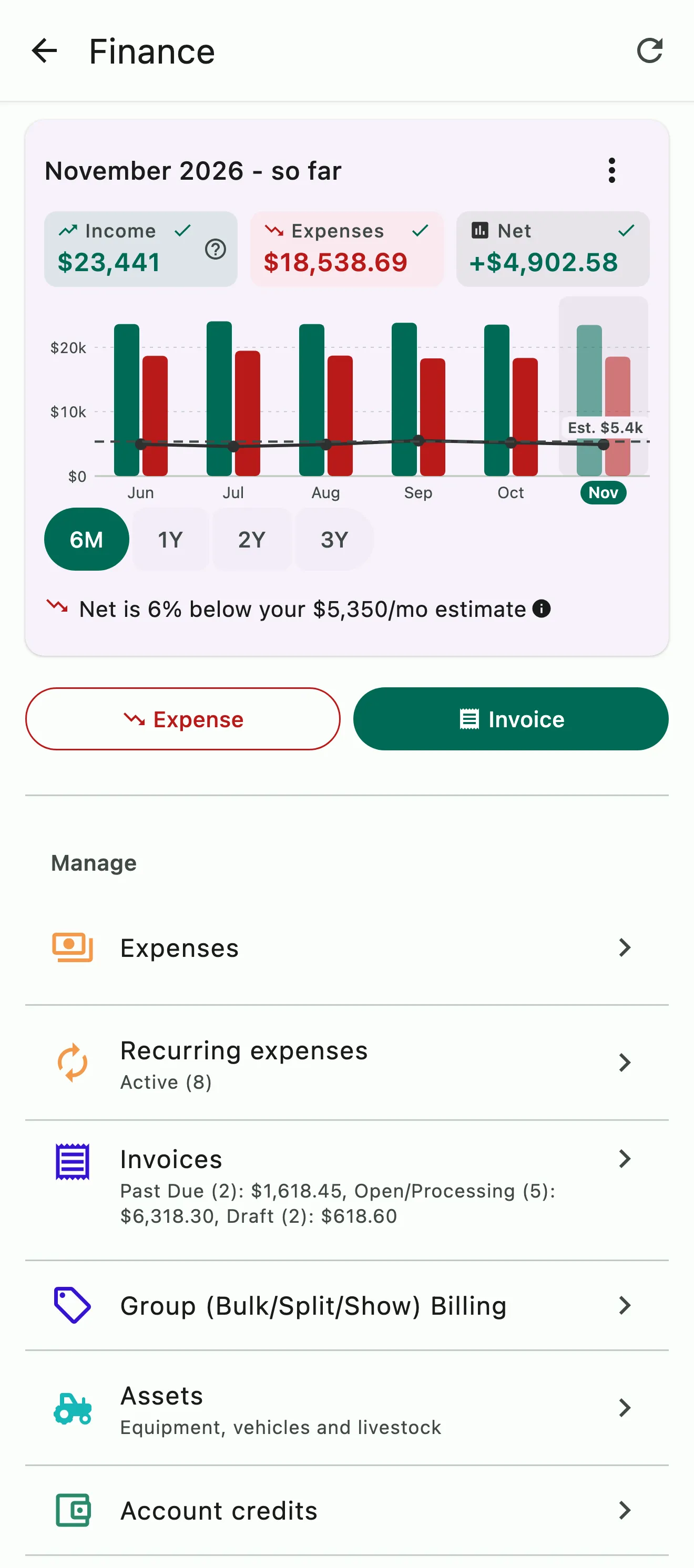
Gross, net, and every open invoice in one view, plus every expense and what each horse, trailer, and piece of equipment earns and costs. Pass-through costs stay out of income so the totals stay true, and automated reports your accountant will thank you for. Use the suite on its own, or let the schedule feed it.
Tools that help you be financially savvy and organized while doing less
Billing & Invoicing
Charges accrue as the day happens while the invoice writes itself
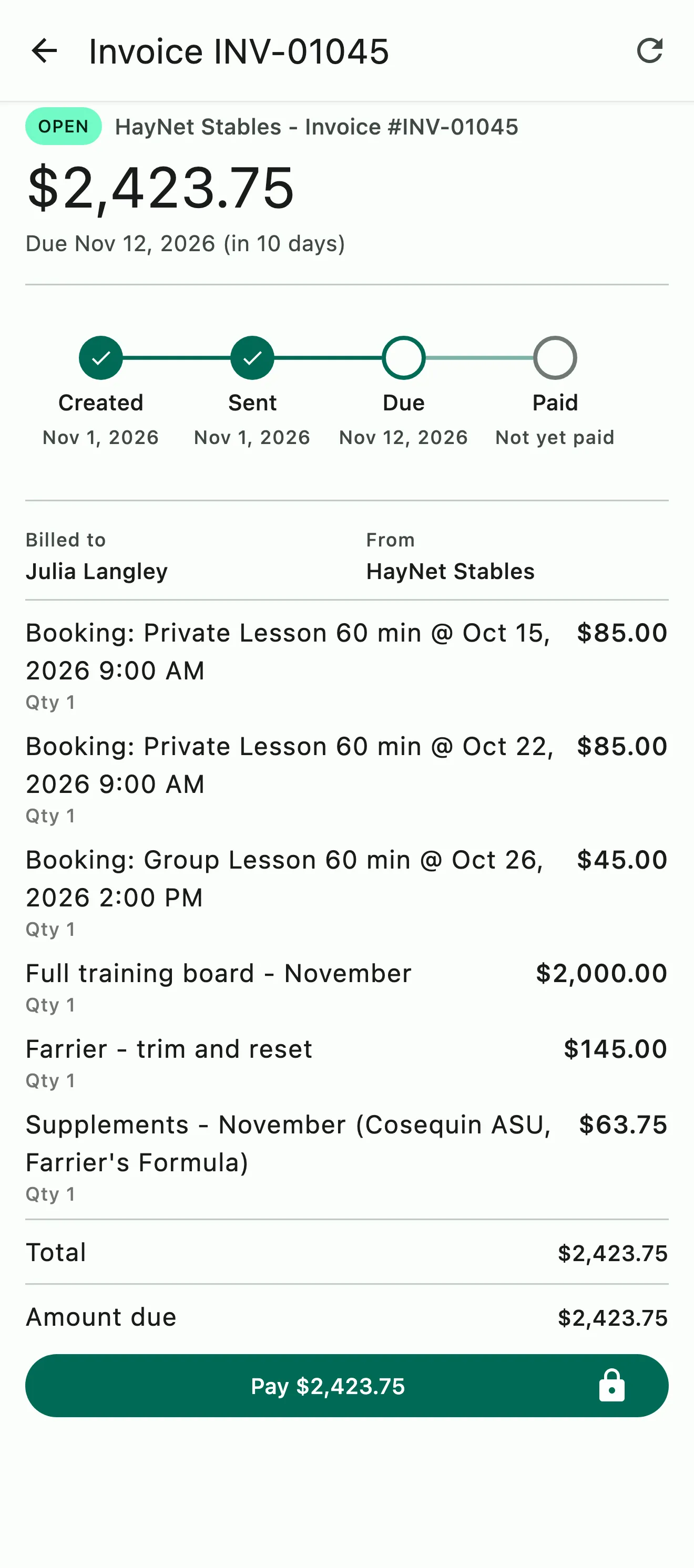
Every finalized lesson, school horse fee, and add-on becomes a charge on the client's draft. On your billing day, board and recurring charges are applied and the draft becomes an open invoice and gets sent out. Add a line item by hand any time, and choose whether the platform fee is included in your pricing or passed on.
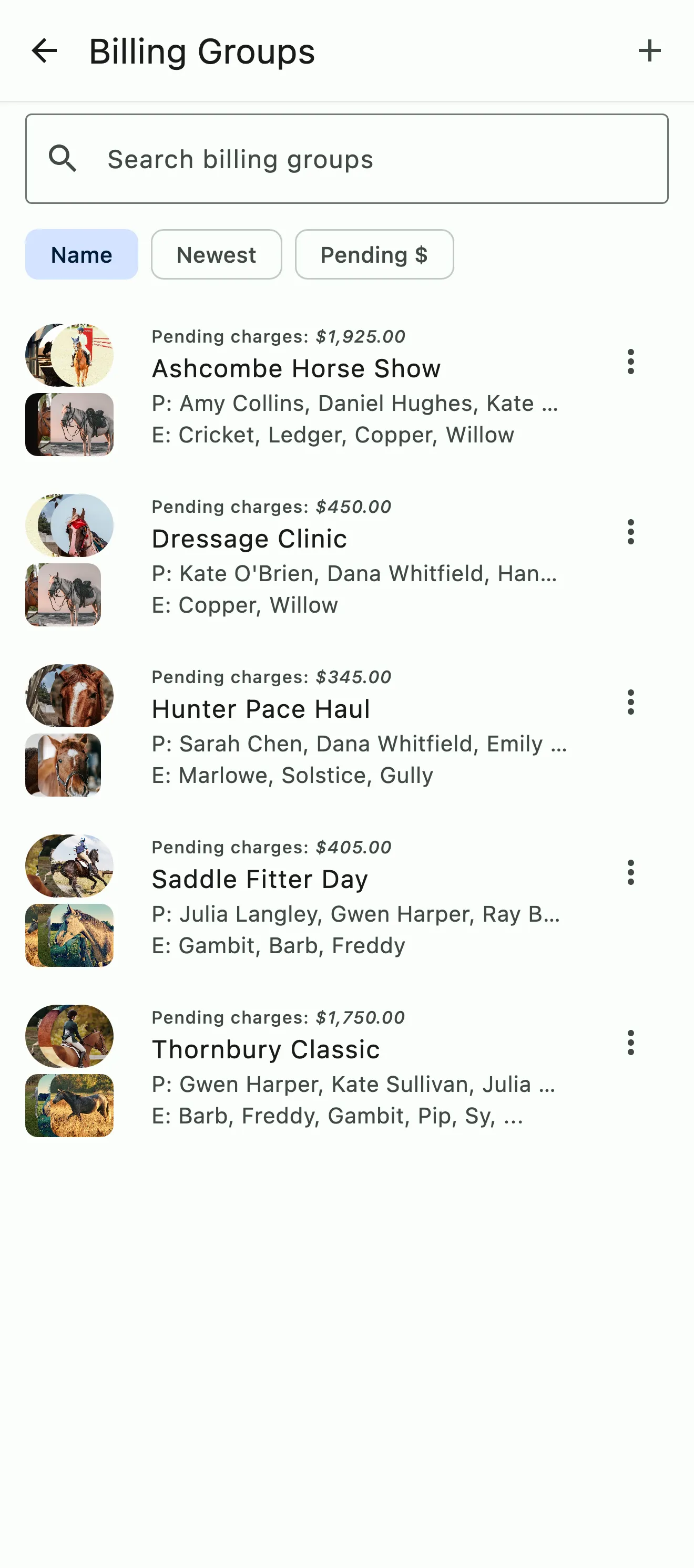
Billing a group or splitting a charge has never been easier. Invoice for a show, a clinic, or a shared expense among the people involved. Group billing allows you to bill an item to the whole group and split charges by horses, people, or custom share. You can even split by horse where multiple people are sharing a horse.
Bill a charge to the whole group or selected members of the group
Split by rider, by horse, or by custom share
Charges can be invoiced off-cycle or merged into your clients' regular invoices
Paid from the client's phone, paid out to your bank.
Clients pay invoices from the app or an emailed pay-by-link, by bank or card, no login required. Our family account feature allows parents to easily pay and manage the whole family's charges. Payments are deposited into your bank and recorded into your accounting ledger.
Pay in the app or from a link, by bank or card
Family accounts allow parents to manage the whole family in one place
Payments deposited into your bank and recorded into your accounting ledger
Costs and revenue tied to the horses and equipment behind it
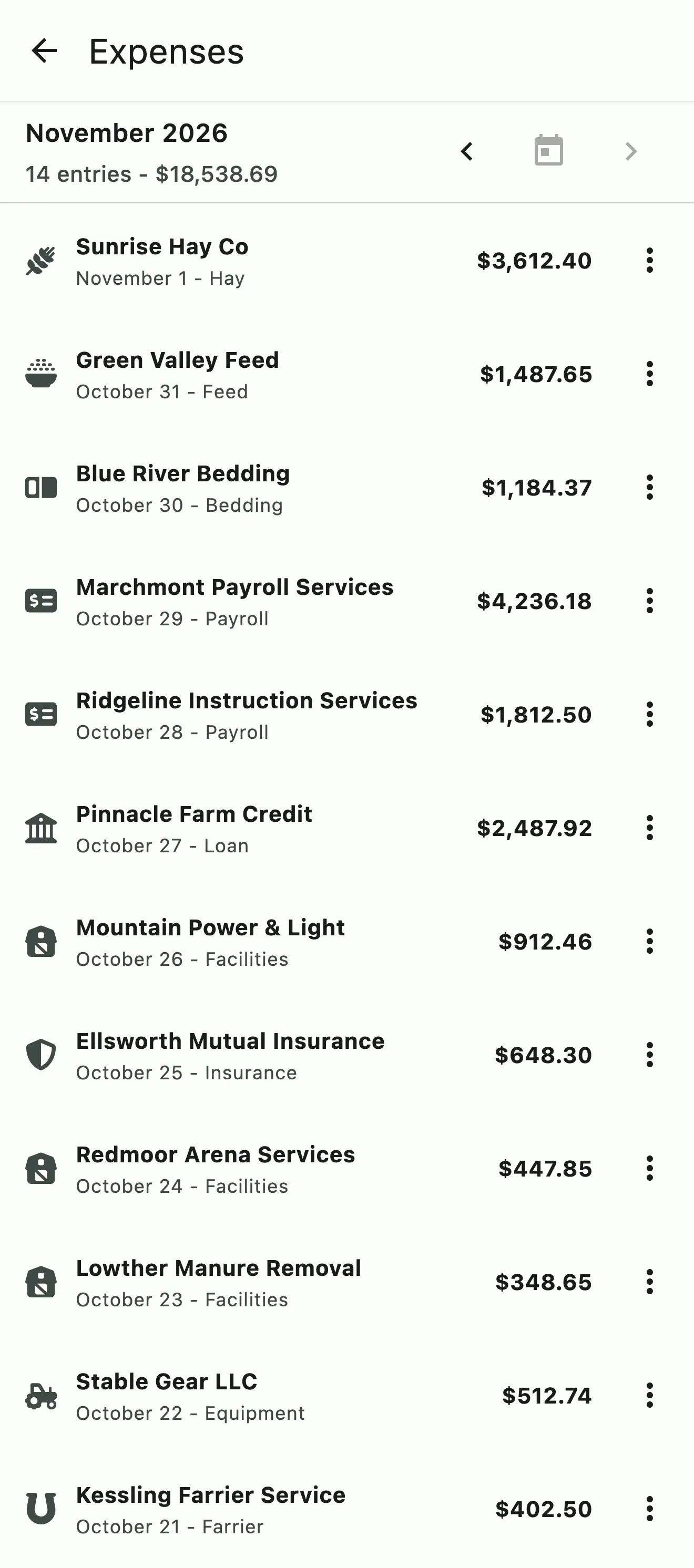
Capture expenses as they happen, tag reimbursement charges so they're billed back and kept out of income, set up recurring expenses to never miss a cycle, and track horses, trailers, and equipment as assets with the income and expenses linked to each. See what every one earns and costs over time; mark sold or archive when it leaves the farm.
Pass-through costs billed back to the right client so they don't get counted as income
Set up recurring expenses or record a one-off entry
Assets: what each horse, trailer, and piece of equipment earns and costs
Real-time revenue tracking, analytics, and insights
Always know how your business is doing without cobbling together spreadsheets. Know which invoices are paid, open, or past due, what came in, and what went out. Compare your metrics to last month or last year and see analytics and projections based on your numbers. Know where you stand against your estimates and stay on track with easy-to-use data visualizations.
Real-time tracking of invoice statuses, revenue, expenses, and net income
Visually compare revenue, expenses, and net, month over month or over a selected period of time
See where your real numbers stack up against your estimates
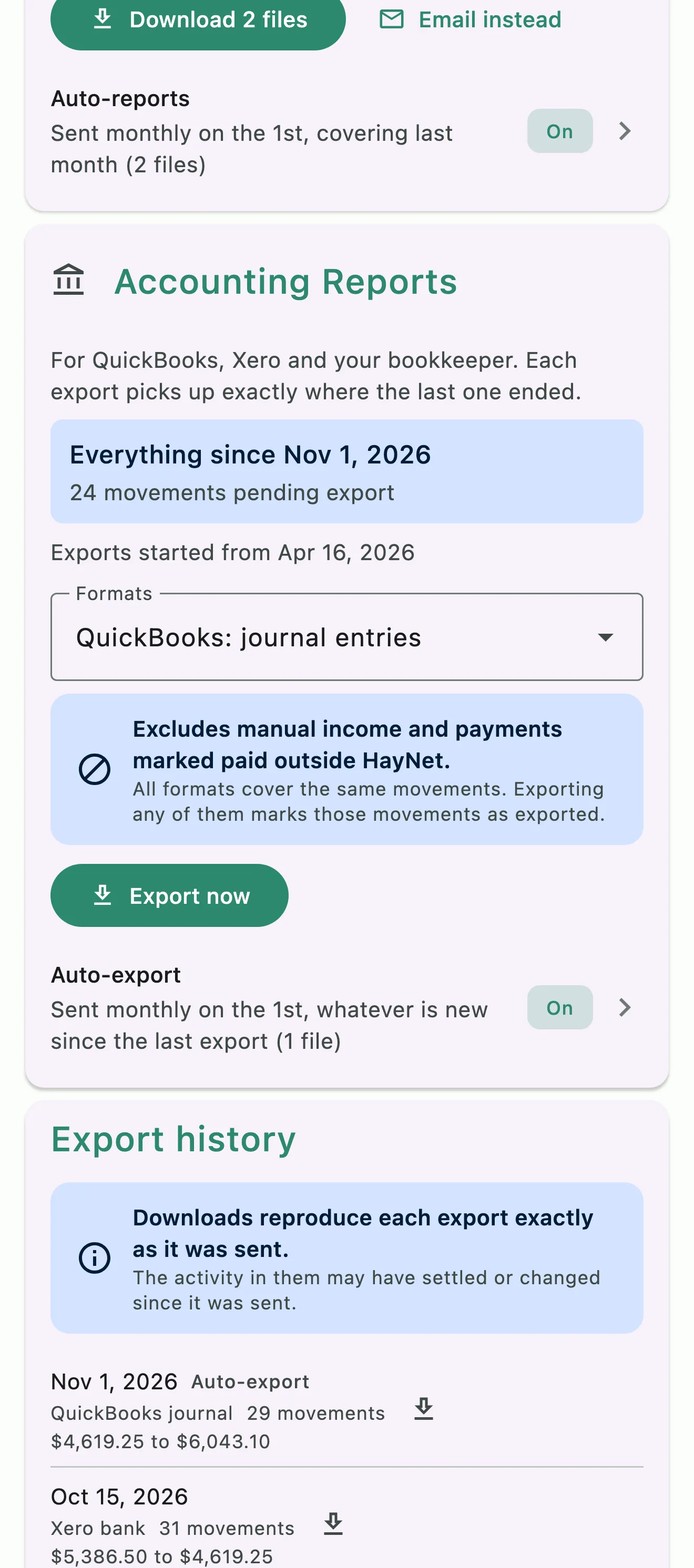
Download your payments, transactions, and expenses for any date range, or have them emailed to your bookkeeper automatically on a schedule. Ready-to-import QuickBooks, Xero or CSV files keep your books accurate, organized, and up to date. It's the kind of bookkeeping accountants love.
Download revenue, expense, and transaction reconciliation reports for any time period
Reports emailed to your bookkeeper and anyone else you choose on a regular schedule
Set up board, packages, and subscriptions once in Operations Tools, and every renewal and credit is added to the right invoice automatically. Explore Operations Tools
On its own, or connected
The Finance Suite doesn't need the schedule, but it's better with it.
On its own
Create invoices manually, add one-off charges, bill your horse show group and split costs, take payments online, track invoice statuses, log expenses, track assets, and pull reports. Many barns run exactly this way.
With the schedule, tasks, and subscriptions
Every finalized lesson, training ride, billable booking, and add-on becomes a charge on the client's invoice. Board, packages, and subscription products renew onto the invoice every period. Nothing needs to be manually tracked or recorded. Everything finds its way to the invoices, ledger, and accounting reports. All you have to do is set it up.
Revenue Analytics & Insights
Stop guessing and start knowing
See invoice statuses, revenue, expenses, and net income in real time, without cobbling together spreadsheets. Compare them month over month or over a period you choose, and see where your real numbers stack up against your estimates.
Yes. The Business Finance Suite stands on its own: write invoices by hand, add one-off charges, split a show, take payments online, log expenses, and pull reports, with no schedule at all. Many barns run exactly this way.
When you're ready to connect the schedule and subscriptions, every finalized lesson, school horse fee, and add-on becomes a charge on its own, and board, packages, and subscription products renew onto the same invoice. Nothing is entered twice.
How are automated invoices generated?
From the schedule. Every lesson, training ride, school horse fee, and add-on becomes a charge on the client's draft invoice once the event is completed and finalized, about 48 hours after it ends. Board, prepaid packages, and subscription products renew onto the same draft, and bookings covered by package credits show as zero-dollar lines with the event details.
On your billing day the draft becomes an open invoice and goes to the client by app notification and email. No manual entry required.
Can clients view and pay their invoices online?
Yes. When an invoice is sent, the client gets an app notification and an email, and can see the full breakdown in the HayNet app or from the link in the invoice email. They pay right there, by bank or card.
The invoice link works without the app or a HayNet account, so a parent, a spouse, or whoever pays the bills can pay it directly.
Does HayNet work with QuickBooks or Xero?
Yes, through exports built for each. Under Manage › Finances › Reports, the Accounting Reports card exports QuickBooks journal entries, QuickBooks bank transactions, and a Xero bank statement, ready to import. It also exports a detailed CSV statement for any other accounting software.
Each export picks up exactly where the last one ended, and charges and reimbursements are already told apart, so your books match HayNet without a cleanup pass at the end of the month.
How do I set my billing cycle date?
Open Manage › Finances › Billing settings. Choose your Default Billing Period, monthly or weekly, and your Default Billing Day, and set how many days clients have to pay under Invoice Due (days).
An Event Product can have its own billing period that overrides the default: edit it under Manage › Event Products and set Override Billing Period.