The schedule, the horses, the people and the records, in one system that fills itself in as the day happens. Use it on its own, or let it feed the finance suite.
Tools that help you keep your schedule, staff, and horses organized with less effort
Smart Scheduling
Bookings within your rules.
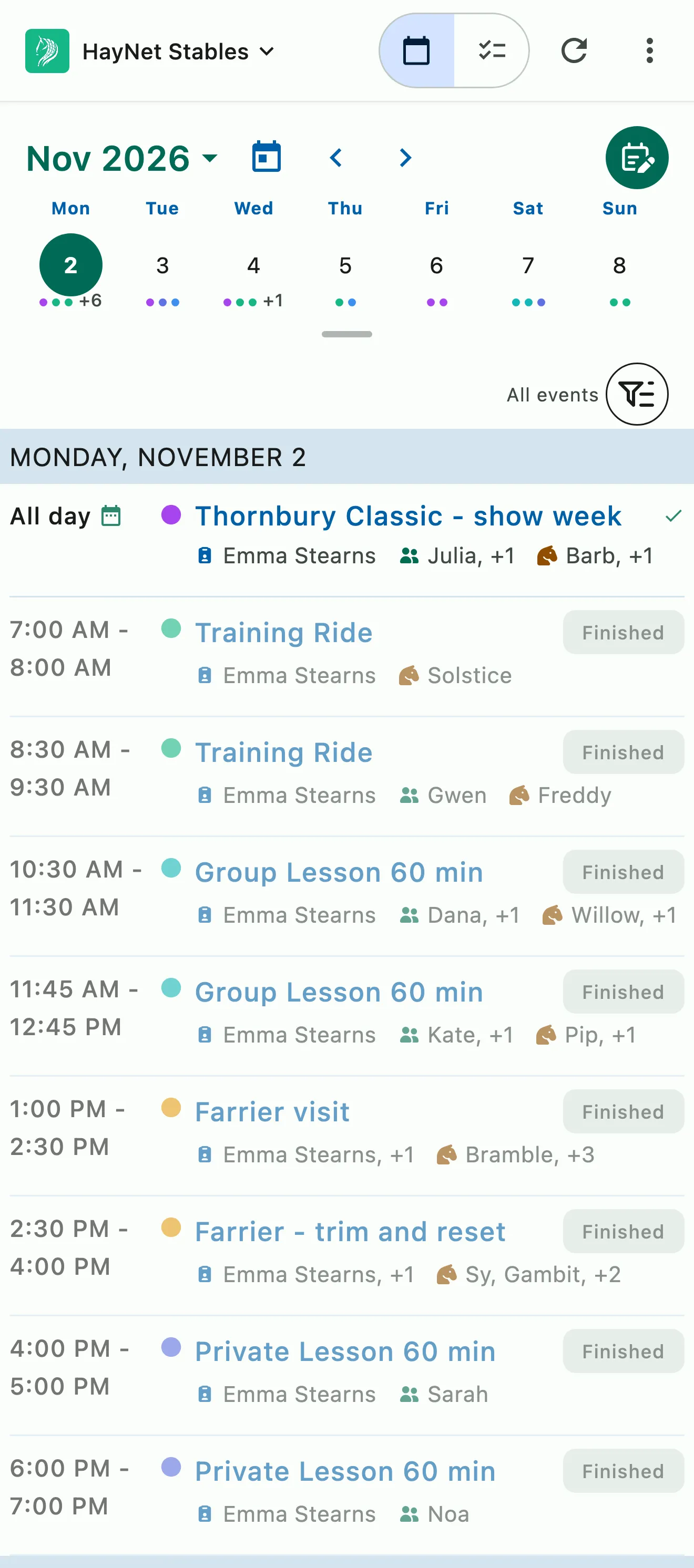
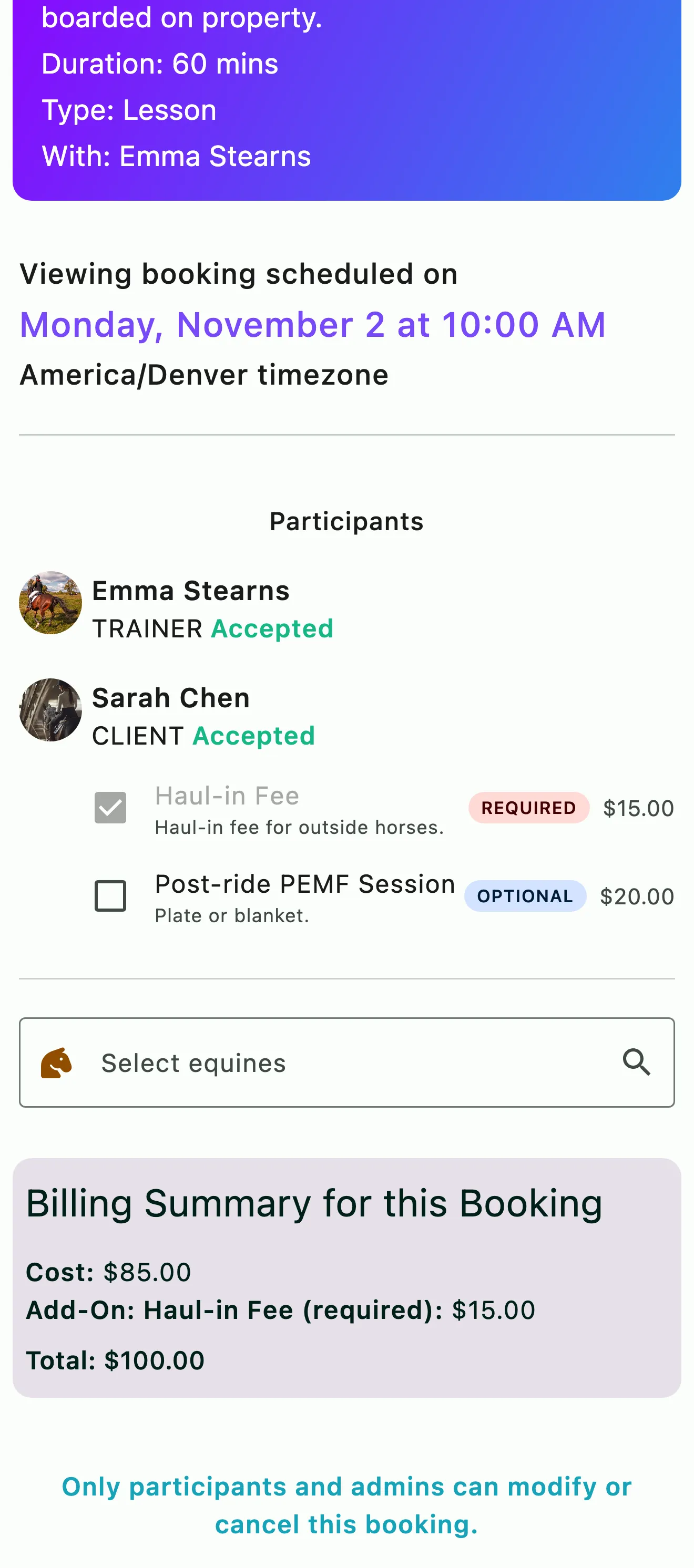
Event Product templates let you set the booking rules and price. Allow clients to book or sign-up on their own or make it bookable by staff only. Arenas can be assigned to an event booking and an overbooked space is flagged rather than blocked. The schedule can auto-generate a tacking list based on training rides and events marked with tacking services added. When a billable event has finalized, the charges get added to the client's bill.
Booking within your rules. Allow optional self-booking with late reschedule and cancellation policies applied
The day's work, linked to the horses and events it belongs to.
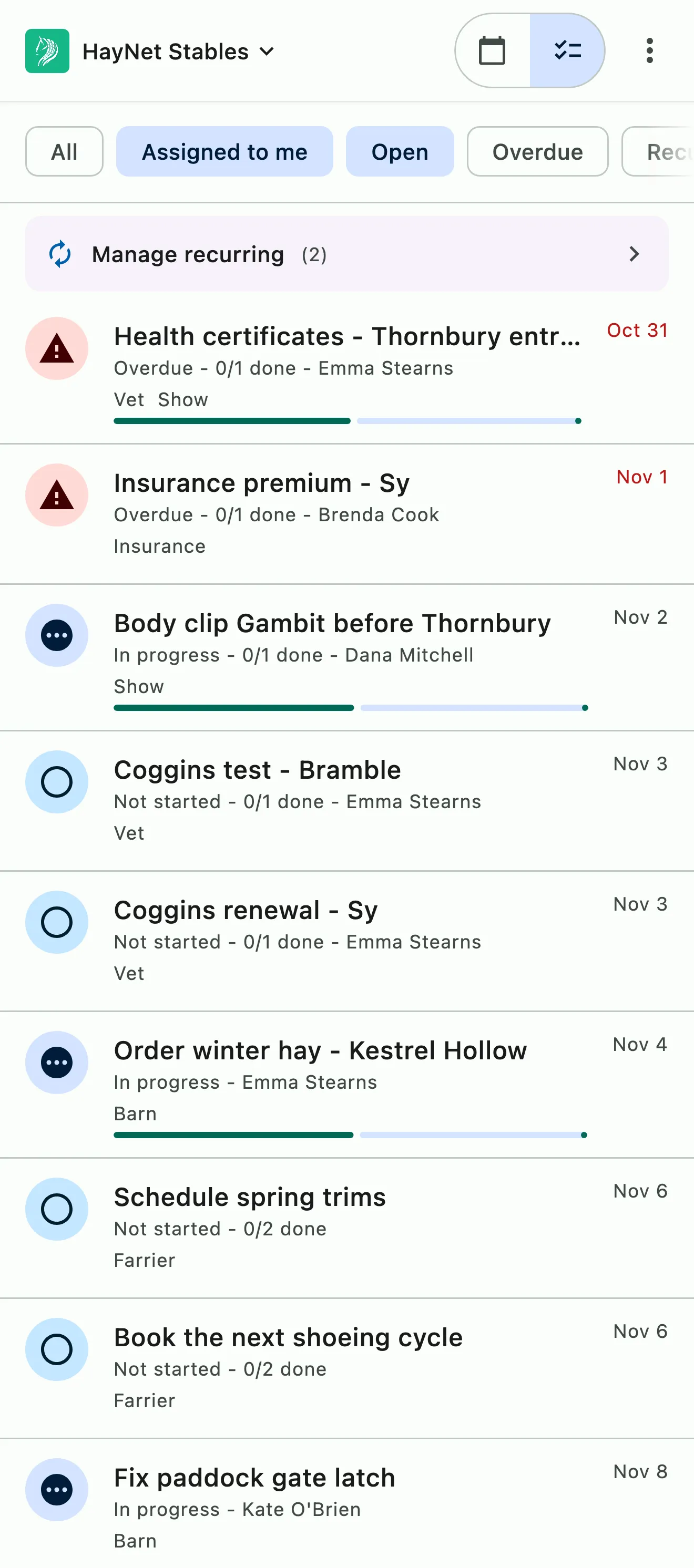
Tasks linked to horses, people and events, with subtasks, progress tracking, reminders and activity log. Add notes tied to events, tasks, clients and horses that stay in sync across the team. Search for a person, horse or keyword and the relevant task or note can be found.
Tasks linked to horses, people and events, with subtasks
Task reminders so nothing slips through the cracks
Task progress tracking and audit trails allow you to see who did what and when
Notes that stay in sync across the team
Searchable, so the answer is a few keystrokes away
A plan for every show, and the prep that gets you there.
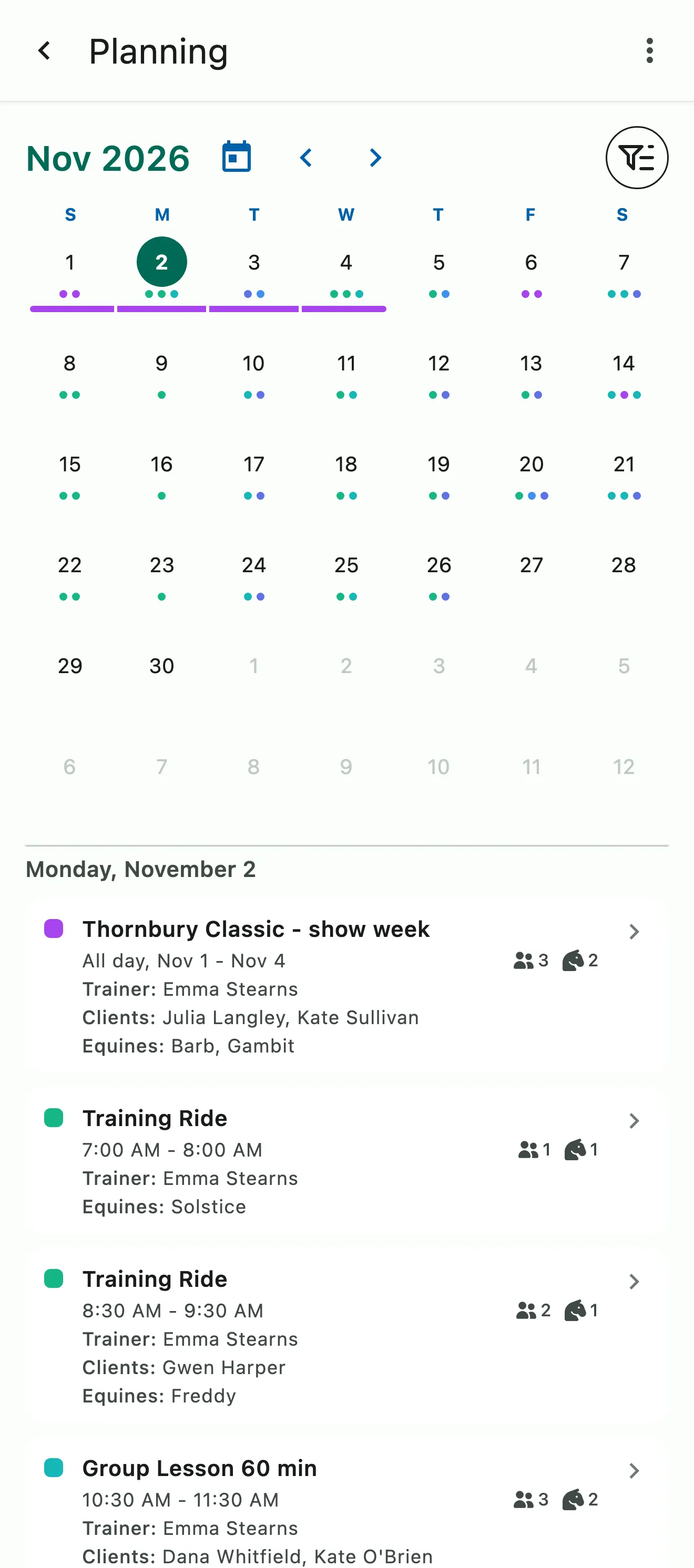
Shows, clinics, and trips go on a month-view calendar your staff share. Each event carries the people and horses going, its notes, and the prep as linked tasks with optional reminders, so the whole team sees what's done and what's due.
Shows, clinics, and trips on a month-view calendar for your staff
Prep linked to each event as tasks
See booked events alongside when you want the full picture, or set filters to narrow your focus
Every horse's feed and supplements, administered and tracked
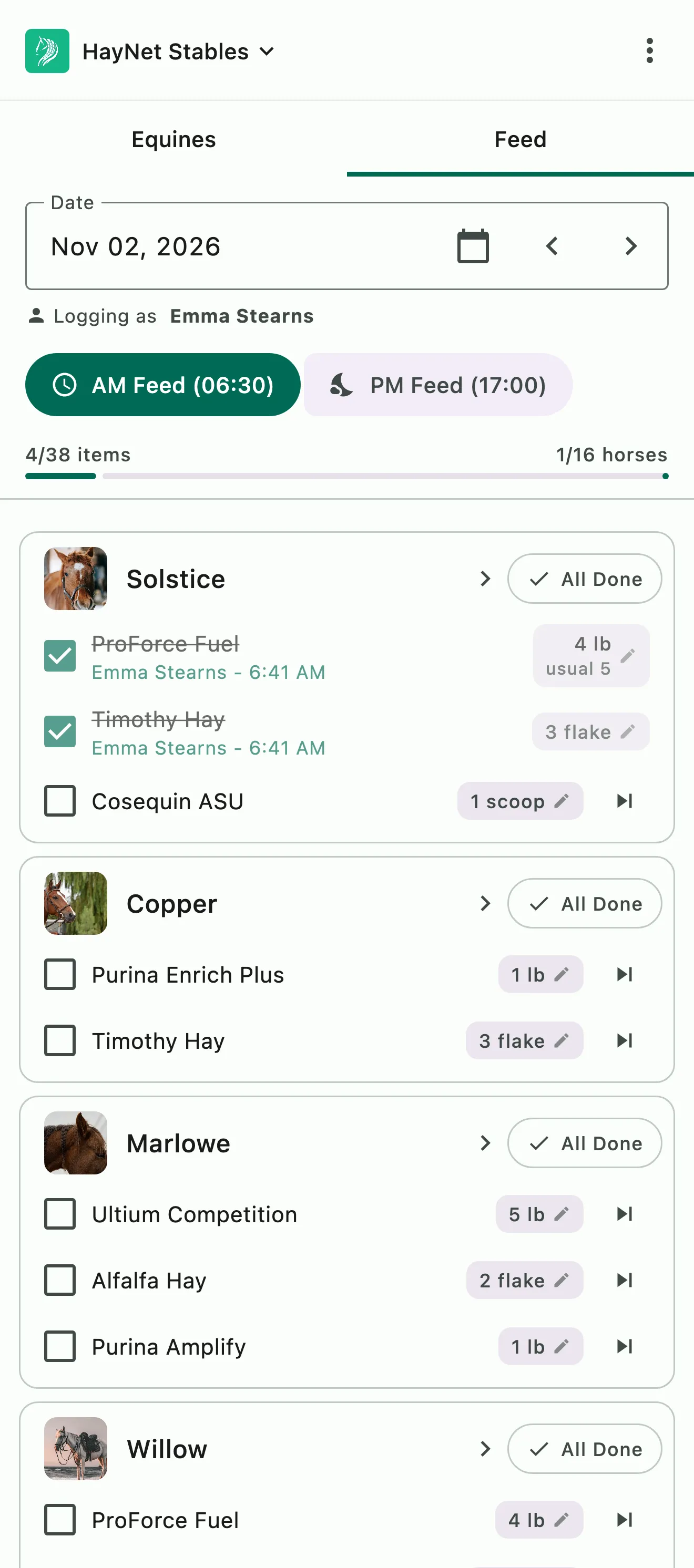
Set each horse's hay, grain, and supplements by the amount, from pounds to flakes and scoops, with notes like "soak 10 min" at the feeding times you choose. Staff check off each line as they feed or mark it skipped with a reason, so you can see who fed what and when.
Feed and supplement schedules you can fully customize for every horse
Clone one horse's feed schedule to several horses at once, and choose to append it or overwrite what's there
Activity tracker that shows who marked off each feed item and when
Sell prepaid lesson and training packages that track themselves.
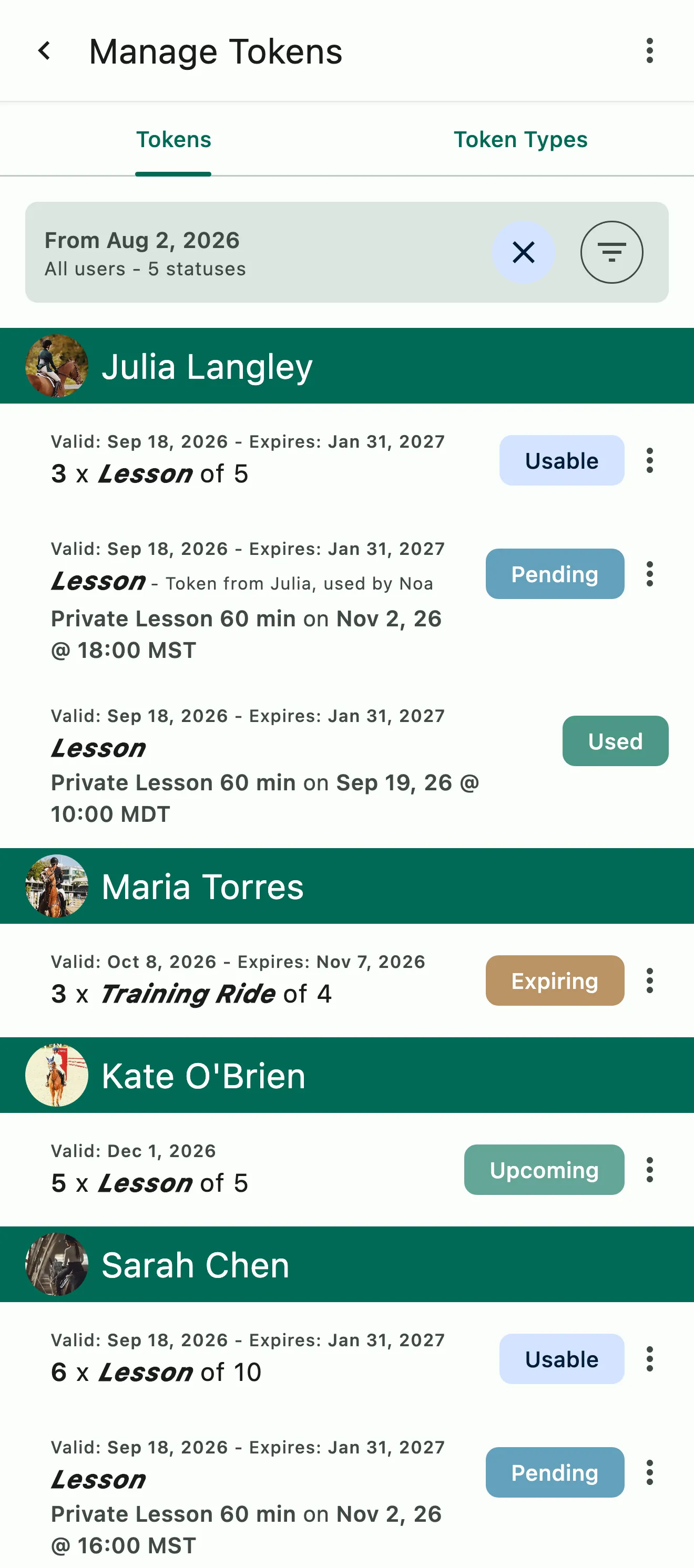
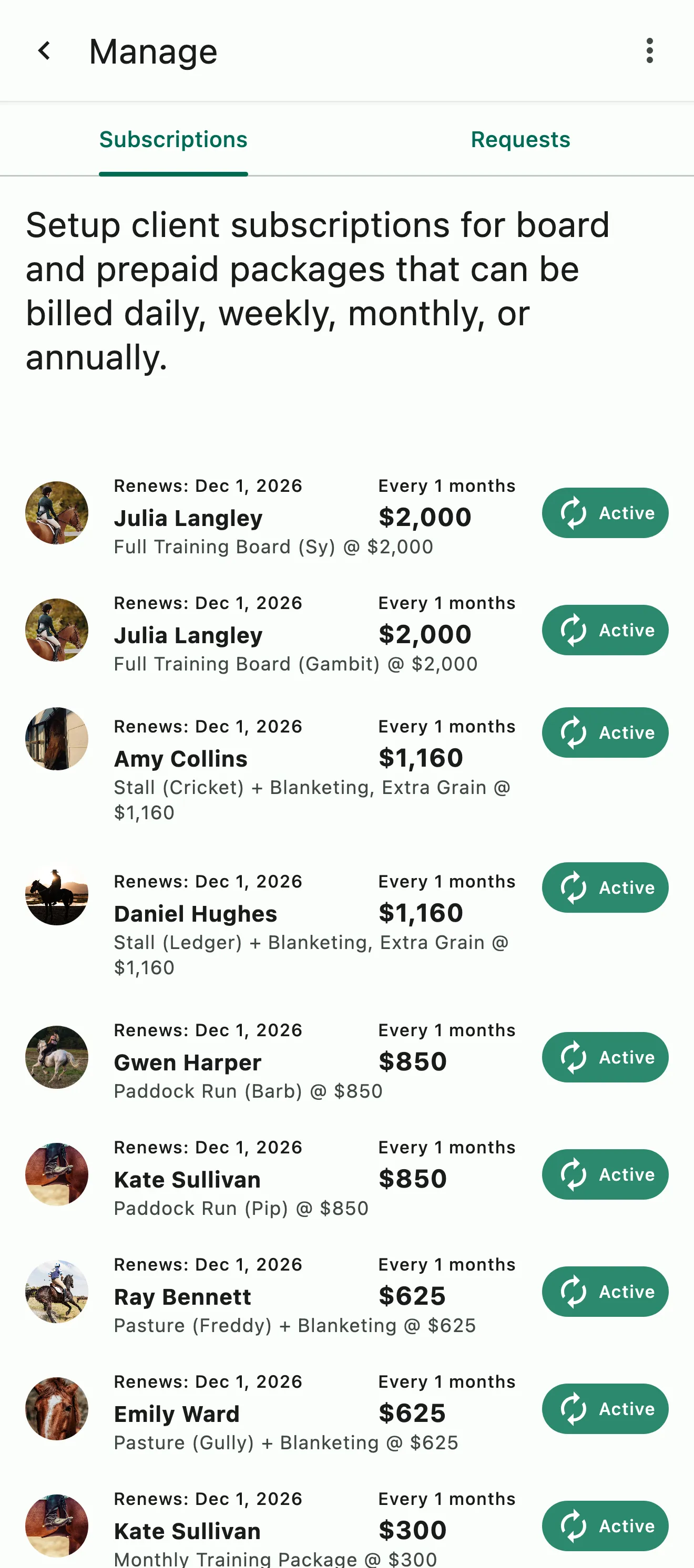
Prepaid service packages are automatically tracked. Credit tokens are issued when the subscription renews and can be applied toward events that accept the issued tokens. Token usage shows on the client's invoice and clients can see their used and available tokens at any time. One package can be shared among a whole family with the Family Token Sharing feature enabled.
Automatic package credit tracking. Sell the package and let HayNet handle the rest
Families with a Family Account set up can share their prepaid credits amongst each other (if sharing is enabled)
Every horse, its people, its record and its reports.
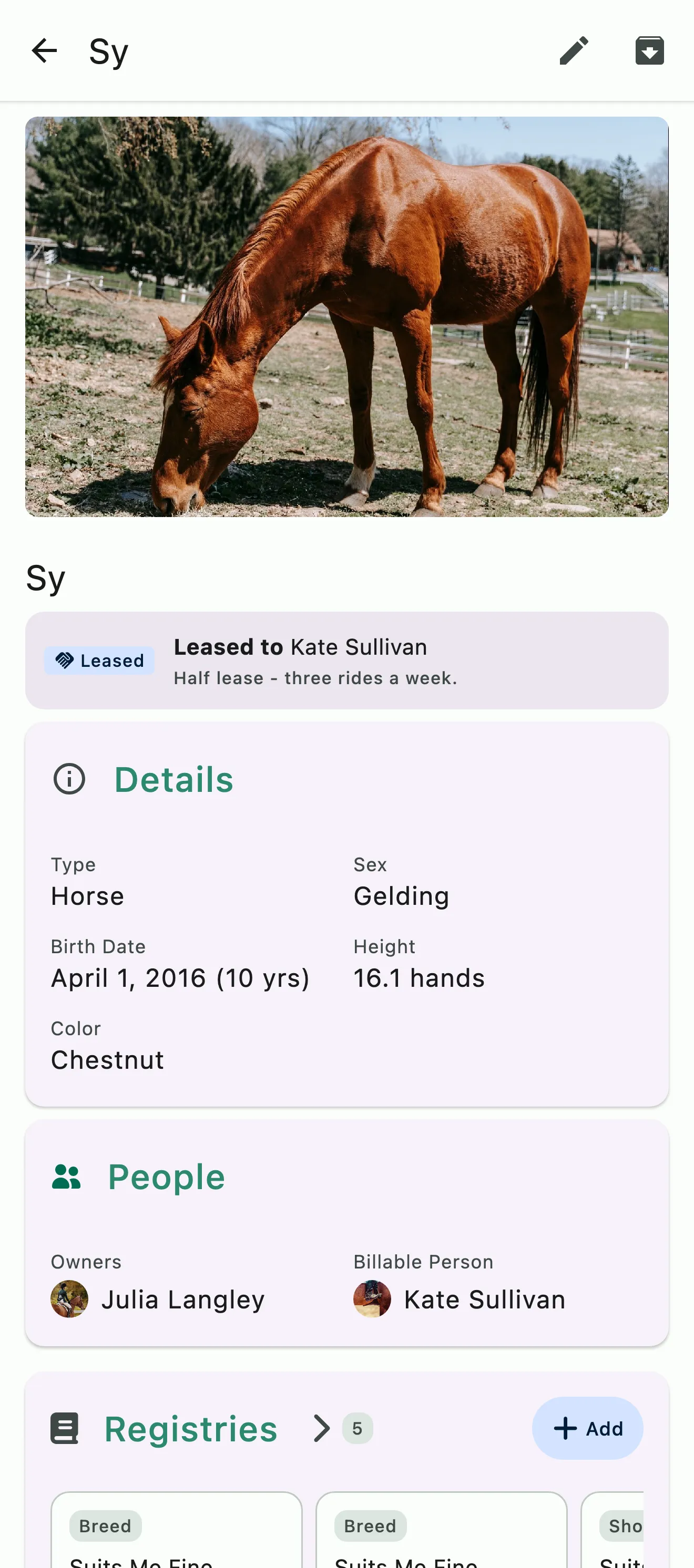
Comprehensive horse profiles keep everything about each horse in one place: its owners, stakeholders and emergency contacts, its registry details, its insurance with renewal reminders, and its feed program. The health records section provides easy access to Coggins and health certificates with configurable renewal reminders. Notes and file storage keeps detailed information and documents attached to each horse's profile.
Coggins, health certificates, and every other health record, with configurable renewal reminders
Registries, insurance with renewal reminders, emergency contacts and file storage
Configurable horse reports you can generate for Travel, Stakeholder and Sales
Every event and task becomes a record. Search finds all of it.
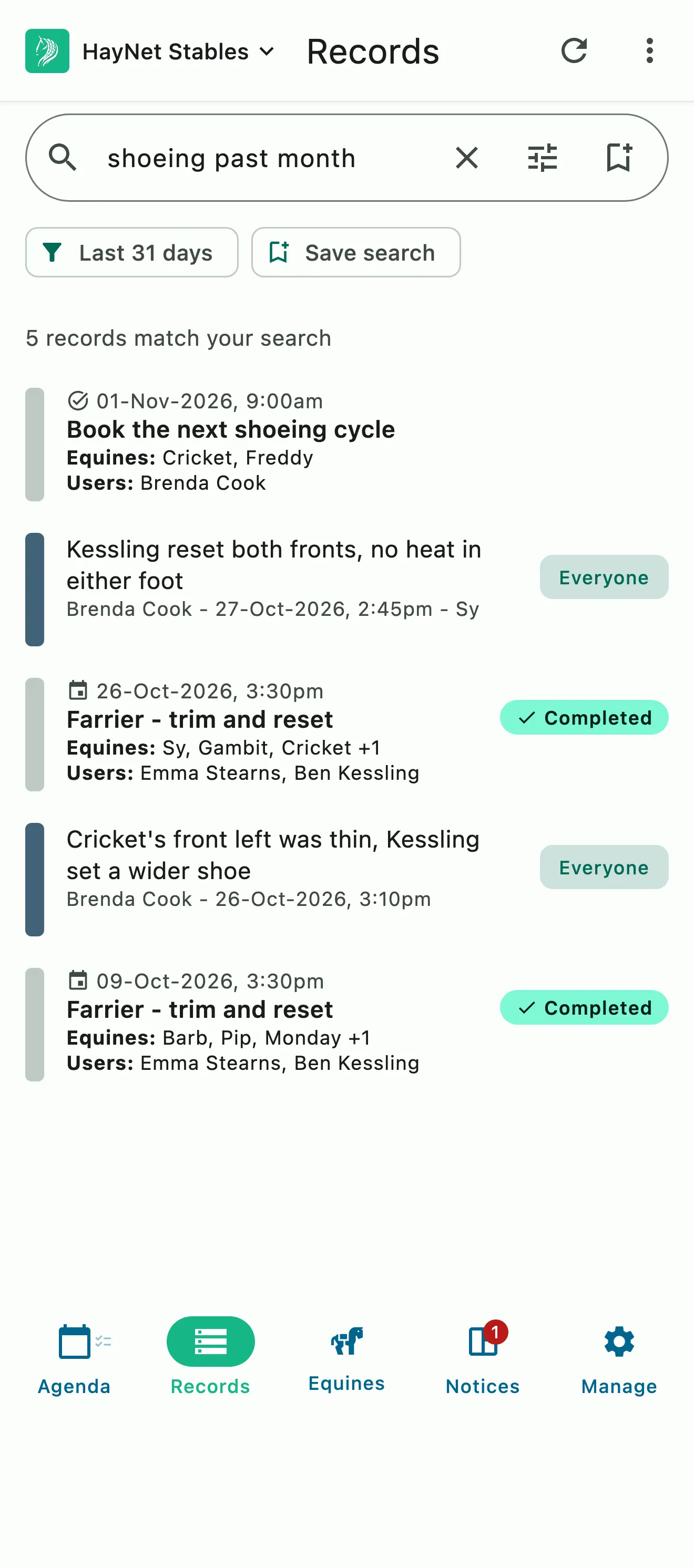
Every calendar entry and every completed task becomes a record on its own, so nothing is entered twice. System Search searches anything and everything in the system and returns every relevant result in seconds; tap an avatar for the essentials.
Records without data entry
System Search across the whole system
Find a comment left in a note, a task or on an event in seconds
The day's schedule and the stable, on a screen in the barn.
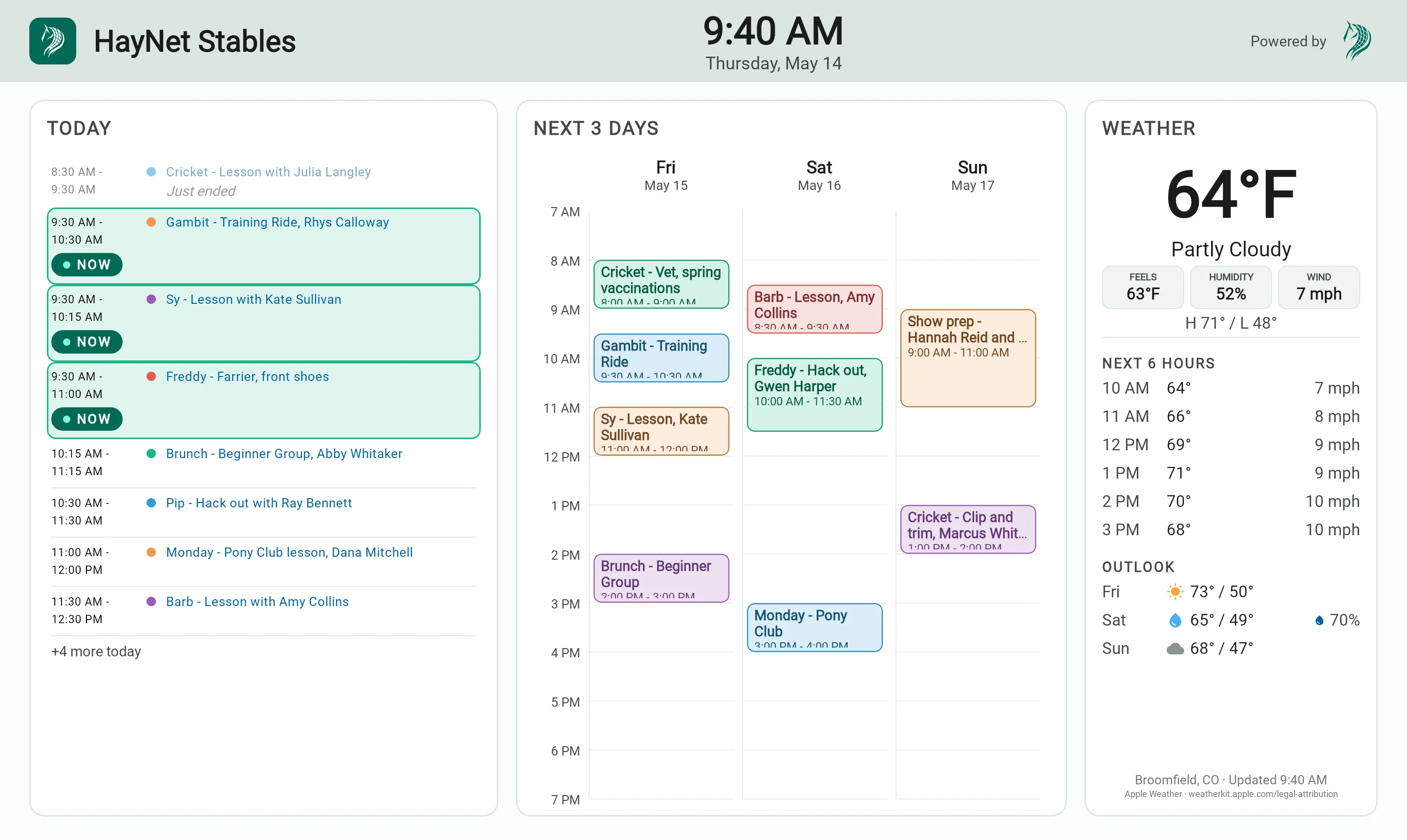
A display for the barn: today's schedule, the horses and their notes, the weekly weather and a horse heat index. Set it up once and every screen you pair shows the same board.
Today's schedule and the stable at a glance
Weekly weather and a horse heat index
Set up once for every screen
Works on any screen, tablet or tv, with internet access
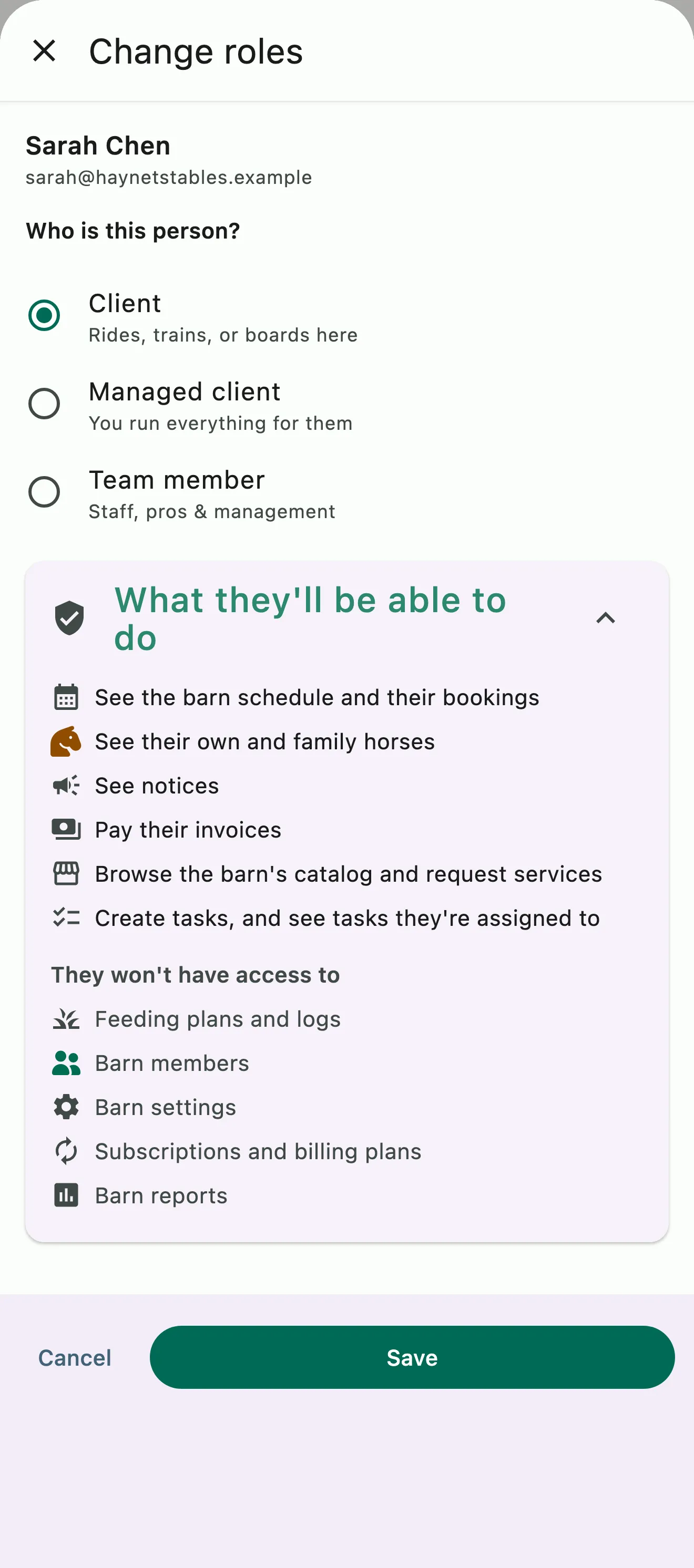
Permissions and access roles for every level. Grant role based access permissions to staff and teams, give clients user level access or manage them entirely by setting them as a managed client. Family accounts allow parents to manage their kids and connected family members.
Permissions and access roles for staff and teams, so each person sees and does only what their job needs
Set a client with user level access to the app, or a managed client and manage everything for them
Family Accounts let parents manage their kids and connected family members
Invoices, payments, expenses, and reports live in the Business Finance Suite, and every lesson, subscription renewal, and prepaid credit set up here is added to the right invoice automatically. Explore the Business Finance Suite
On its own, or connected
The Operations Tools don't need the Finance Suite, but they're better together.
On its own
Run the schedule, tasks, feed programs and horse records. Every event and task still becomes a record.
With the finance suite
Every finalized lesson, school horse fee and add-on becomes a charge on its own, and board, packages and subscription products renew onto the invoice. Nothing is entered twice.
Smart Scheduling
Bookings that follow your rules
Each Event Product carries its own booking rules and billing. Choose whether clients can book themselves or only staff can book, set the price or the prepaid credits it accepts, and apply your late reschedule and cancellation policies automatically. When the event finalizes, the charge goes on the client's invoice.
Create an Event Product, the template for a bookable event. Go to Manage › Event Products, add one, set its bookable start times and booking window, and turn on Allow client to schedule.
The Event Product also holds the group size, the trainer options, the price or the token types it accepts, and whether clients can reschedule or cancel. Once you turn on Publish this event and save it, clients see the open times in the app and book them themselves.
Can I set up no-show and late cancellation policies?
Yes, and HayNet applies them for you. Set your barn's Late Cancel Fee, a percentage of the service price, under Manage › Finances › Billing settings. Then, on each Event Product, turn on Allow client to cancel and Allow client to reschedule, set the notice you need in Min cancel before and Min reschedule before, and use Late Cancel Fee (percent) where one service needs a different fee.
Clients see the policy when they book. If they cancel inside the window, they're shown the fee and confirm before it's charged; with no fee set, they can't cancel that late and contact you instead. And when lessons are sold as Prepaid Packages, a missed lesson is already paid for.
What happens when an arena is fully booked?
HayNet moves on to the next space. Clients don't choose an arena: HayNet assigns one at booking from the resources on the Event Product, in the order you list them, and when one is full it tries the next. If every space is full, the client can still book, and HayNet marks the booking overbooked instead of turning it away.
Users with elevated access roles can also overbook a space on purpose, even when others are open, and HayNet marks it overbooked. A booking in an overbooked space, or with no space assigned, shows a location picker on the Agenda for its trainer and your managers, so the right person decides whether to move it, reschedule it or leave it as it is.
How does the prepaid package tracking system work?
Each Prepaid Package is a subscription that gives the client a set of credits, called tokens, of a type you choose, like Private Lesson or Training Ride, with a fresh set every billing cycle. You're paid before the lessons happen, and each Event Product says which token types it accepts.
When a client books one of those events, a credit is set aside as Pending, and once the event finalizes it shows as Used. On the invoice, a used credit is a zero-dollar line with the event name, date and time.
Credits can expire after a period you set or never expire, and you can add or revoke them manually. You and your clients can check balances in the app at any time, with nothing to track on paper.
Can a single package be used across a family?
Yes. With Family Token Sharing, a package one family member buys can be used by every linked rider in the household. It's on by default for the barn, every event and every family, so there's nothing to set up, and a rider's own credits are used before the family's.
Every shared credit shows whose it was and whose booking used it, on the booking summary, in the barn's and the family's token managers, and on the invoice. Families link their accounts under Account & Billing › Family Account.