Real-time revenue tracking, analytics and insights

Know whether the barn is making money this month, not months from now. Income, expenses and net update as payments arrive and expenses are added. Compare actual numbers to your estimates.

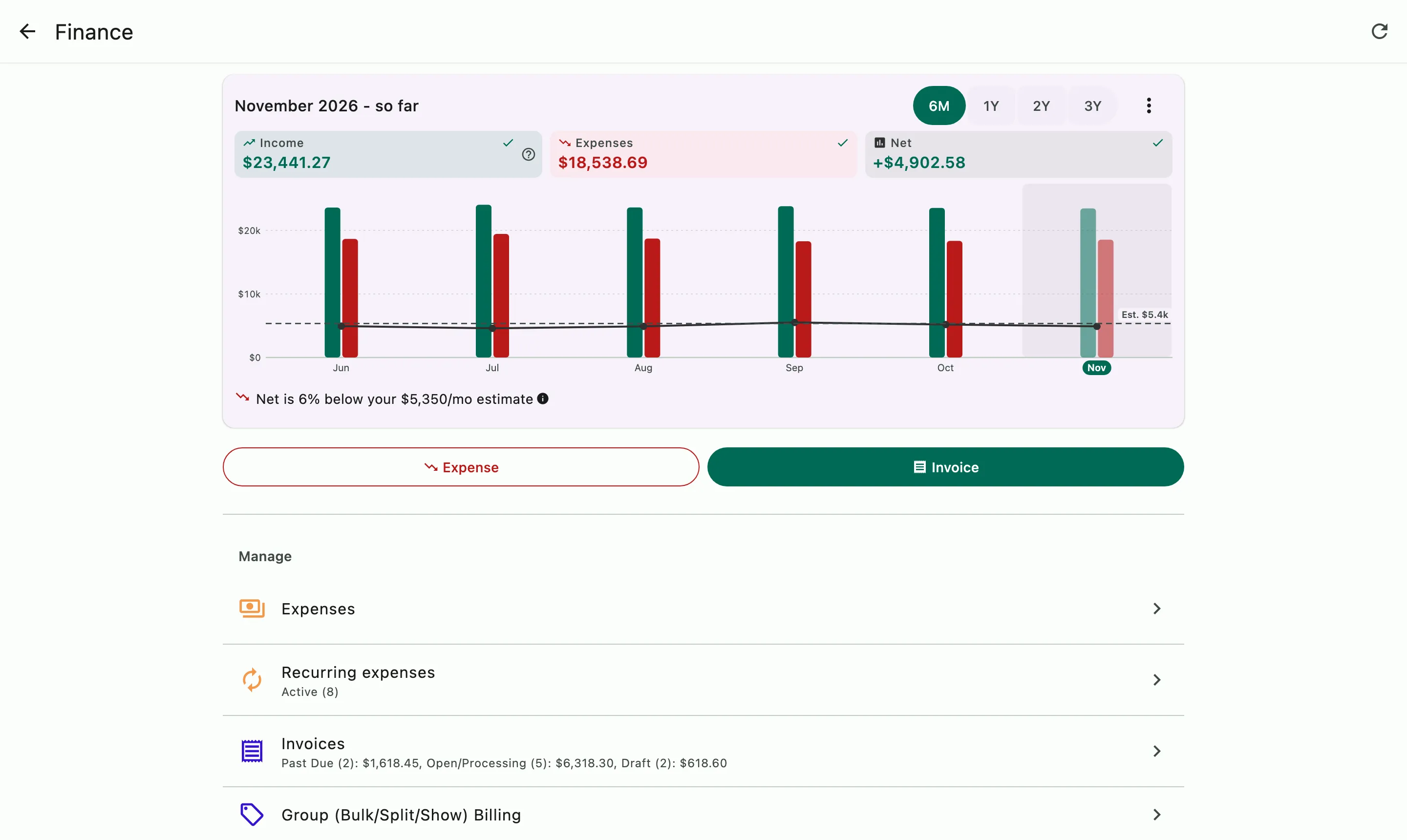
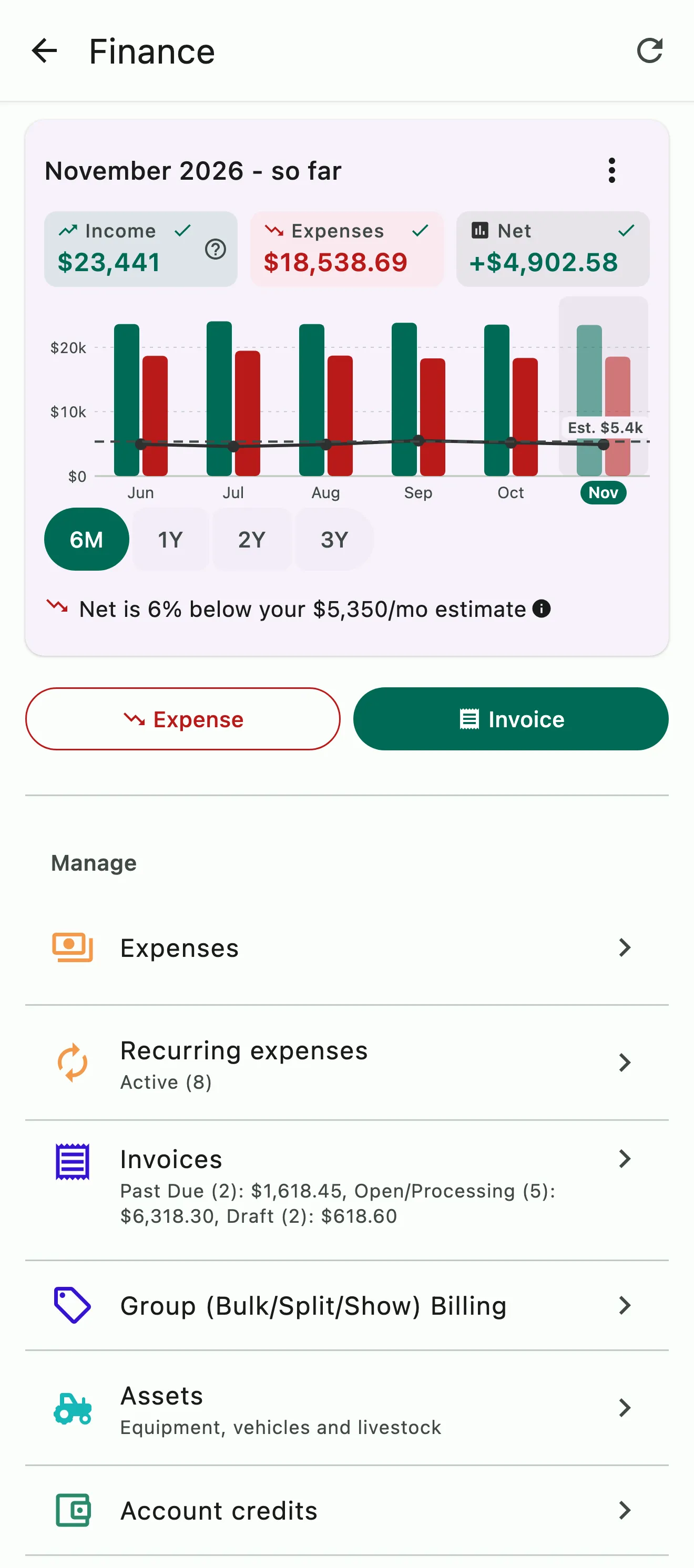
The Finance home: income, expenses, and net for six months against the monthly estimate, with the money screens below

How it works

From each payment to the month's bottom line

You don't have to wait for the books to close to know how the month is going. Look back as far as three years to see which months carry the barn and which ones are lean. Add your own monthly estimates and HayNet shows whether you're running ahead of them or behind.

The Finance home: six months of income, expenses, and net against the monthly estimate

Month over month

See where the money went, month by month

Income, expenses and net sit side by side for every month, from the last six months back to three years, with the longer views grouped by quarter. The current month shows so far, so you can see how it's going before it's over.

  • Income, expenses and net for every month
  • Six months, a year, two years or three
  • Tap any month for its figures
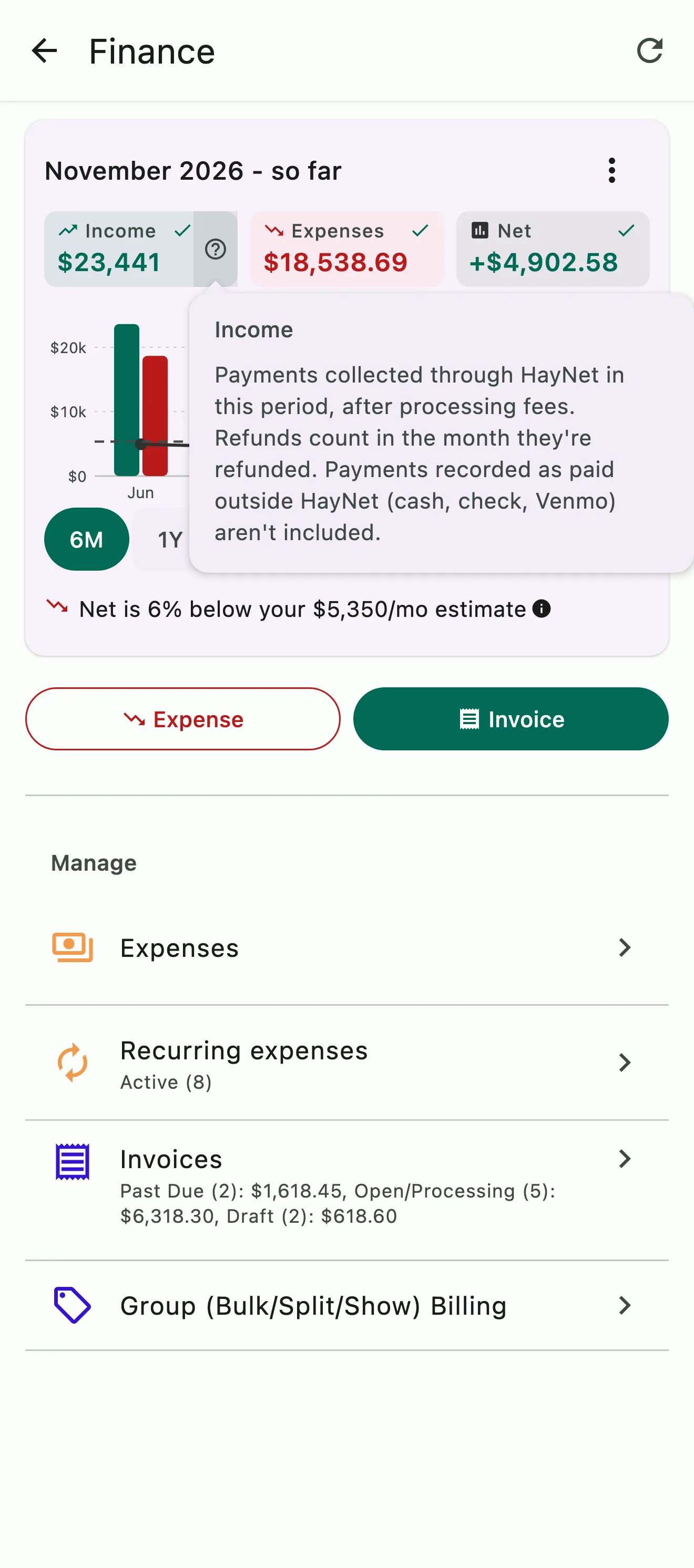
The Finance home with the Income help open: payments collected through HayNet after processing fees, with refunds counted in the month they're refunded

What counts as income

Income means money that actually arrived

Income counts payments collected through HayNet, after processing fees, dated by when the money arrived. Refunds count in the month they're refunded, so each month shows what actually came in.

  • Dated by when the payment arrived
  • After processing fees
  • Refunds in the month they're refunded
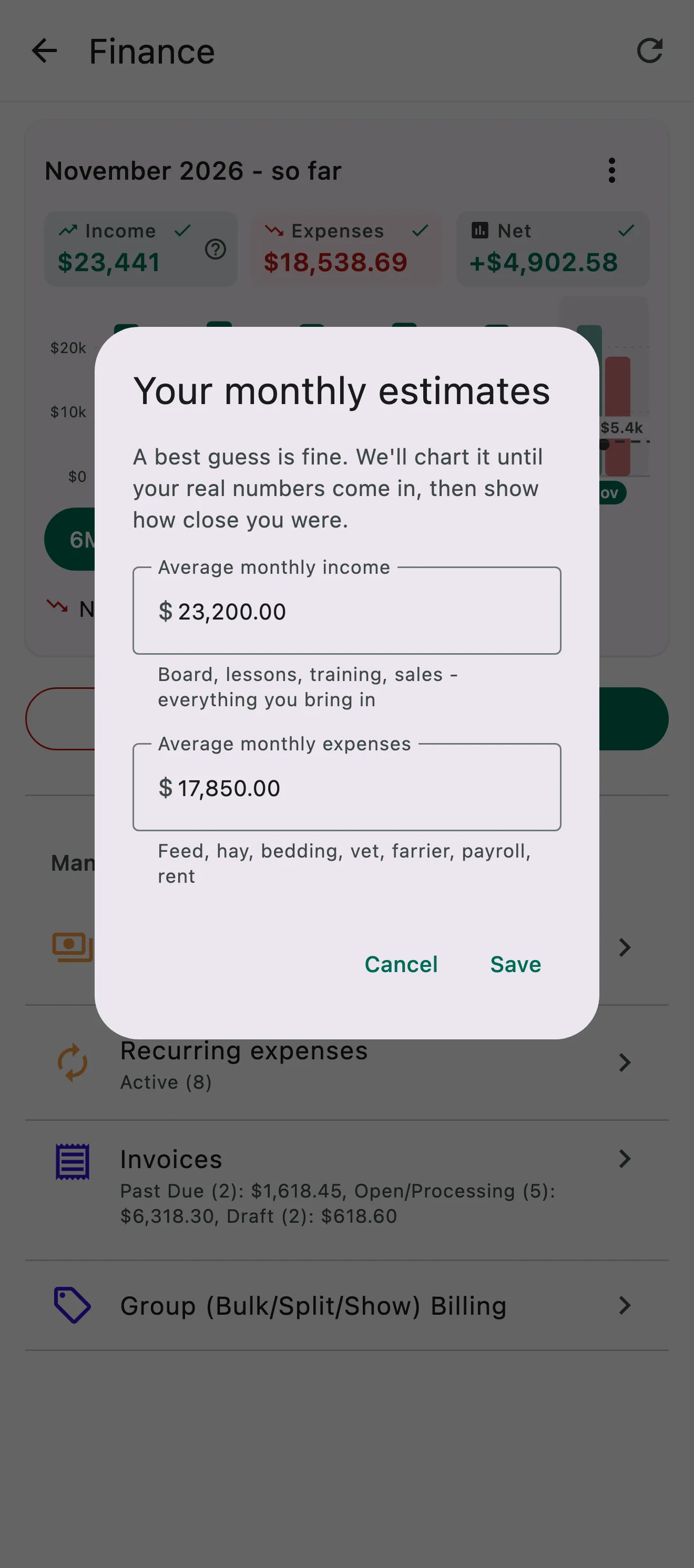
Monthly estimates open over the Finance home, with the barn's average monthly income and expenses filled in

Estimates

Compare the month with what you expected

Add your best guess at monthly income and expenses. Until your real numbers come in, the chart shows your estimates, and once they do, the card tells you whether income and expenses are running above or below what you expected.

  • Your monthly estimates on the chart
  • Real numbers replace them as they come in
  • Above or below your estimate, at a glance
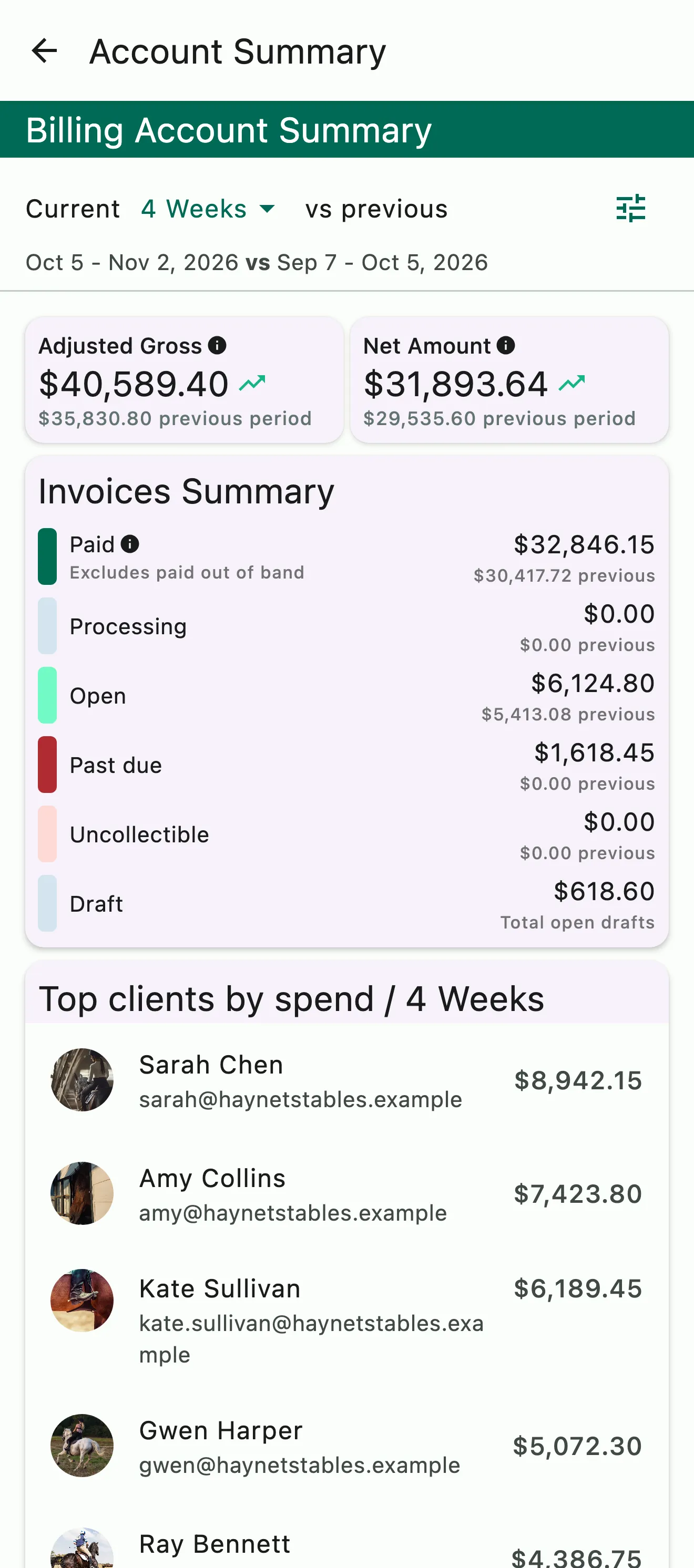
The billing account summary: gross and net for the period, invoices by status, and top clients by spend

Invoice status

Every invoice, from draft to paid

The billing summary shows your invoices by status, draft, open, paid and past due, with your top clients by revenue beside them, so you know who still owes you before you chase anyone.

  • Draft, open, paid and past due
  • Top clients by revenue
  • Who still owes you

Common questions

About revenue insights

What counts as income in HayNet?

Payments collected through HayNet in a period, after processing fees. Income is dated by when the money arrived, and refunds count in the month they're refunded.

Can I compare my numbers with what I expected?

Yes. On your Finance home, add your best guess at average monthly income and expenses. The chart shows your estimates until your real numbers come in, then tells you whether income and expenses are running above or below them. Edit or clear your estimates any time from the card's menu.

How far back can I see my income and expenses?

Up to three years. Switch between six months, a year, two years and three years; the longer views group the months into quarters. Tap any month or quarter to see its income, expenses and net.

Are reimbursements kept out of my income?

Yes. When you pay for something on a client's behalf, like stall fees at a show, a vet bill or hauling fuel, and charge it back, it's a reimbursement. Tag the line on the invoice as a reimbursement, or log the expense in Expenses and pick the client under Invoice to (coming soon).

Either way it stays out of income across your invoices, reports and exports. Your gross and net show what the barn actually earned.

See the full FAQ

Review the history. See the present. Project the future.

No card required. Available on Apple iOS, Android and Web.