Payments

Clients pay their invoices from the HayNet app or from a link (no login required), by bank or card, and payouts go to your bank. The platform fee is your call: include it in your pricing, or pass it on as its own line on the invoice.

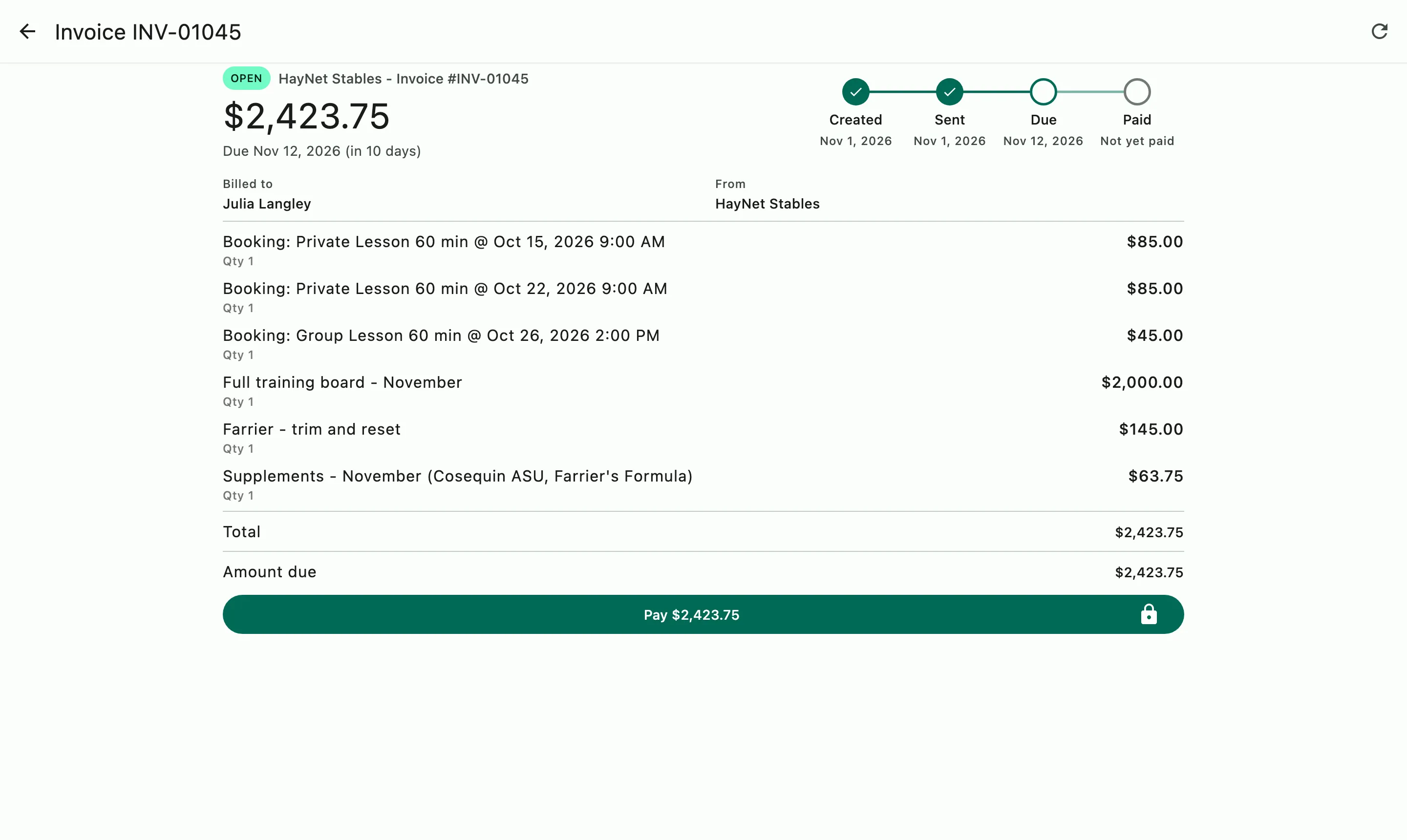
An open invoice with its progress from created to paid, every line item, and the button to pay it

How it works

From an open invoice to your bank

Sent to the client

When an invoice is sent, the client gets an app notification and an email with the full invoice.

Paid in the app or by link

Clients pay in the HayNet app or from the link in the email (no login required).

Paid out to your bank

Once the payment has processed, it is paid out to your bank account. The invoice shows as paid, and the Payment Reconciliation Report matches each payment to its deposit.

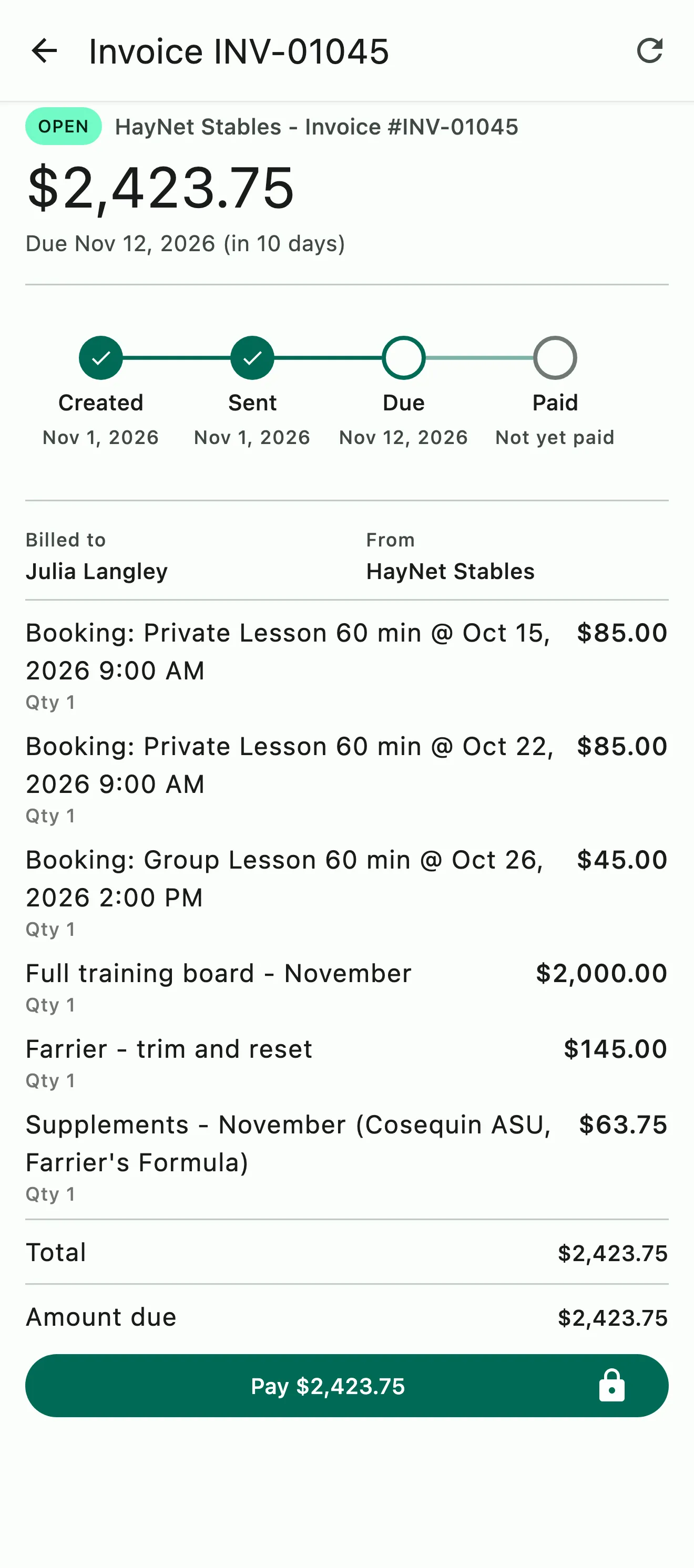
An invoice with each lesson booking on its own line, plus board, farrier work, and supplements

Pay in the app or by link

From invoice to paid in a few taps

When an invoice is sent, the client gets it by app notification and email and can pay it right there, by bank or card. The link in the invoice email works for whoever is paying, so a parent or a spouse can pay without a HayNet account.

  • Pay in the app or from the invoice link
  • No login or account necessary to pay by link
  • Pay by bank ACH transfer or card
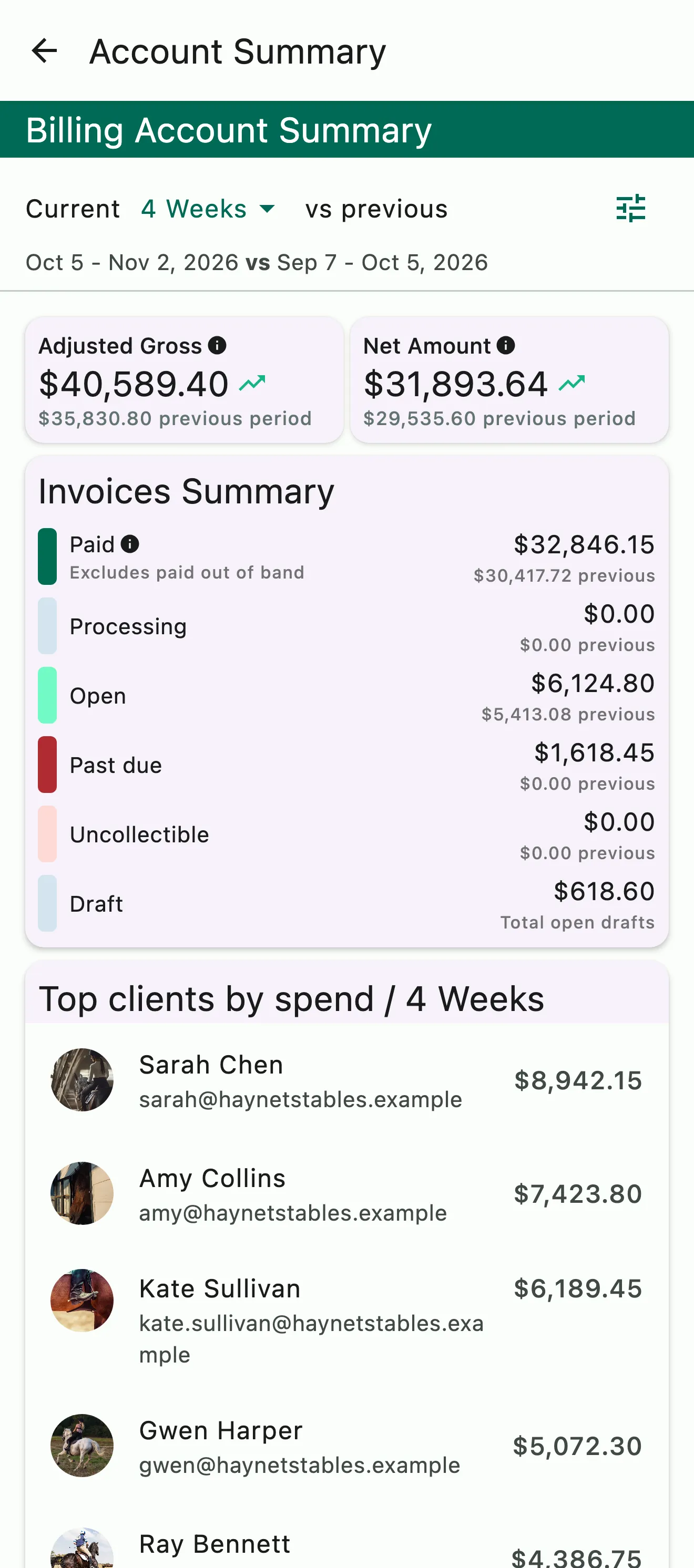
The billing account summary: gross and net for the period, invoices by status, and top clients by spend

Payouts

Payouts go to your bank

Payouts go to your bank account, and every invoice shows where it stands. Paid and past-due are clear at a glance, and the Payment Reconciliation Report is one you can give to your bookkeeper without distilling it first.

  • Payouts to your bank
  • Paid and past-due at a glance
  • A reconciliation report for your bookkeeper
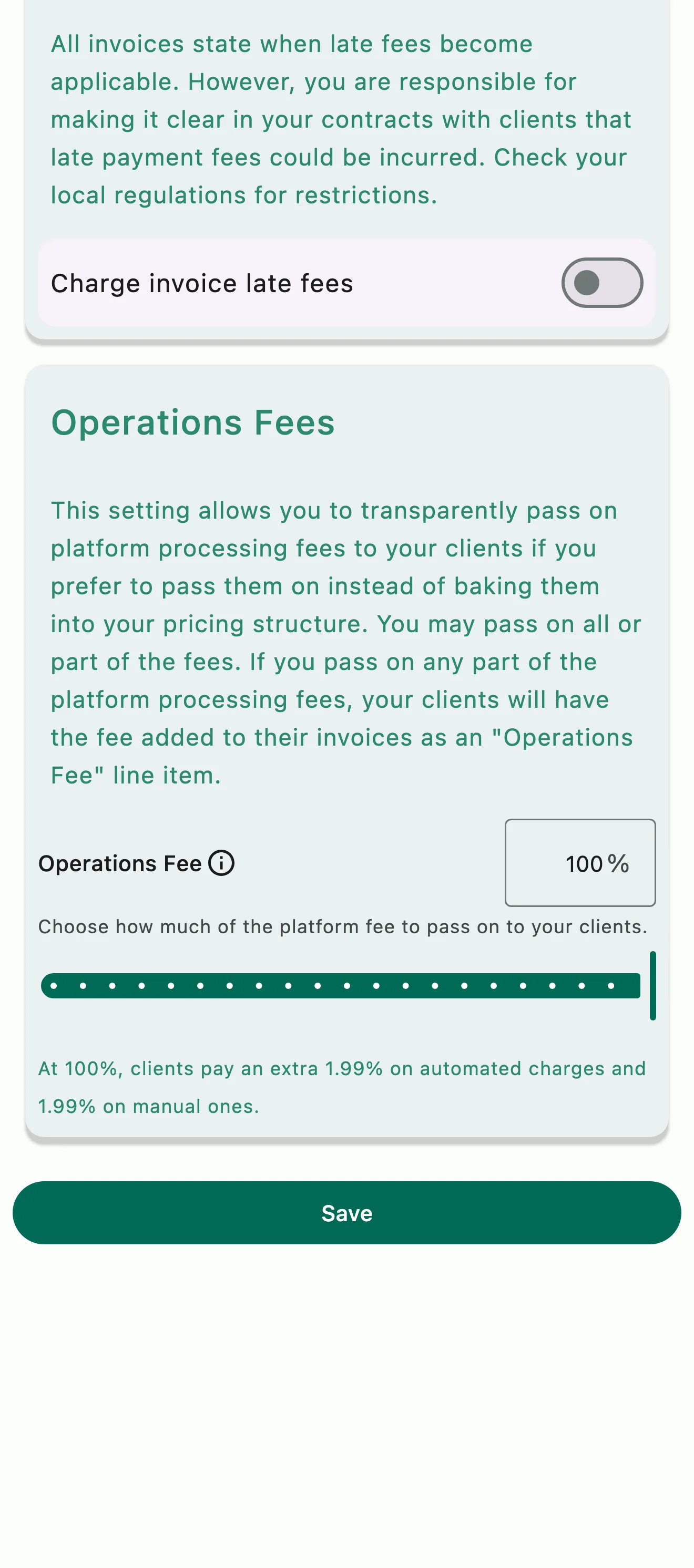
The Operations Fees card in the billing settings: how much of the platform fee is passed on to clients, and the rate they pay

The platform fee and who pays it

Include it in your pricing, or pass it on

The platform fee is always the barn's choice. Include it in your pricing, or transparently pass it on to the client so everyone can see exactly what it is.

  • Include the platform fee in your pricing or pass it on
  • A passed-on fee is transparently shown on the invoice
See the pricing page for rates and fees

Common questions

About Payments

Can clients view and pay their invoices online?

Yes. When an invoice is sent, the client gets an app notification and an email, and can see the full breakdown in the HayNet app or from the link in the invoice email. They pay right there, by bank or card.

The invoice link works without the app or a HayNet account, so a parent, a spouse, or whoever pays the bills can pay it directly.

Which payment methods can clients use?

Clients pay by bank or card, in the HayNet app or from the link in their invoice email. Either way, the payment is paid out to your bank.

Can someone pay an invoice without a HayNet account?

Yes. Whoever is actually paying, whether a parent, a spouse, a grandparent or a business partner, can open the link in the invoice email and pay by bank or card without a HayNet account or the app. Many barn clients are families where the person paying isn't the person on the account, and the invoice link covers exactly that.

I have clients whose children ride and the invoice needs to go to their parent. How can I set that up?

Set up a Family Account. A parent links their account to their child's, and from then on the parent can book for the child and see and pay the child's invoices, with the whole family's charges in one place. Parents set it up from the menu at the top of the screen, under Account & Billing › Family Account.

If the person paying is outside the barn, the client can add a Billing Email in their Profile, and invoices go there instead. Whoever opens the invoice link can pay it without a HayNet account.

How do payouts reach my bank?

Payments your clients make in HayNet are paid out to your bank account. Every invoice shows where it stands, so paid and past due are clear at a glance.

To match payouts against your bank deposits, the Payment Reconciliation Report lists each invoice with its payments and deposits, ready to give to your bookkeeper without distilling it first.

Can I pass the platform fee on to my clients?

Yes, and it's always your call. Include the platform fee in your pricing, or pass it on to the client as its own line on the invoice. To pass it on, open Manage › Finances › Billing settings and set the Operations Fee in the Operations Fees section.

A passed-on fee is never folded into another charge: it shows on the invoice as its own Operations Fee line.

See the full FAQ

Get paid from the client's phone.

No card required. Available on Apple iOS, Android and Web.