Tasks & Notes

The day's work, linked to the horses and events it belongs to. Break a task into steps and check them off. Once it's done, it becomes part of the record you can reference at any time.

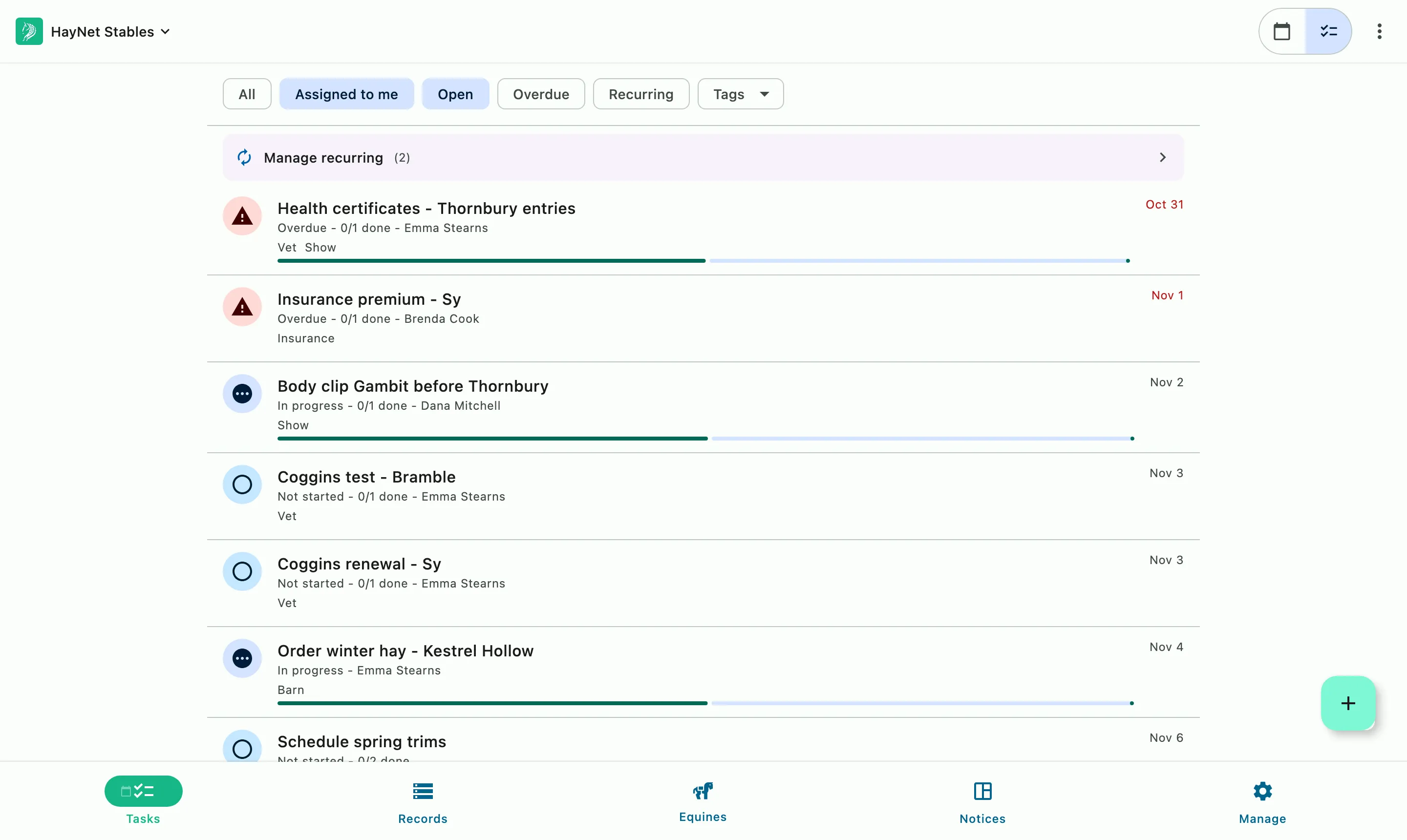
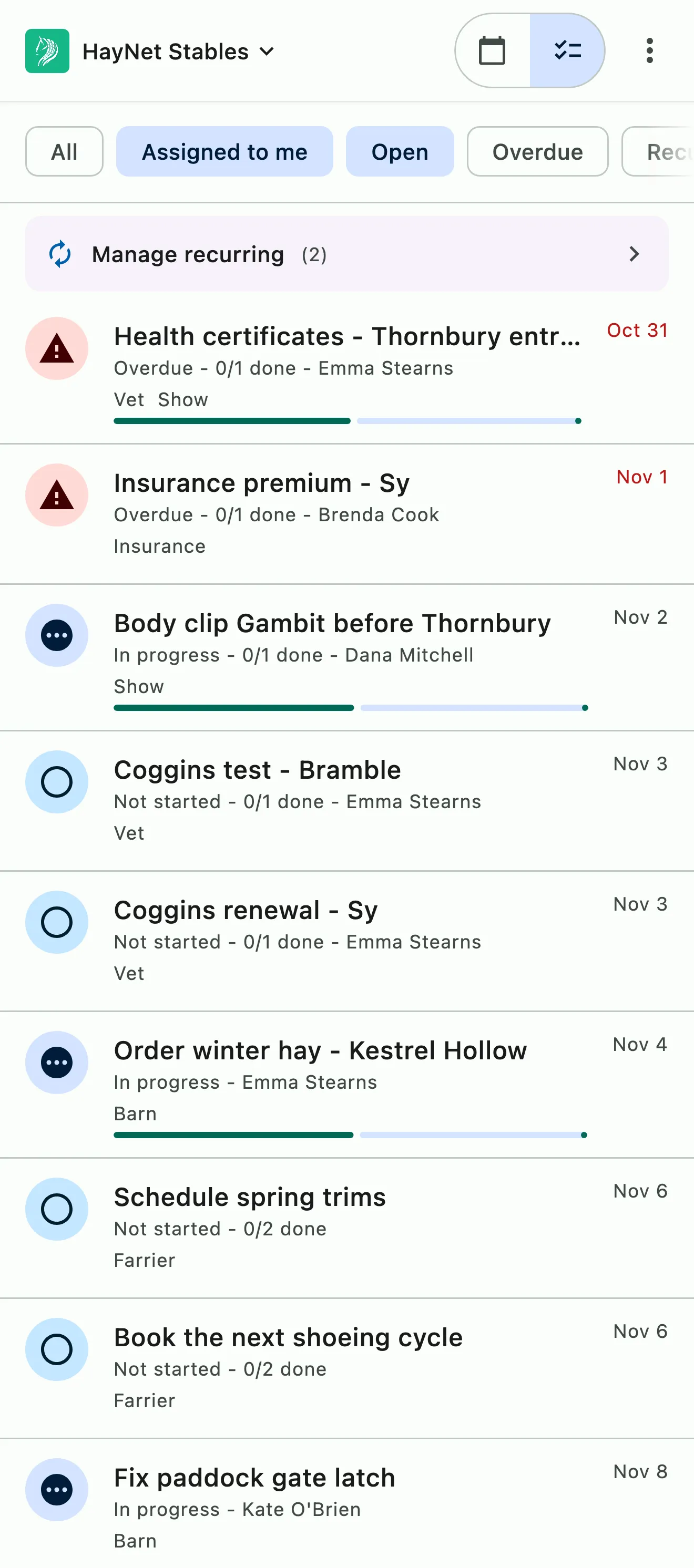
Open tasks in due order, overdue first, each with its assignee, progress, and tags

How it works

Attached to the horse, not lost in a group text

Every job in the barn is about something: a horse due for the farrier, a client who needs a call back, or the show next weekend. Each task stays attached to what it's for, so anyone on staff can see what's done and what's still left. Notes keep what your team knows with the horse, client, or event it's about, so nobody has to rely on memory or a group text. Each one can be shared with everyone, limited to staff, or kept private.

Open tasks in due order, overdue first, each with its assignee, progress, and tags

Tasks, subtasks and activity

Every job, broken into the steps it takes

Create a task, break it into subtasks, and check them off as the work gets done. The activity on each task shows who did what and when, so the next shift picks up where the last one left off.

  • Subtasks for every step
  • Activity on every task
  • Linked to a horse, person or event
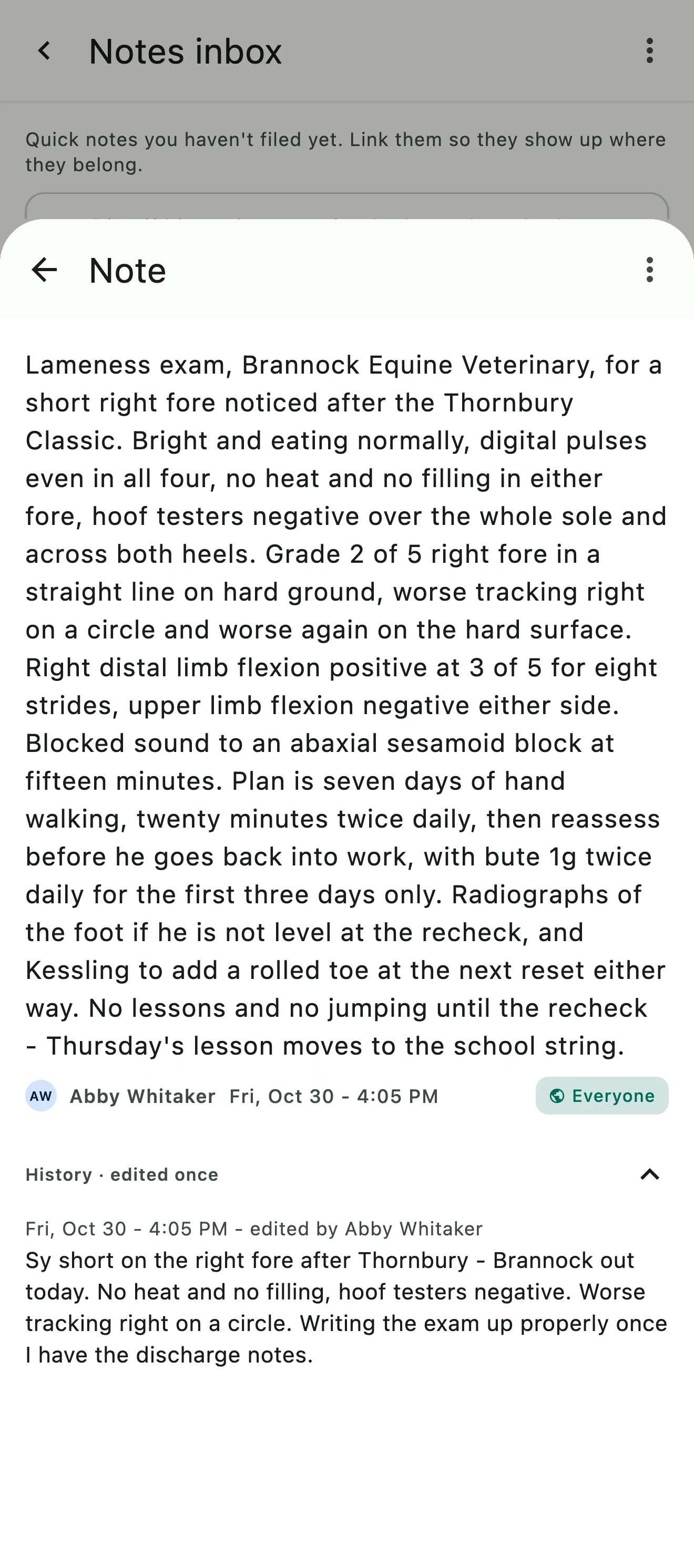
A note on a horse's lameness exam, who can see it, and its earlier wording

Notes

Notes the whole team sees as they change

Write a note on a horse, a client or an event, and it stays in sync for everyone on the team. The farrier's comments, a horse that's off its feed, the stall assignments for this weekend's show: written once, read by whoever needs it.

  • Notes on horses, clients and events
  • In sync for the whole team
  • Adjustable visibility settings
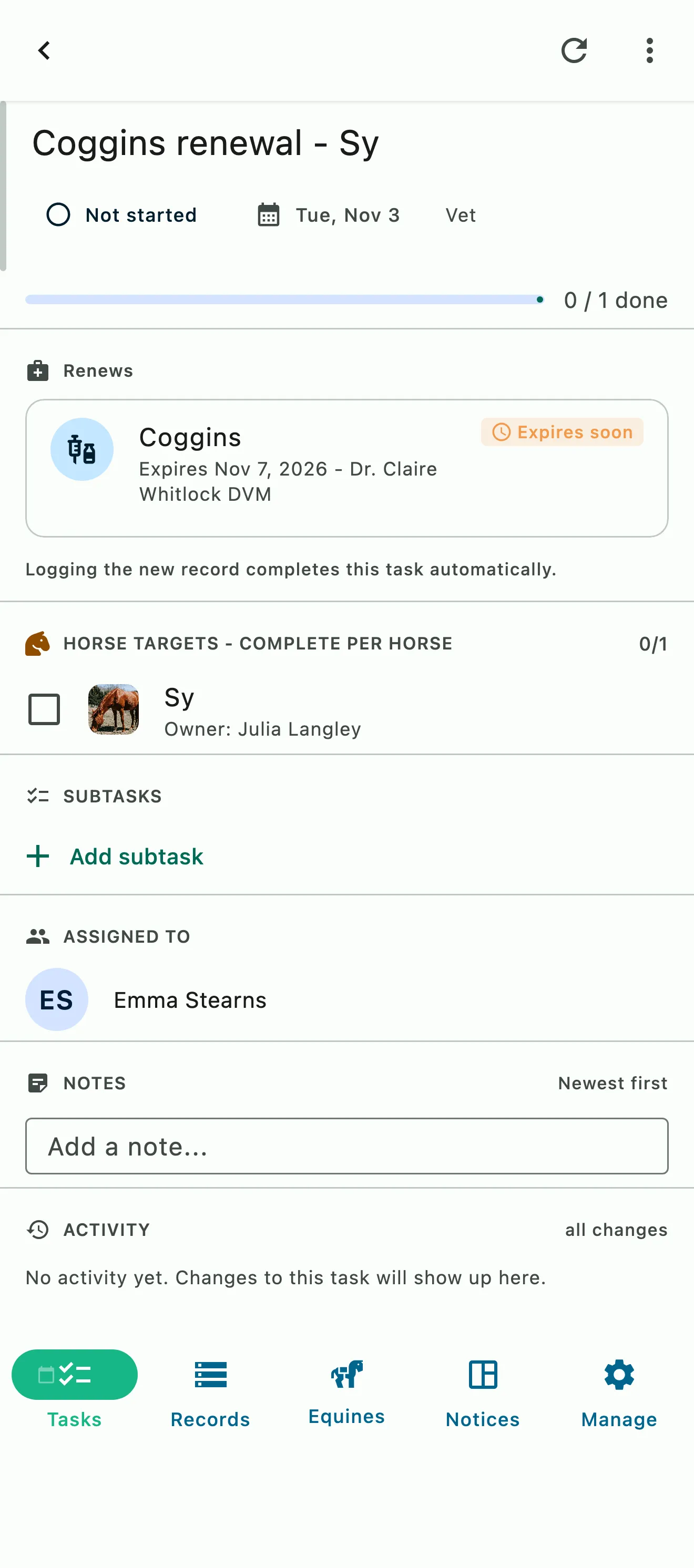
A Coggins renewal task with the horse it's for, the record it renews, and who it's assigned to

Linked and on the record

Done once, recorded once

Link a task to the horse or event it belongs to. When a task is completed, it becomes a record alongside the events from your schedule. System Search finds it later in a few keystrokes.

  • Linked to horses, people and events
  • Completed tasks become records
  • Searchable with System Search

Common questions

About Tasks & Notes

Can a task be linked to a horse, person or event?

Yes. On the Tasks tab, tap + and choose New task, then add the horses it's about under Horses & subtasks. Each horse can be a target you check off as the work gets done, or linked just for the record. Add the people or groups responsible under Assign to. To tie the task to an upcoming custom event, like a show, use Link task, or add it from the event's own Tasks section.

Break the job into subtasks, and the task's activity shows who did what and when, so the next shift picks up where the last one left off.

Do completed tasks become records?

Yes. Once a task is marked done, it becomes a record alongside the events from your schedule. Nobody has to write the same work down twice. You can find it later with System Search on the Records tab.

Tasks keep the day's work on track and on the record. They don't create charges or touch your invoices.

How do I add notes for horses and/or clients?

Open the horse from the Equines tab and add a note in its Notes card, or open a client under Manage › Manage Users and add one in their Notes. Events take notes too, and any note can be linked to a horse, a person, an event or a task, so it shows up where it belongs.

Each note has an audience: Everyone, Staff only or Just me. Use them for temperament, turnout preferences, the farrier's comments or anything the next shift needs to know.

See the full FAQ

Get the to-do list out of the group text.

No card required. Available on Apple iOS, Android and Web.