Group & Split Billing

Bill a show, clinic, haul or any other expense charged to multiple people. Charge the same amount to everyone or split among the horses or people involved.

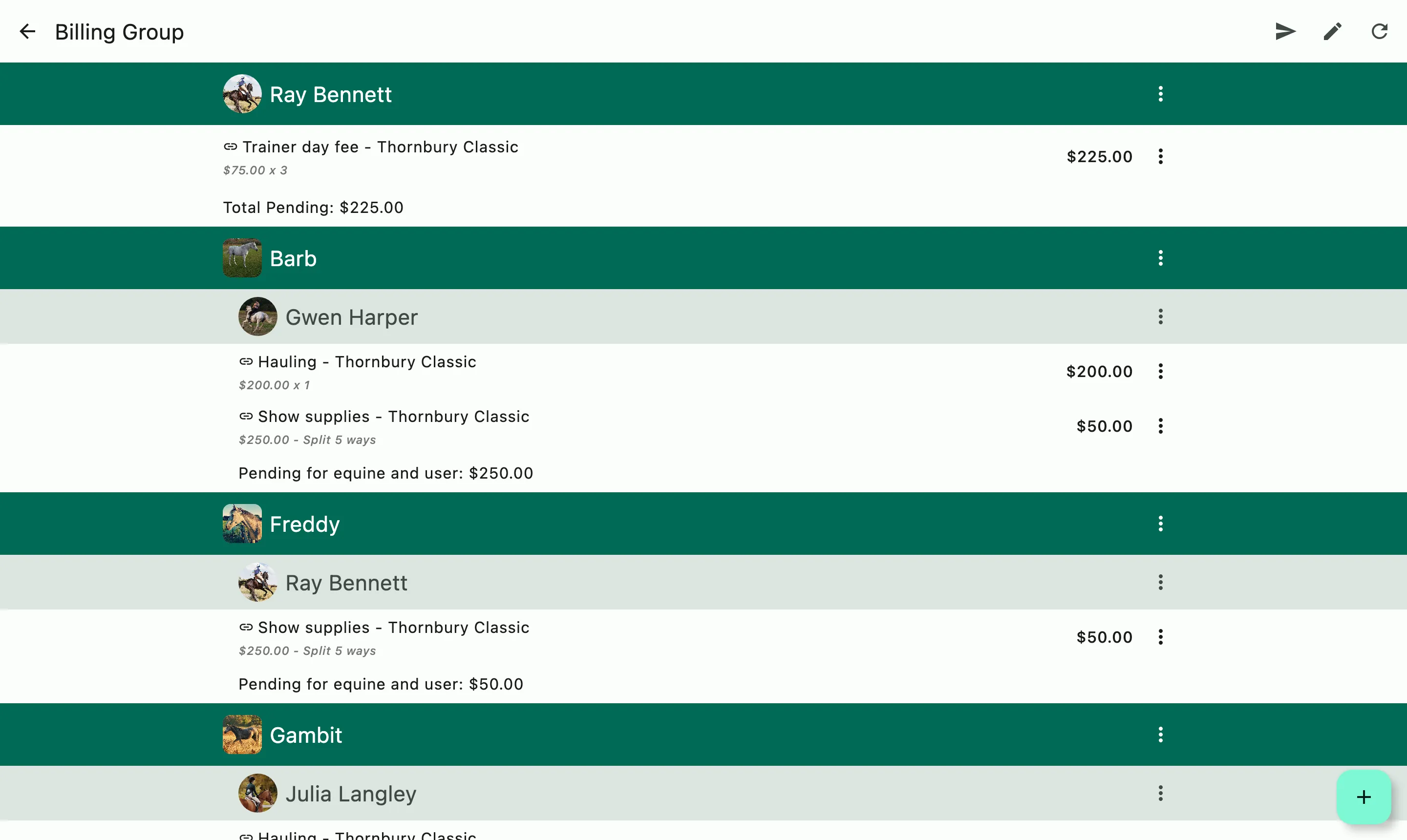
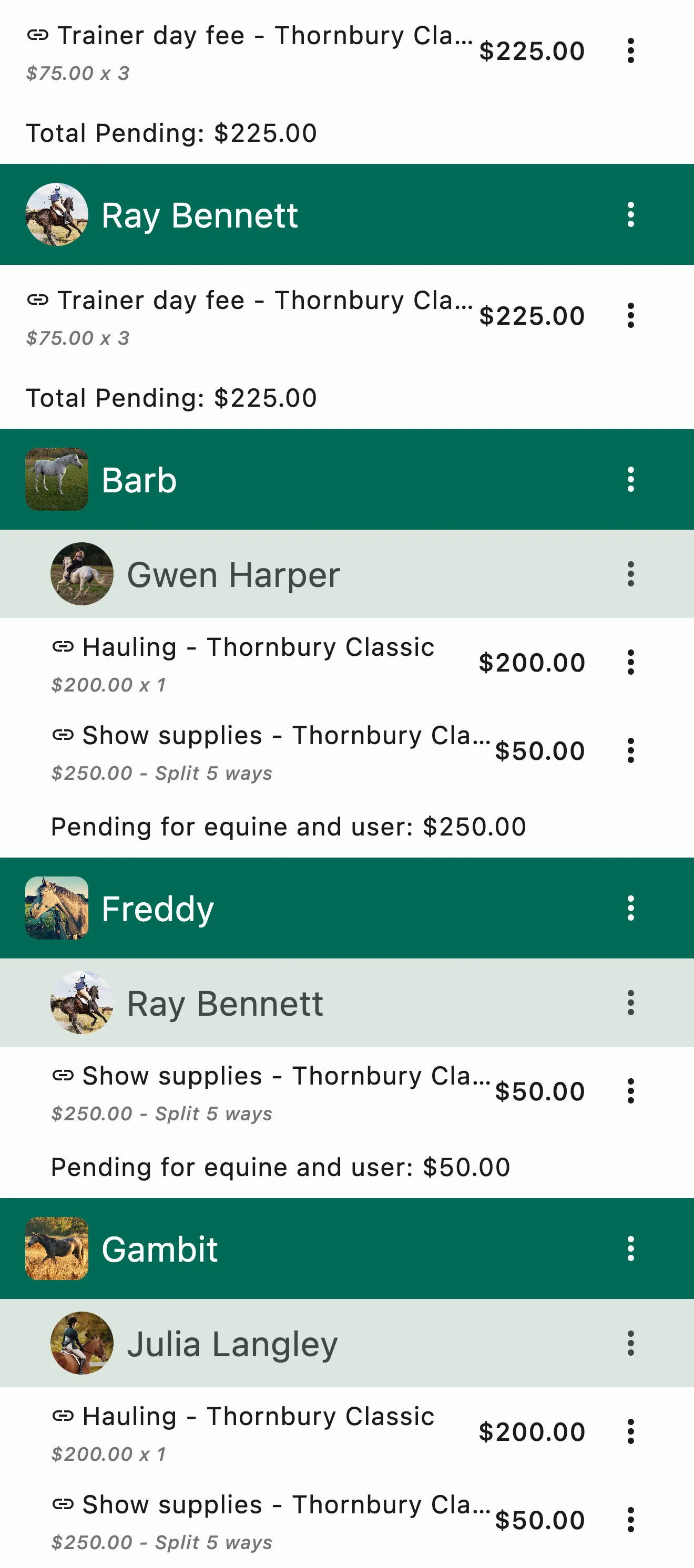
A show's billing group: each rider's trainer day fees, then each horse with the person it bills to, its hauling, and its share of the show supplies

How it works

From the show's costs to each client's invoice

Create a billing group

Create a billing group for a show, clinic, haul, or any expense shared by several people. Add the people and horses involved, or bring them in from an event on the schedule or an existing group.

Add each charge once

Enter a charge once and choose who it goes to: everyone in the group or selected members, by person or by horse. Charge each of them the full amount, or split it evenly or by a custom share.

Send each client their share

Add the charges to each client's regular invoice, or send a separate invoice today or on a date you choose. Each client sees only their own share.

A show's billing group: each rider's trainer day fees, then each horse with the person it bills to, its hauling, and its share of the show supplies

Horse Show and Group Billing

Bill the whole show group. Only enter each line item once.

Invoice a show or group event using the Group Billing feature. Add one line item and bill it to everyone you need to regardless of whether or not the charge is individual or shared.

  • Any time you need to bill the same item to multiple people
  • Add charges by horse or by person
  • Independent and shared costs only need to be entered once to bill to everyone
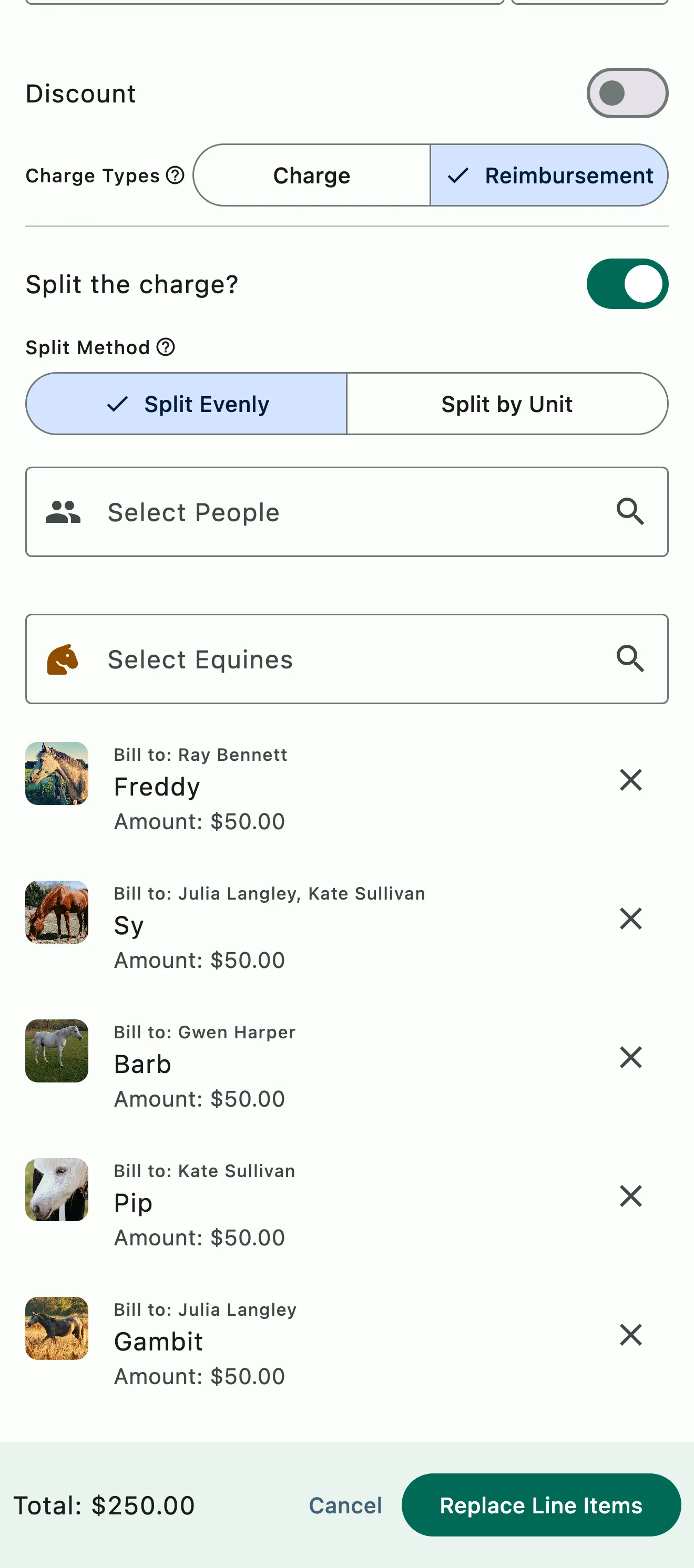
A show supplies charge split evenly across the horses at the show, with each horse's share and who it bills to, including one horse billed to two people

Splits and shares

Split it however needed

Choose the people or horses a charge applies to. Charge each of them the full amount, or split it evenly by horse or by person, or by a custom share. Each client's invoice shows only their own share.

  • Split by rider, by horse or by custom share
  • A horse can have multiple responsible parties splitting their bills
  • The charge is added to everyone and the math is done for you

Common questions

About group billing

How does split and show billing work?

Put a show, a clinic or a haul on one group bill with the riders and horses who went, and enter the shared costs once. Charge each person or horse the full amount, or split a charge evenly or by unit among the ones you select. Each client's invoice shows their share and nothing from anyone else's.

Groom fees, hauling, stabling, entries and day fees all go on the group bill. You'll find it under Manage › Finances › Group (Bulk/Split/Show) Billing.

Can I split a charge by horse instead of by rider?

Yes. On a group bill, select the horses instead of the riders, then split the charge evenly or by unit. Each horse's share goes on the invoice of whoever is selected as the responsible person or persons on the event or defaults to the horse's billable person. You can also select riders and horses together and split the charge across both.

Do group charges go out on a separate invoice?

Not unless you want them to. When you create the invoices for a group bill, choose Next billing and each client's share goes out with their regular invoice on your billing day. You can also send them today or on a date you pick.

Invoices with the same send date are combined automatically, so a show week doesn't mean a separate round of invoices.

See the full FAQ

Bill the next show without the spreadsheet.

No card required. Available on Apple iOS, Android and Web.