Board & Subscriptions

Board, prepaid service packages, and additional recurring products are all set up to bill clients through our subscription manager. Once assigned to a client's subscription, the charge recurs automatically each cycle.

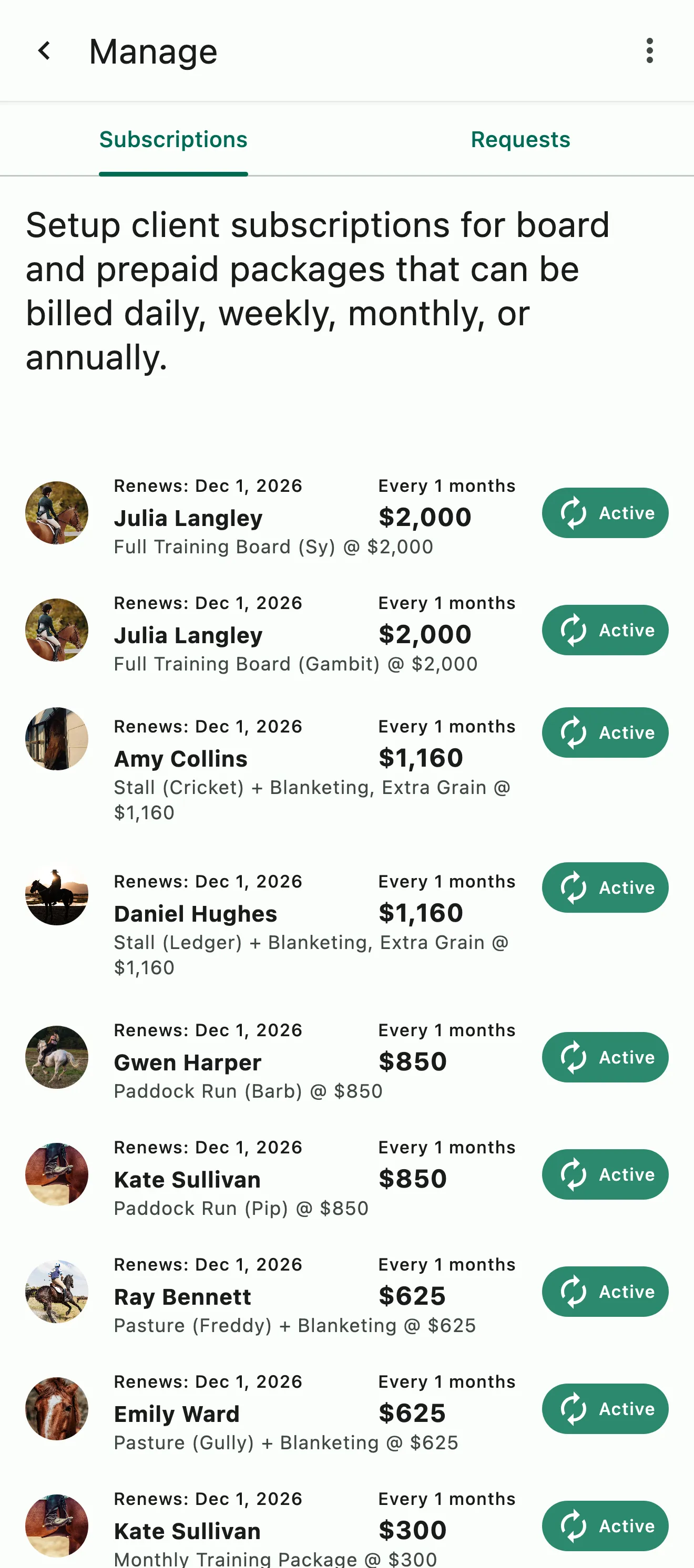
Subscriptions by client: stall, paddock run, pasture, and full training board, each with its horse, add-ons, renewal date, and amount

How it works

Billing that runs itself

Set up your board

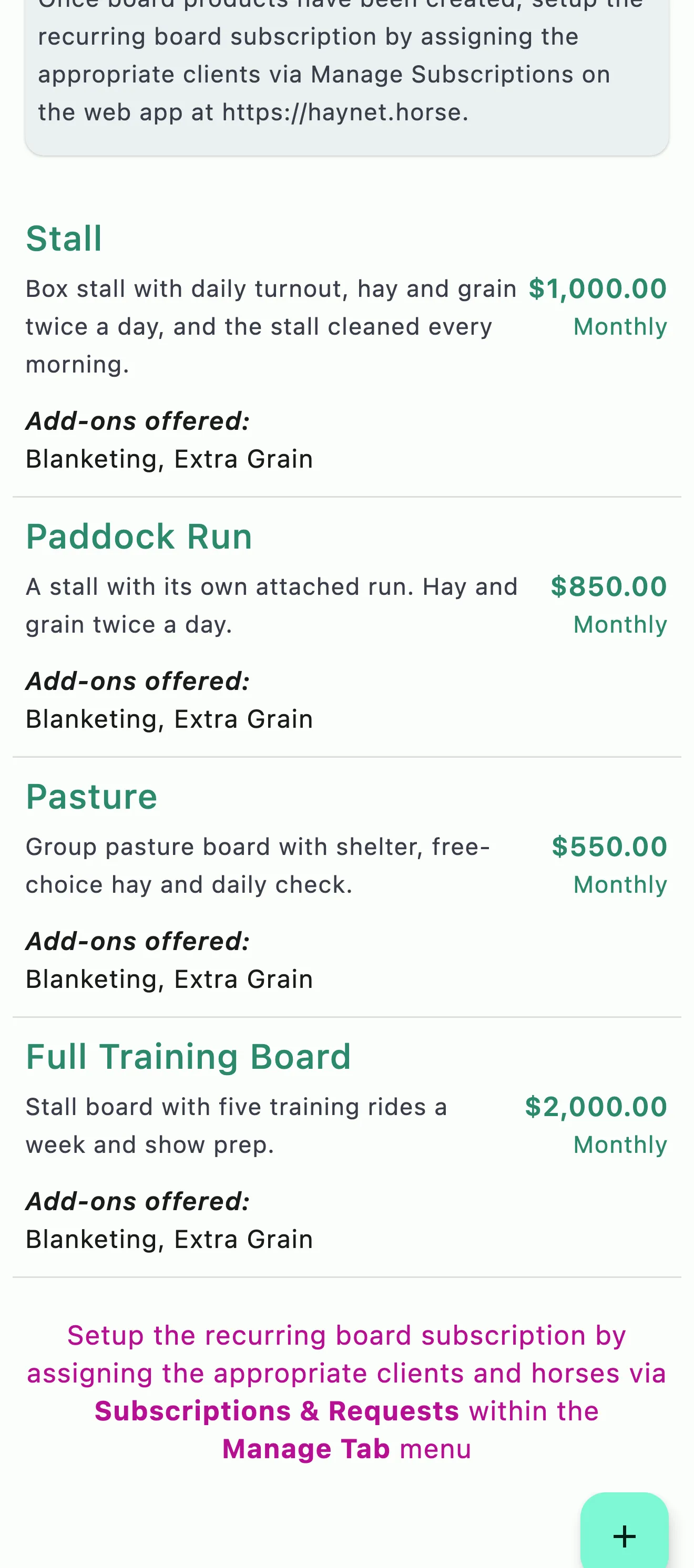
Create your Board Products, like main barn stall, pasture board, and training board, with a name, description, monthly rate, and any optional add-on charges.

Add it to the subscription

Assign the Board Product and add-on charges to a client and their horse through their subscription, alongside any prepaid packages and subscription products.

Billed automatically

Everything on the subscription is automatically included on their recurring invoice each billing cycle.

Stall, Paddock Run, Pasture, and Full Training Board, each with its monthly price and the add-ons it offers
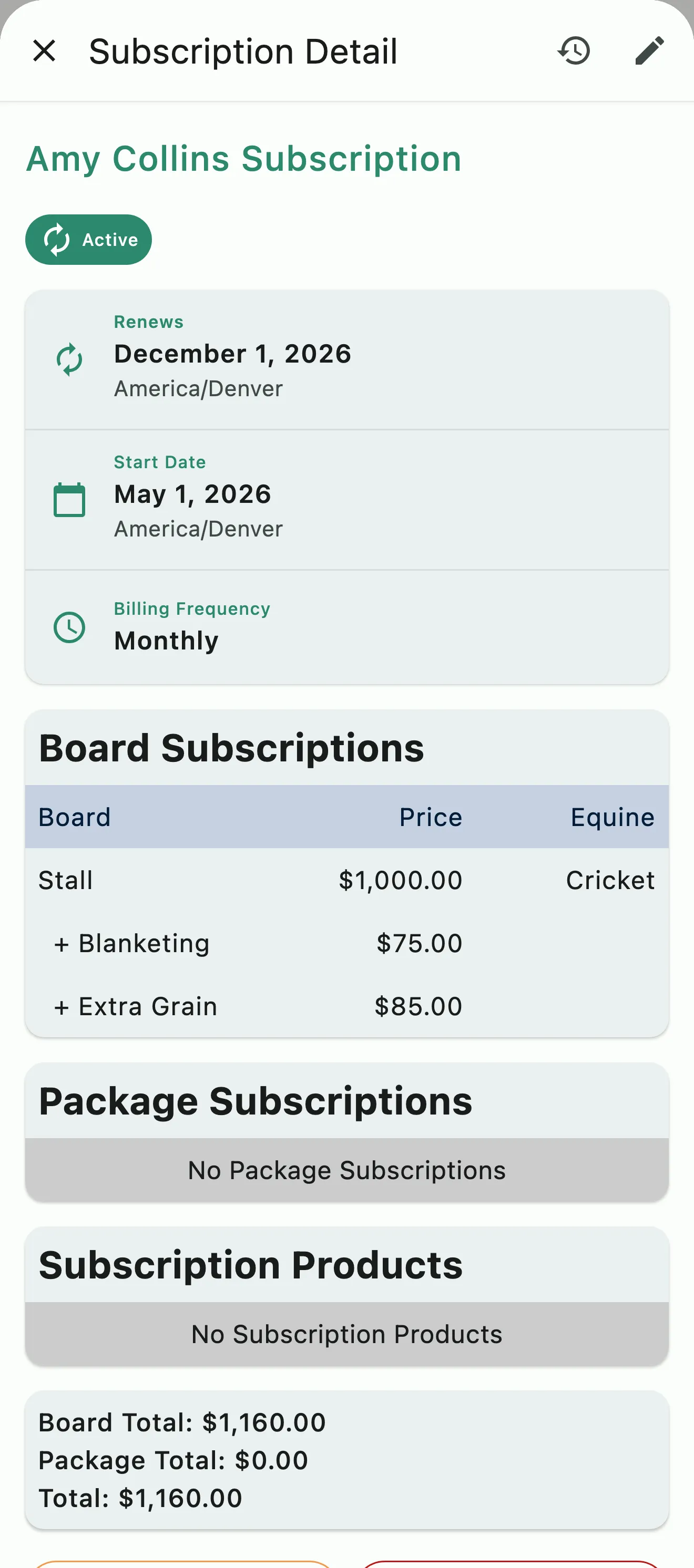
A boarder's stall board for one horse, with blanketing and extra grain each on its own line

Board Billing with Add-Ons

Base board, plus the extras each horse needs

Create custom board products to cover the different boarding options your facility offers. Every board product supports custom add-on charges: blanketing, supplemental grain, extra scheduled feedings, or anything else your boarders need that isn't included in the base board rate. Add-ons are assigned per client, per horse, and each one is billed as its own line item on the client's invoice. Need to add blanketing for the winter and remove it in spring? Update the subscription and it takes effect next cycle.

  • Custom add-on charges per board product
  • Toggle add-ons on or off per client, per horse
  • Each add-on appears as its own invoice line item
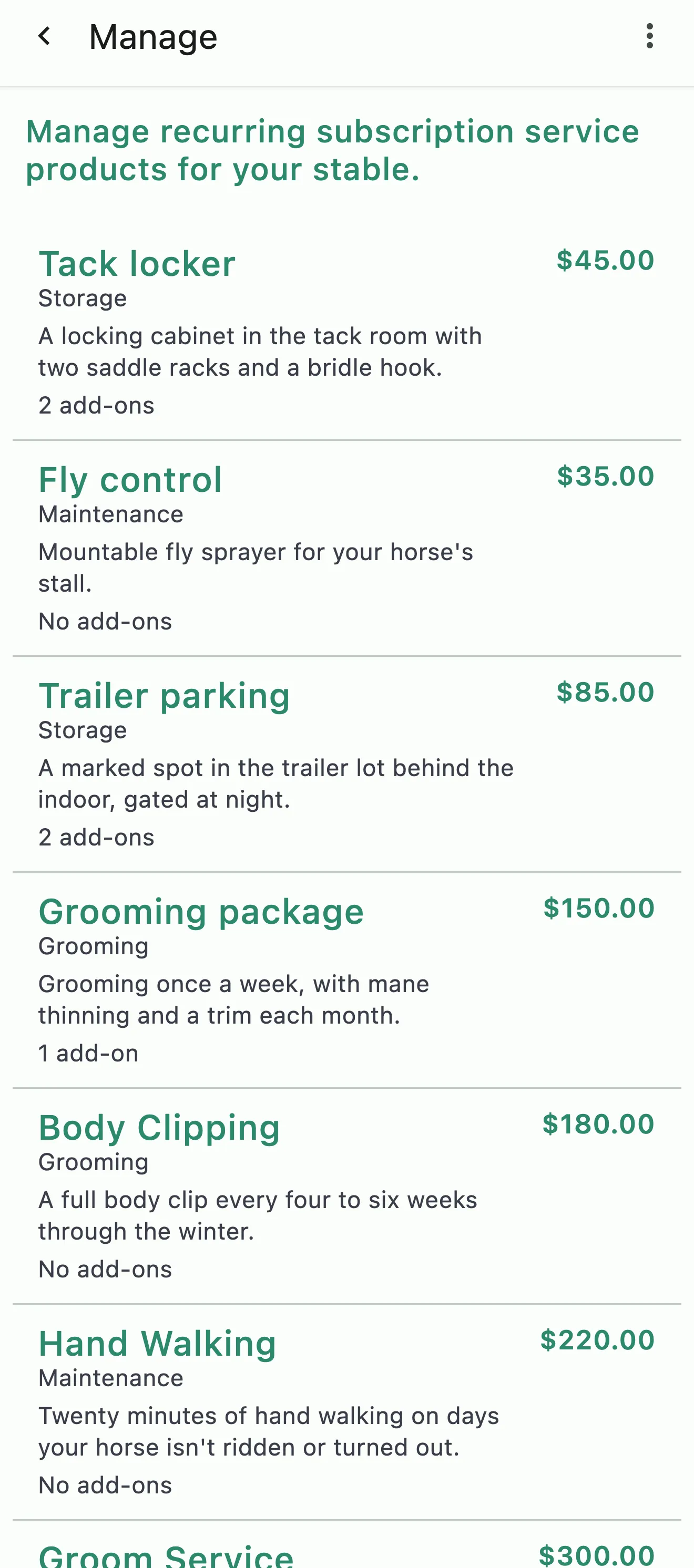
Subscription products for a tack locker, fly control, trailer parking, grooming, and body clipping, each with its price and add-ons
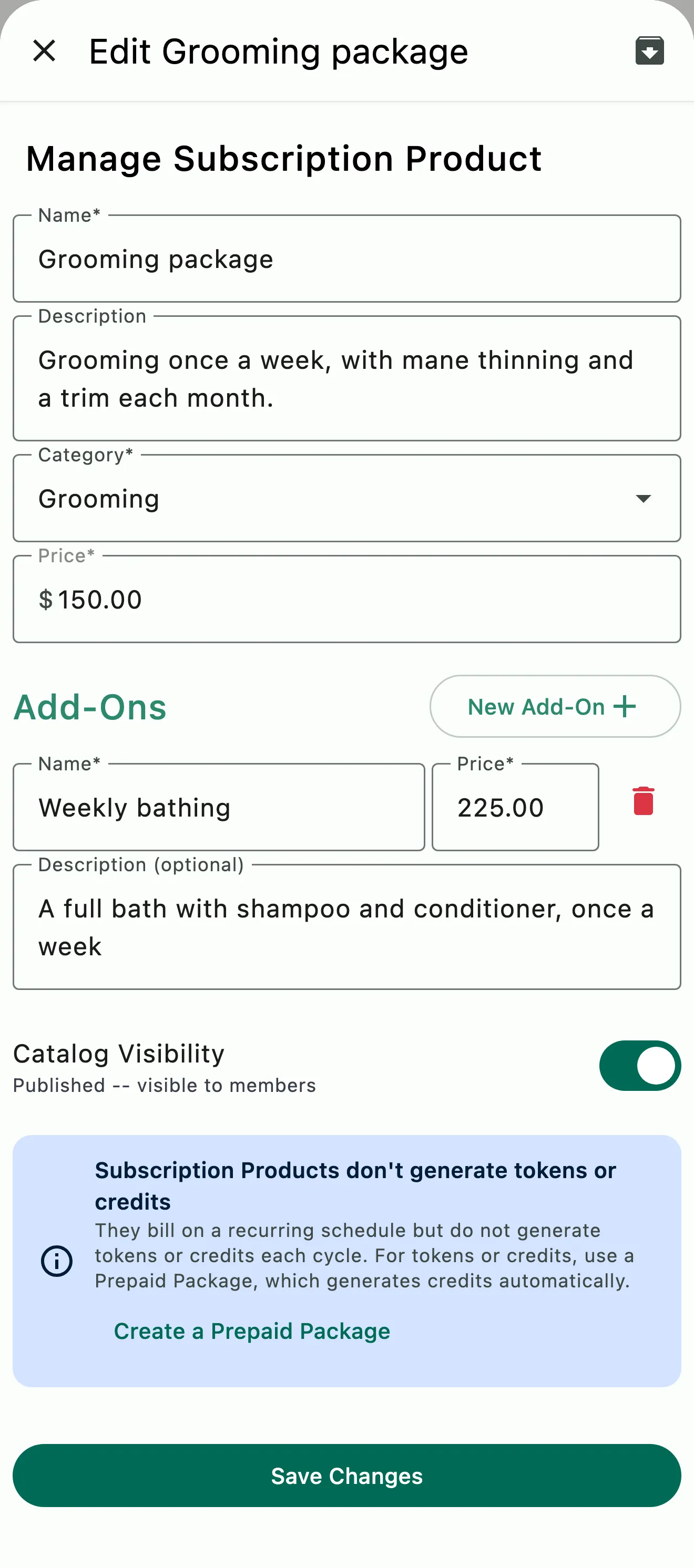
A grooming package being edited, with its category, price, and a weekly bathing add-on

Subscription Products

Not every recurring charge fits neatly into board or prepaid packages

Subscription Products cover the rest: trailer storage, upgraded tack storage, monthly full groom service, premium amenity access, or any other monthly, quarterly, or annual charge your barn needs to bill for. Define the product with a name, description, price, and billing cycle, and add optional add-ons for additional upgrades, like that extra-large corner locker or tack rentals.

  • Monthly, quarterly, or annual billing cycles
  • Optional add-ons per product
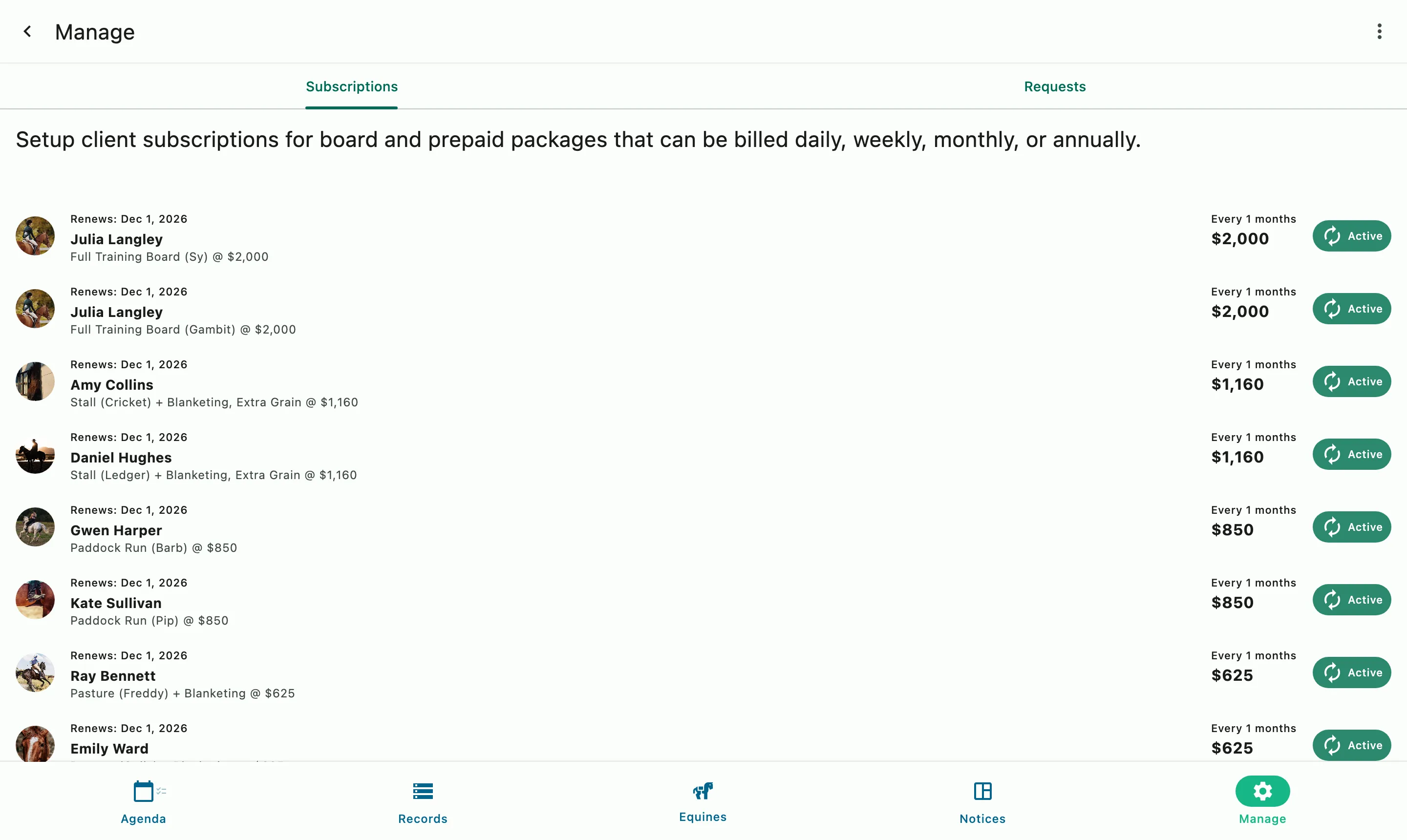
Board subscriptions by client, with each horse, its add-ons, the renewal date, and the monthly amount

Subscription Management

Configure everything in a single place

Each subscription shows what's included, the billing period, and the total amount. Your clients can view their active subscriptions at any time through the app. New subscriptions default to your regular billing cycle, or to match the client's existing subscription, so their charges are included on one invoice.

  • Put your board, prepaid packages, and other recurring products in one subscription for each client
  • Clients view their subscriptions in-app
  • Add or remove items or adjust add-ons, and the change takes effect next cycle
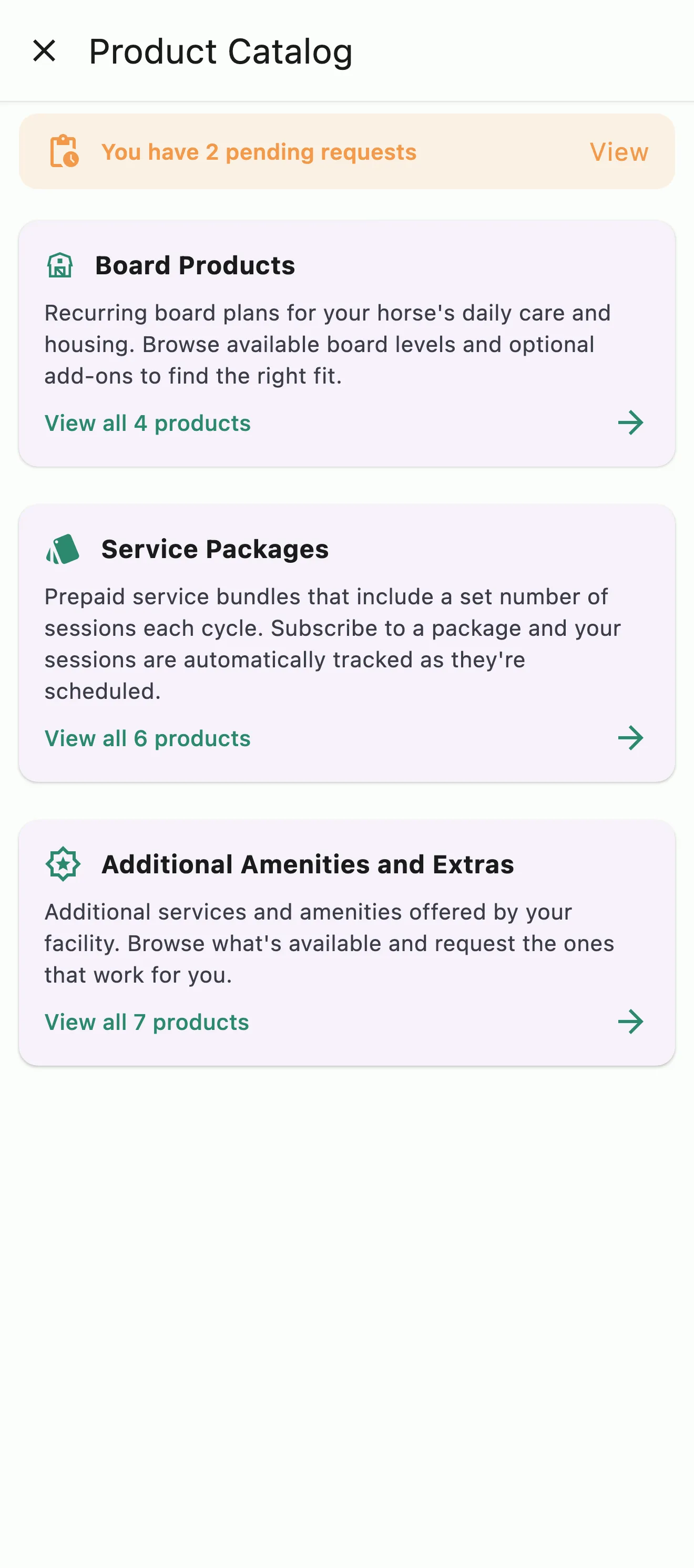
The barn's catalog on a client's phone, with board, service packages, and extras to browse and two requests still pending
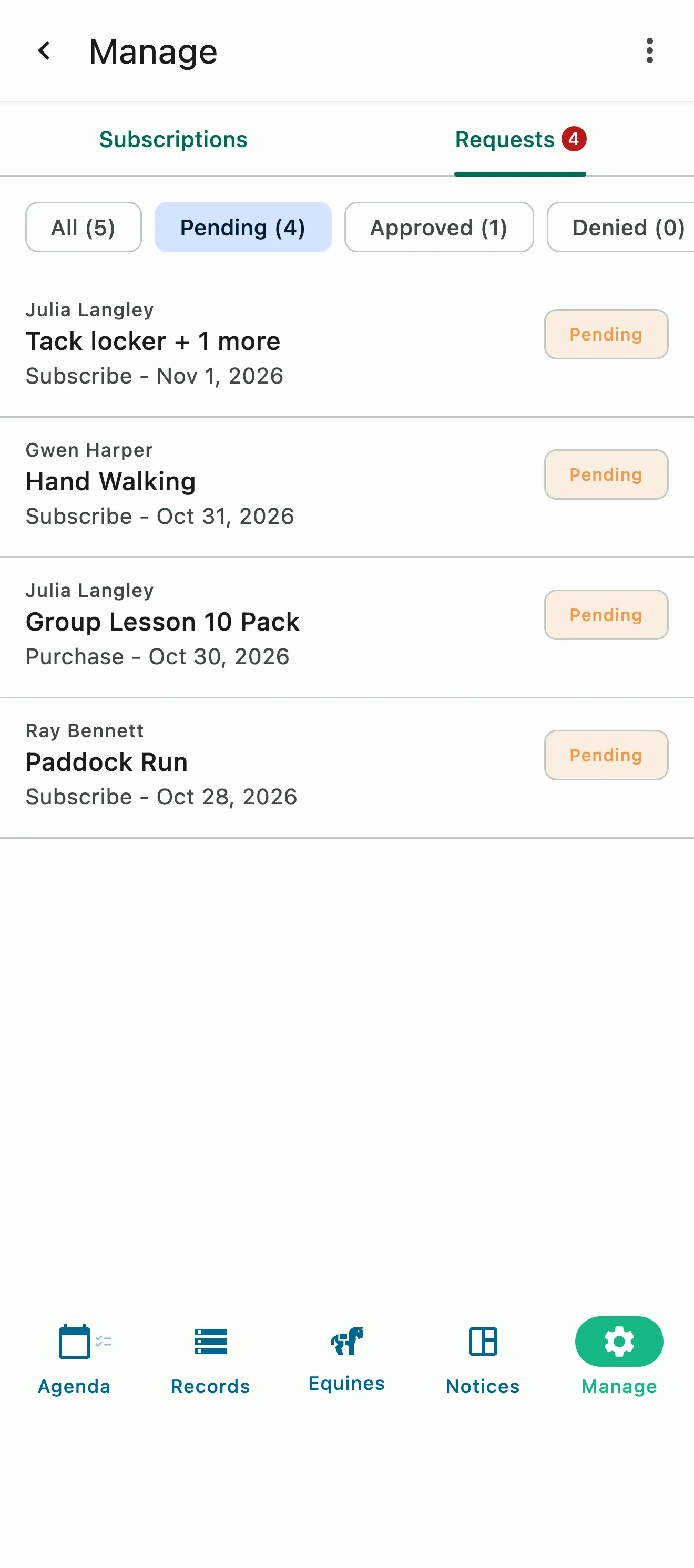
Pending client requests for board, hand walking, and a lesson package, each with who sent it and when

Catalog and Requests

Clients browse options and request services

Turn on Catalog visibility for any board, package, or subscription product, and clients can browse your barn's Catalog and request services through the app. The Catalog is visible only to your barn's members. Each request is sent to the Requests tab, where you approve or deny it. Approving lets you start a new subscription or add it to one the client already has in one step.

  • Publish board, packages, and subscription products to your Catalog
  • Approve or deny each request, with an optional reason
  • Clients track their requests under My Requests
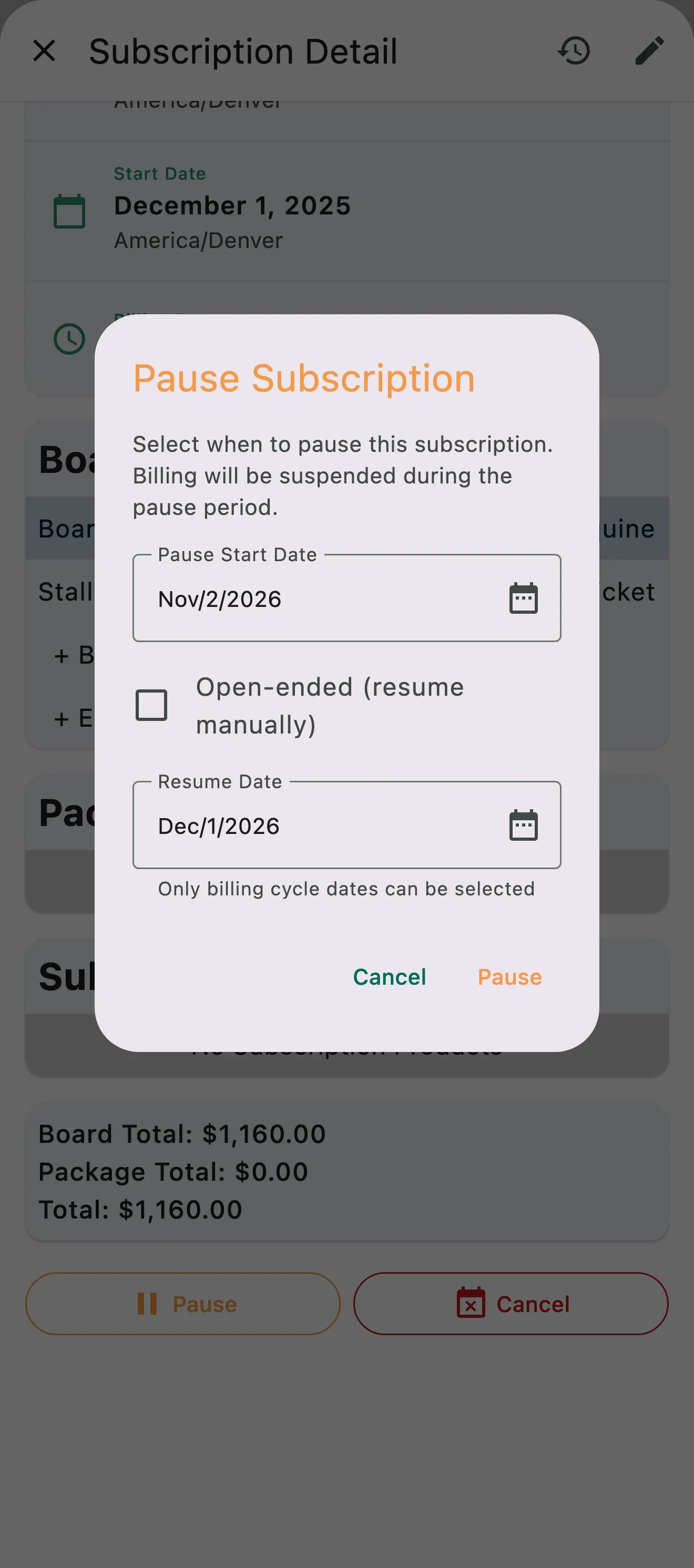
Pausing a client's board, with a start date and a resume date picked from its billing cycle
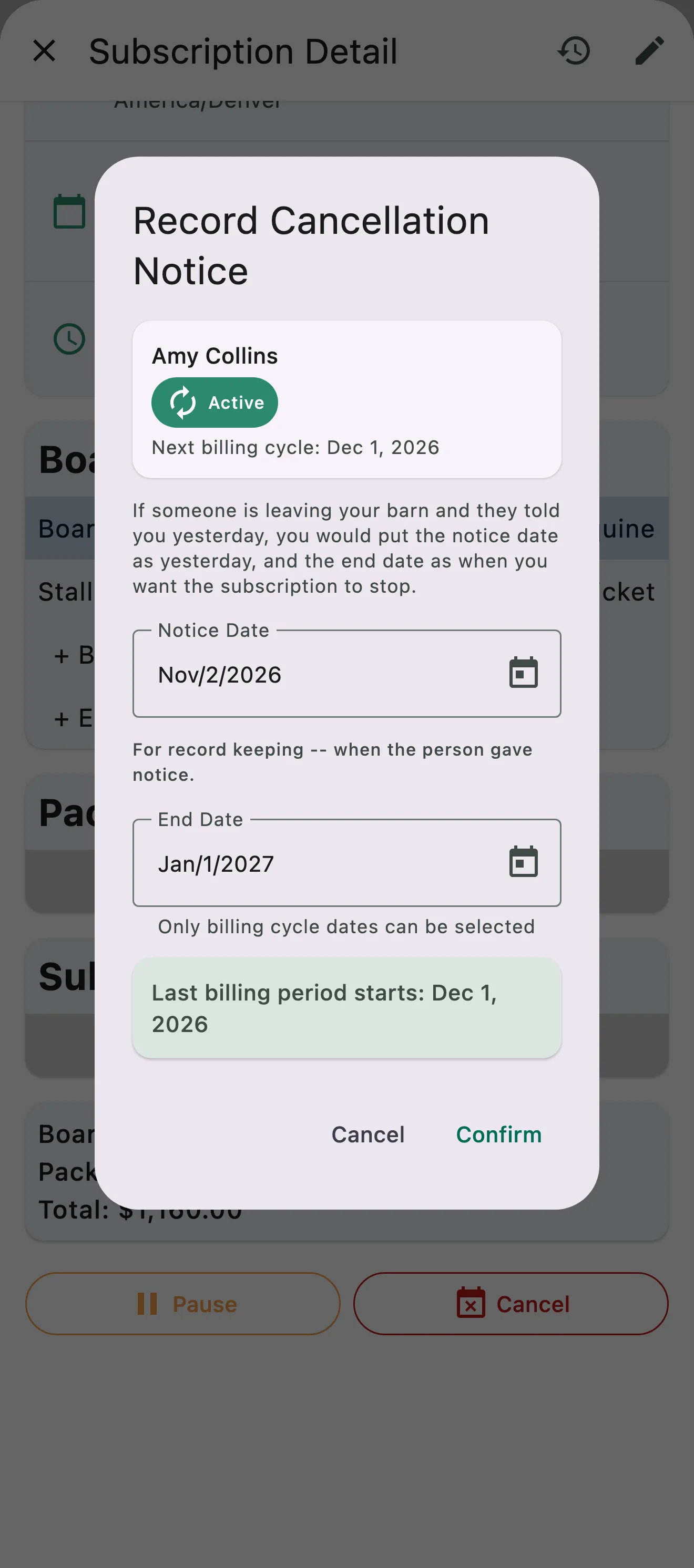
A cancellation notice recorded on a client's board, with the notice date, the end date, and when the last billing period starts

Pauses and Cancellation Notices

Pause billing, or record a notice when someone leaves

Pause a subscription for a set stretch, or open-ended until you resume it. Billing is suspended during the pause. When a client gives notice, record the cancellation notice with its end date. The final invoice goes out for the last billing cycle, and the subscription ends on the date set. You can revoke the notice if plans change.

  • Scheduled or open-ended pauses
  • Cancellation notices with an end date
  • Clients get notified when a subscription is paused, resumed, or ending

Common questions

About Board & Subscriptions

How do I set up board charges for my clients?

Start with a Board Product for each kind of board you offer, like main barn stall, pasture board or training board. Go to Manage › Board Products, tap the + button, and set the name, description and monthly price, plus any add-ons that come with it.

Then assign it under Manage › Subscriptions & Requests: add the Board Product to the client's subscription with their horse, and check the add-ons that apply. Board and its add-ons renew onto the client's invoice every billing cycle, and you can change the add-ons as the seasons change without touching the board itself.

Can I add monthly extras to a client's board bill such as extra grain charge?

Yes, with board add-ons. Each Board Product can carry add-ons, recurring extras like supplemental grain, blanketing or access to an extra amenity, each with its own name and monthly price. Add them under Manage › Board Products.

Then check the add-ons that apply on the client's board line in their subscription, under Manage › Subscriptions & Requests. Each one shows on the invoice as its own line, and you can add or remove it from cycle to cycle without touching the board itself.

How do my clients see their active subscriptions and monthly recurring charges?

In the app. Clients open the menu at the top of the screen and choose Account & Billing › Subscriptions. Each subscription shows its status, its billing dates and frequency, and what's in it: board with any add-ons, packages and other subscription products.

Requests they've sent from your Catalog, and where each one stands, are under Account & Billing › My Requests.

Can clients request subscription-based products and services through the app?

Yes. Turn on Catalog visibility on any board, package or subscription product to publish it to your barn's Catalog. Members find it by tapping your barn's name at the top of the app and choosing Browse Products, then send a request without going back and forth with the office.

The Catalog is visible only to your barn's members, and a request is just that. It's sent to the Requests tab under Manage › Subscriptions & Requests, where you approve or deny it and finish the setup on their account.

How do I modify a client's monthly recurring charges?

Go to Manage › Subscriptions & Requests, open the client's subscription and choose Edit Subscription. Add, change or remove board, board add-ons, packages and subscription products, then save. Changes take effect on the next billing cycle.

The same subscription lets you pause billing for a stretch, until a resume date or until you resume it, or record a cancellation notice when someone is leaving. Each subscription keeps its own billing period, start date and status.

See the full FAQ

Ready to put billing on autopilot?

No card required. Available on Apple iOS, Android and Web.