Feed Programs

Every horse's feed schedule, built for the people who feed. Build one schedule, then copy it to the next horse, a group, or the whole barn in a few taps. As the crew feeds, each line is checked off with the name and time, so you always know who fed what.

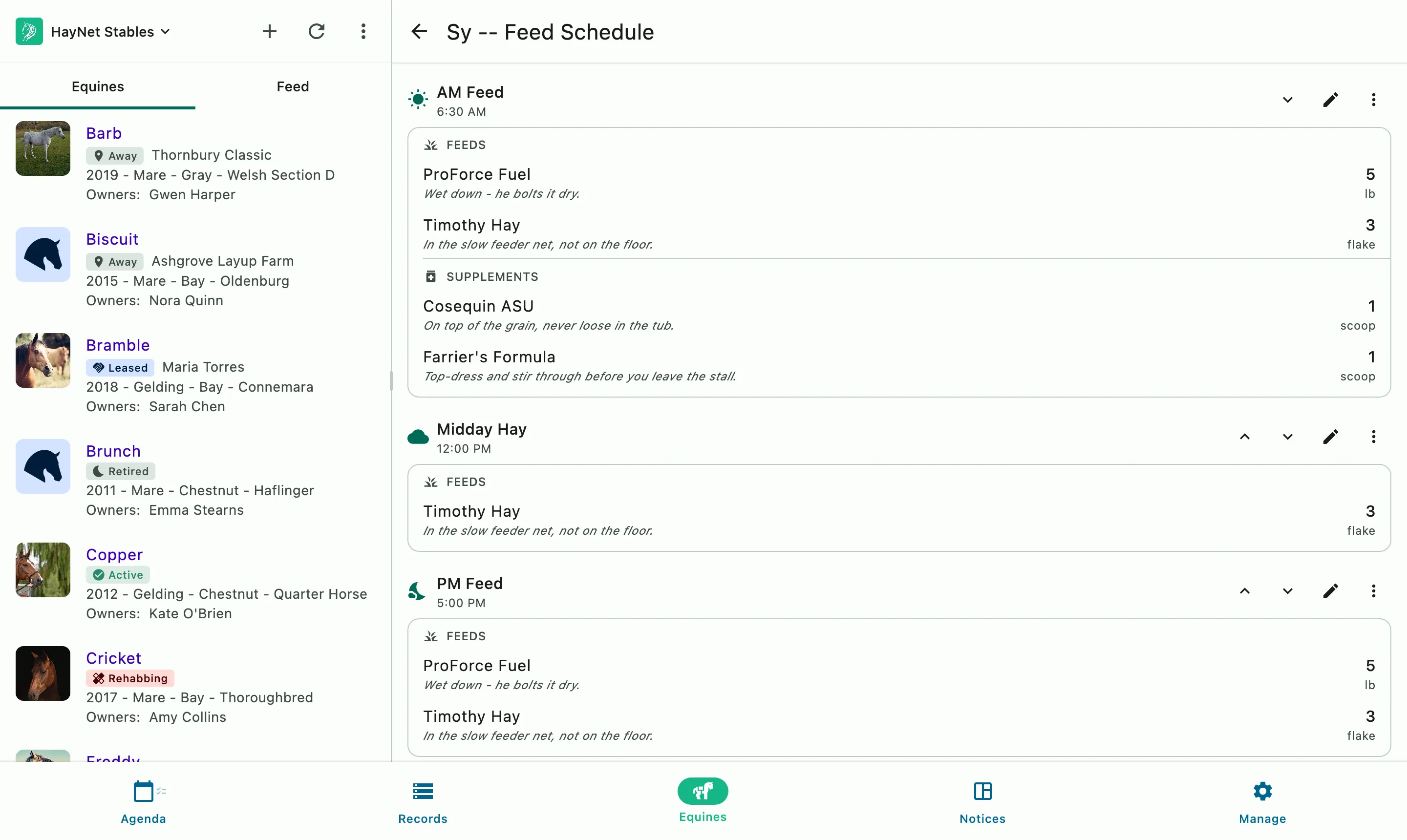
A horse's feed schedule beside the horse list: AM, midday, and PM feeds with amounts and supplements

How it works

Every horse's diet, customizable to your program

Each horse gets its own feed schedule, with the hay, grain, and supplements for every feeding. Amounts are written the way your staff actually measure them, such as 1/4 scoop. Whoever's on feed works from one list and checks off each line as they go.

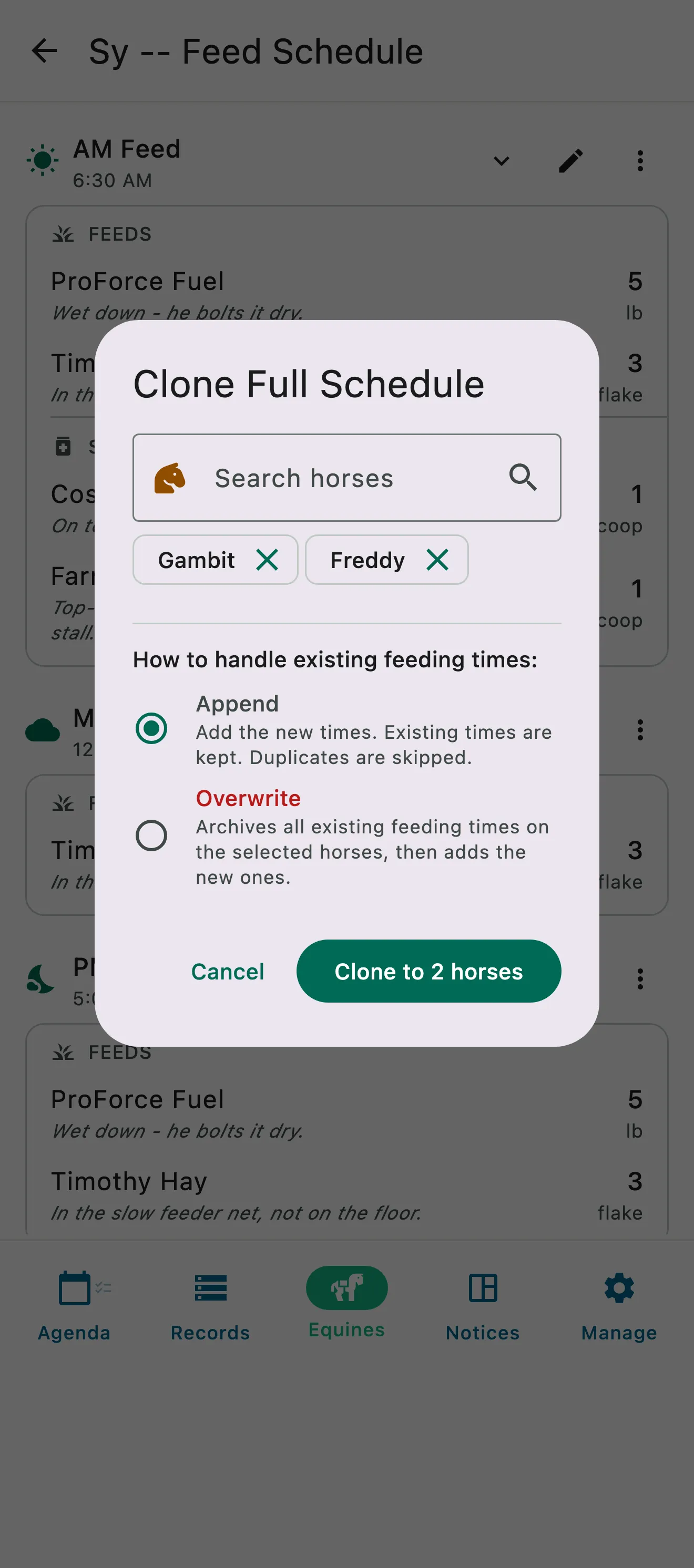
One horse's full feed schedule being cloned onto two more horses, added to their feeding times or replacing them

Clone Schedule

Build it once, copy it across the barn

A new horse arrives Monday and should start on the same diet as the mare in the next stall: clone her feed program onto him in seconds. Switch grain suppliers and the new line goes onto every horse at once. Clone onto one horse, a few, or the whole barn, and choose whether to add to their schedules or replace them.

  • Copy a horse's whole schedule, or just one feeding time
  • Clone to one horse, a few, or the whole barn
  • Add it to their existing schedules, or replace them
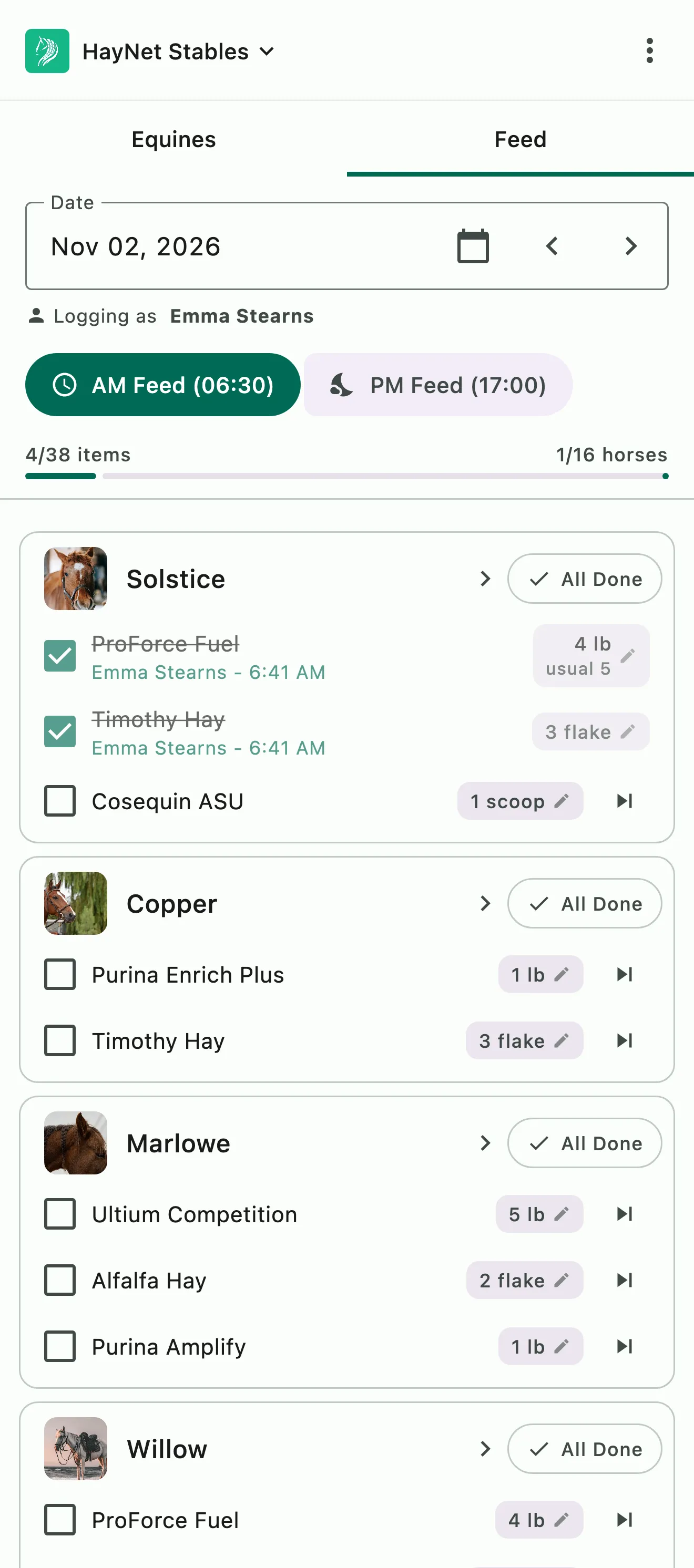
The morning feed: each horse's grain, hay, and supplements, checked off as staff feed

The feed list

Morning, evening and everything in between

Each horse's schedule is a set of feed lines, like three flakes of hay and a scoop of senior grain in the morning. Staff mark each line done as they go and it's stamped with who checked it off and the date and time.

  • Each scheduled feeding becomes a checklist
  • Each line marked as done is stamped with the name of the person who completed it and the time
  • If something cannot be completed, a skip reason can be provided
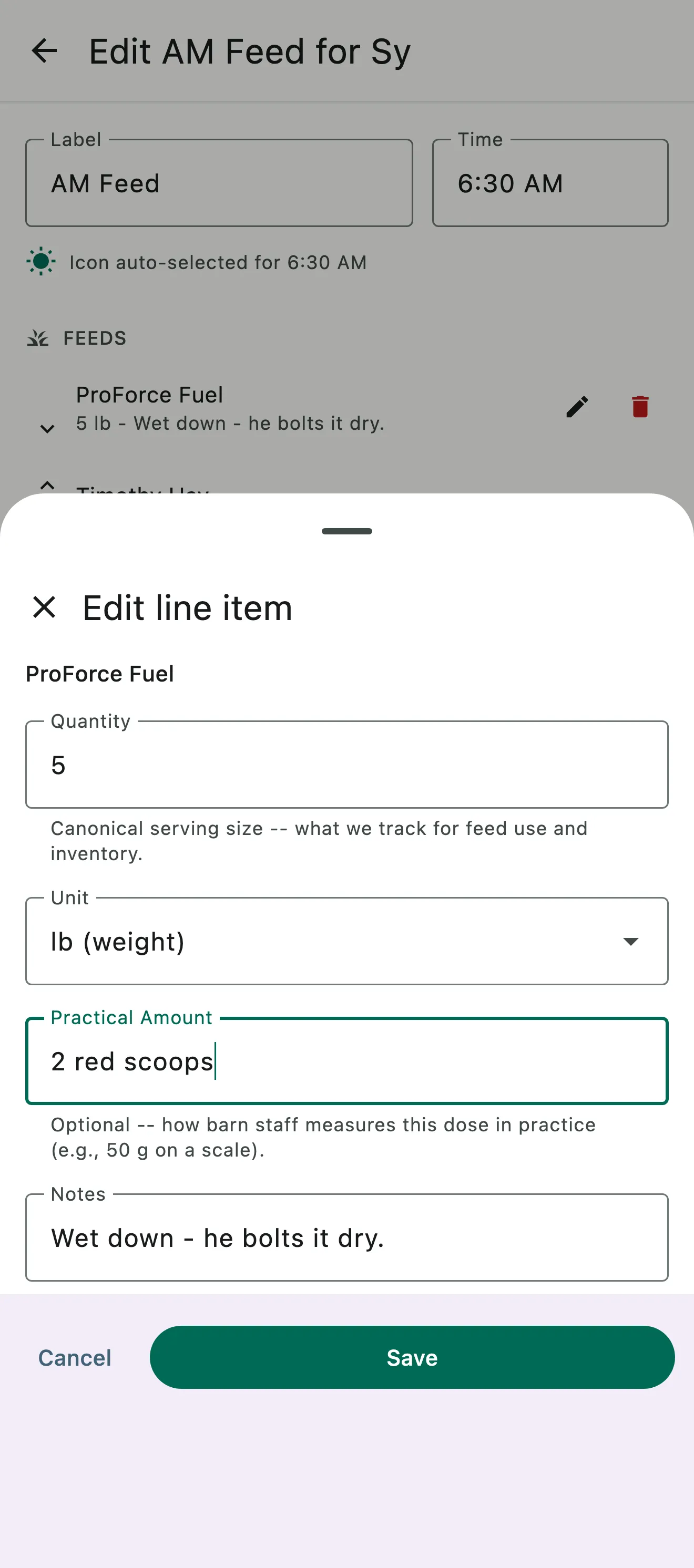
A feed line being edited: 5 lb as the quantity, 2 red scoops as the practical amount, and a note to wet it down

QTY and Practical

The standard measure and the one in the feed room

Every line carries two measurements of the same feeding: QTY, the standardized serving size you use for cost and inventory, and Practical, the way your staff actually scoop it, like half a red scoop. Pack, bag and container units count pre-portioned supplements and bagged feed by the unit.

  • Input QTY standardized units for cost and inventory
  • Practical units for the way you actually operate day to day
  • Practical units such as packs, bags and containers, or note your specific measuring device e.g. big red scoop

Common questions

About Feed Programs

Can I keep feed and supplement instructions per horse?

Yes. Each horse has its own feed schedule on the Feed tab (Equines › Feed), which only staff see. A schedule is a set of feeding times, like AM Feed, each with its hay, grain and supplements. Every line carries a Quantity, the standardized serving size you use for cost and inventory, and a Practical Amount, the way your staff actually scoop it, like two red scoops, plus notes such as soak 10 minutes.

Pack, bag and container units count pre-portioned supplements and bagged feed by the piece, and grooms and stable hands mark each line Done on the day's feed list.

Can I copy one horse's feed schedule to other horses?

Yes, with Clone Schedule. Open a horse's feed schedule and tap Clone schedule to copy all of it, or use Clone to Another Horse on a single feeding time. Pick one horse, several, or Select all for the whole barn, then choose Append to add to their schedules or Overwrite to replace them.

A new horse arrives Monday and should start on the same diet as the mare next door: clone her schedule onto him in seconds. When a few horses go onto the same supplement, add it as a feeding time on one and clone that feeding time to the rest.

Who can see and complete the feed list?

Only staff. Clients never see the Feed tab. Grooms and stable hands, along with trainers, managers and admins, see each day's feed list and mark every line Done as they go.

Users with Trainer+ role build and edit the feed schedules themselves, so the people feeding work from the list while the people planning diets keep the schedules current.

Can I see who fed the horses and when it was done?

Yes. Every line marked Done on the day's feed list shows who checked it off and the time. A skipped line shows the reason, who skipped it, and when. To check an earlier day, pick its date on the feed list.

See the full FAQ

Build one feed schedule, then copy it across the barn.

No card required. Available on Apple iOS, Android and Web.