Digital Whiteboard

The busiest spot in your barn just got smarter. HayNet keeps your aisle screen in step with your schedule, so riders, trainers and grooms always see today's lessons and events, the horses in each one, and the weather, with a horse heat index for the hot days.

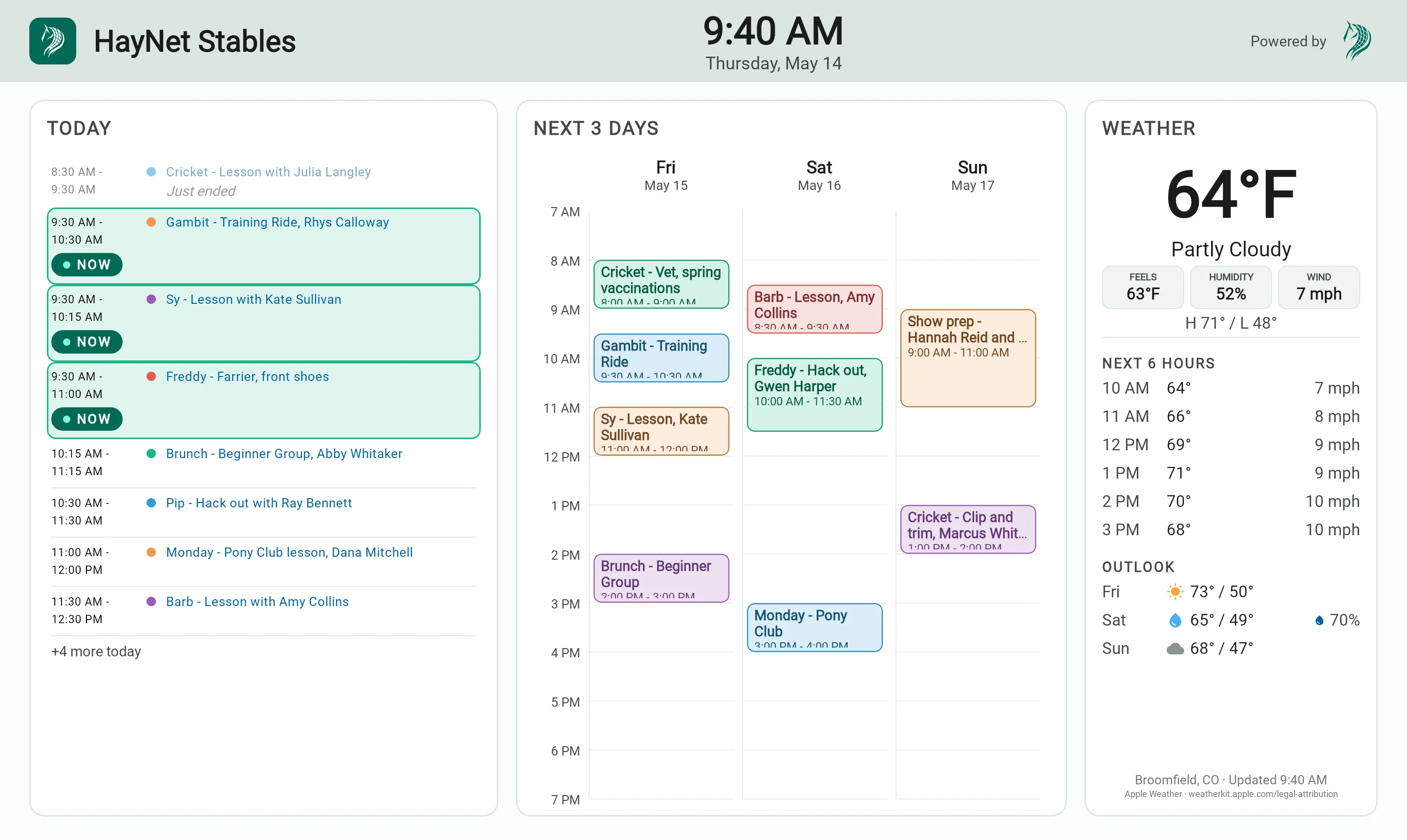
The Digital Whiteboard: today's schedule, the next three days, and the local weather

How it works

The barn's schedule whiteboard, on a screen

Put a TV or any large screen where people already gather, like the tack room or the aisle. The day's plan is waiting there when they walk in. It shows the schedule next to the date, the time, and the weather, so everyone knows what's next without checking a phone.

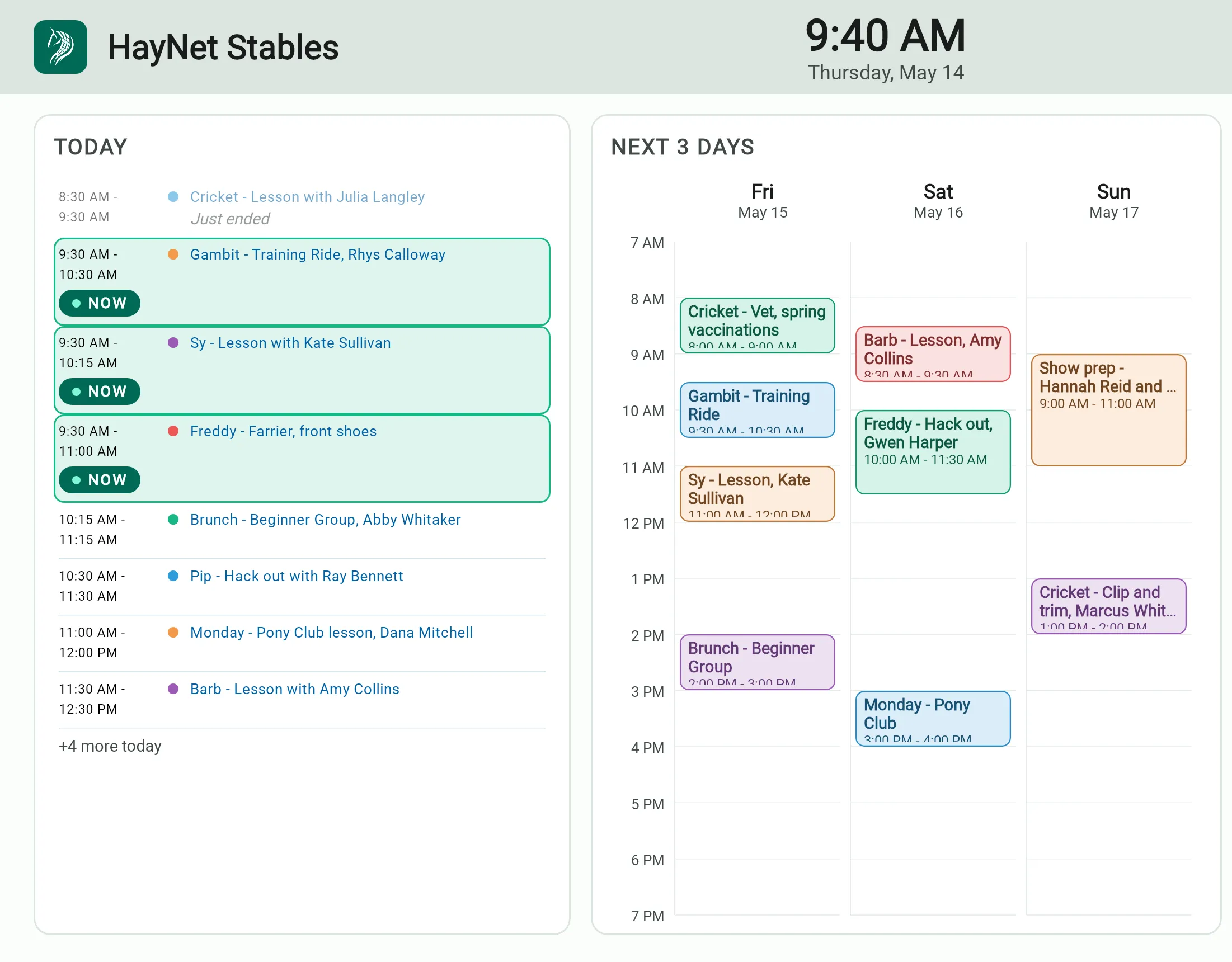
The Digital Whiteboard's schedule: today's rides, lessons, and visits with what's on now marked, beside the next three days hour by hour

What a screen shows

Today, at a glance, for everyone in the aisle

Put today's schedule and the stable where the whole barn can see them: who's riding when, which horses are in the day's events, and the upcoming week, without anyone opening an app.

  • Today's schedule
  • The horses in each event
  • No app to open
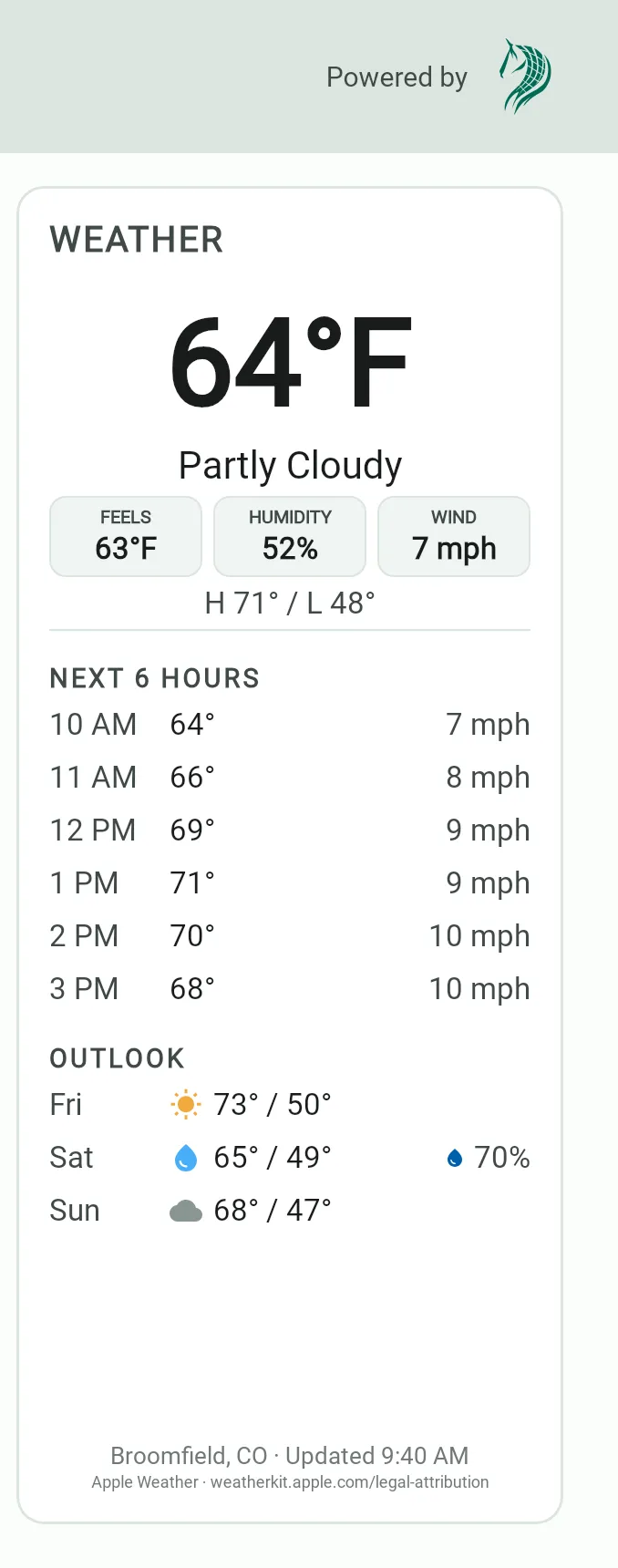
The Digital Whiteboard's weather: the temperature, conditions, feels-like, humidity, and wind, the day's high and low, and the next six hours

Weather and heat index

The week's weather, and a heat index for the horses

The week's forecast sits next to the schedule, with a horse heat index for the hot days, so turnout and riding plans can change before the afternoon does.

  • The weekly forecast
  • A horse heat index
  • Plans that change with the weather
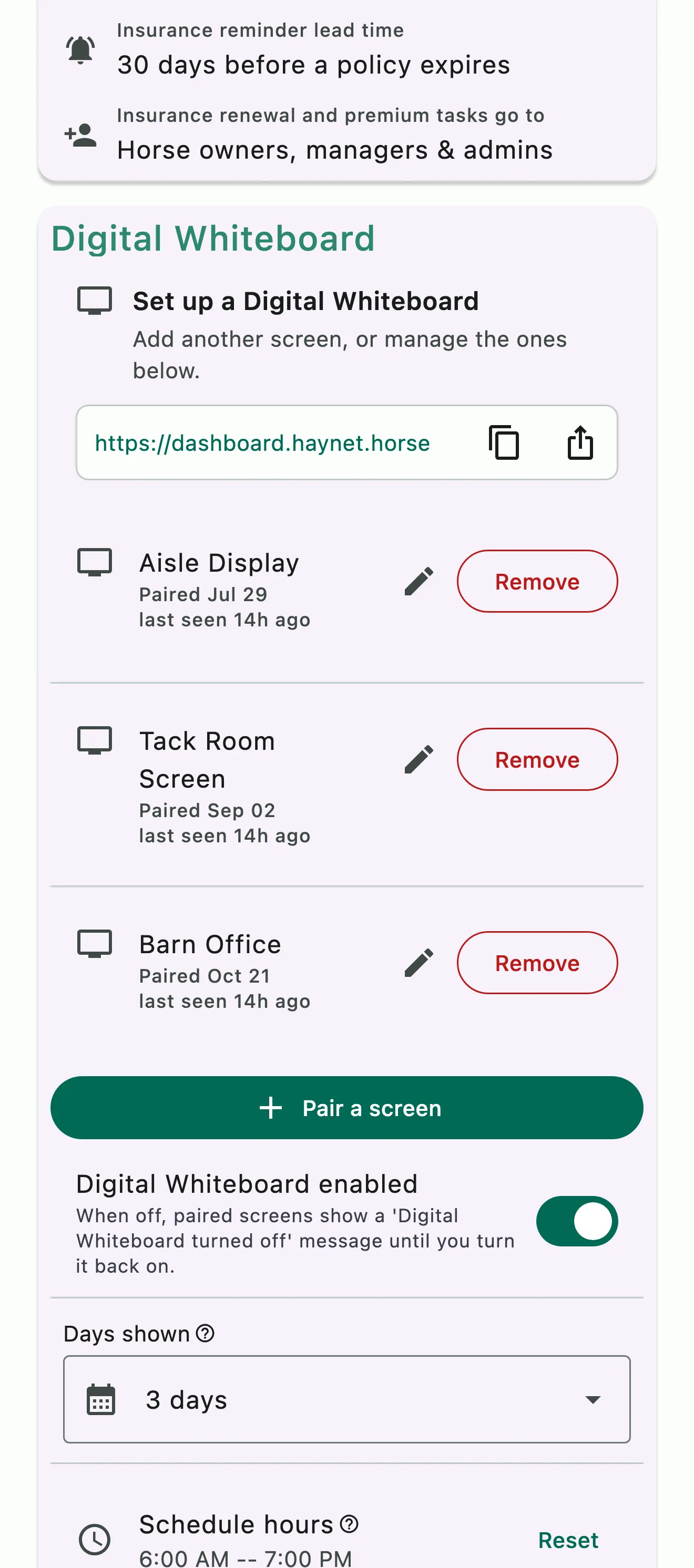
Digital Whiteboard settings: three paired screens, the days shown, and the schedule hours

Every screen you pair

One board for the tack room, the office and the aisle

Every screen you pair shows the same board, so the tack room and the office never disagree. You set the schedule view, the screen hours, and the weather location once for all of them. Each screen gets its own name, so you can see which ones are online and remove one without touching the rest.

  • The same board on every screen
  • Set once for all of them
  • See which screens are online

Common questions

About the Digital Whiteboard

What does the Digital Whiteboard show?

Your barn's schedule, on a TV or any large screen in the aisle. Today's lessons and events roll by as the day goes, with the trainer, riders and horses on each, next to the coming days of the schedule.

Beside the schedule sits the weather: current conditions, the next few hours, the days ahead and a horse heat index. After hours the screen dims to a clock and tomorrow's plan. Set it up and pair your screens under Manage › General Settings.

Can each whiteboard screen show something different?

Every screen you pair shows the same Digital Whiteboard. Its settings in Manage › General Settings apply to all of them: how many days of schedule the board shows, the hours the schedule covers, when the screen wakes and sleeps, and the weather location and units.

Each screen gets its own name when you pair it, like Tack room or Office, so you can see which ones are online and remove one without touching the rest.

What is the horse heat index?

It's a heat reading for your horses that the Digital Whiteboard shows with the weather, right beside the schedule. The board works out the classic equine heat index, the air temperature in °F plus the relative humidity, and labels it Lower risk, Monitor, Critical or Do not exercise. On the hot days everyone in the aisle sees it at a glance, so turnout and riding plans can change before the afternoon does.

See the full FAQ

Put today's schedule on the wall.

No card required. Available on Apple iOS, Android and Web.