Family Token Sharing

One package, every rider in the household. Family Token Sharing is on from the start, so a parent can buy lessons once and the whole family can use them.

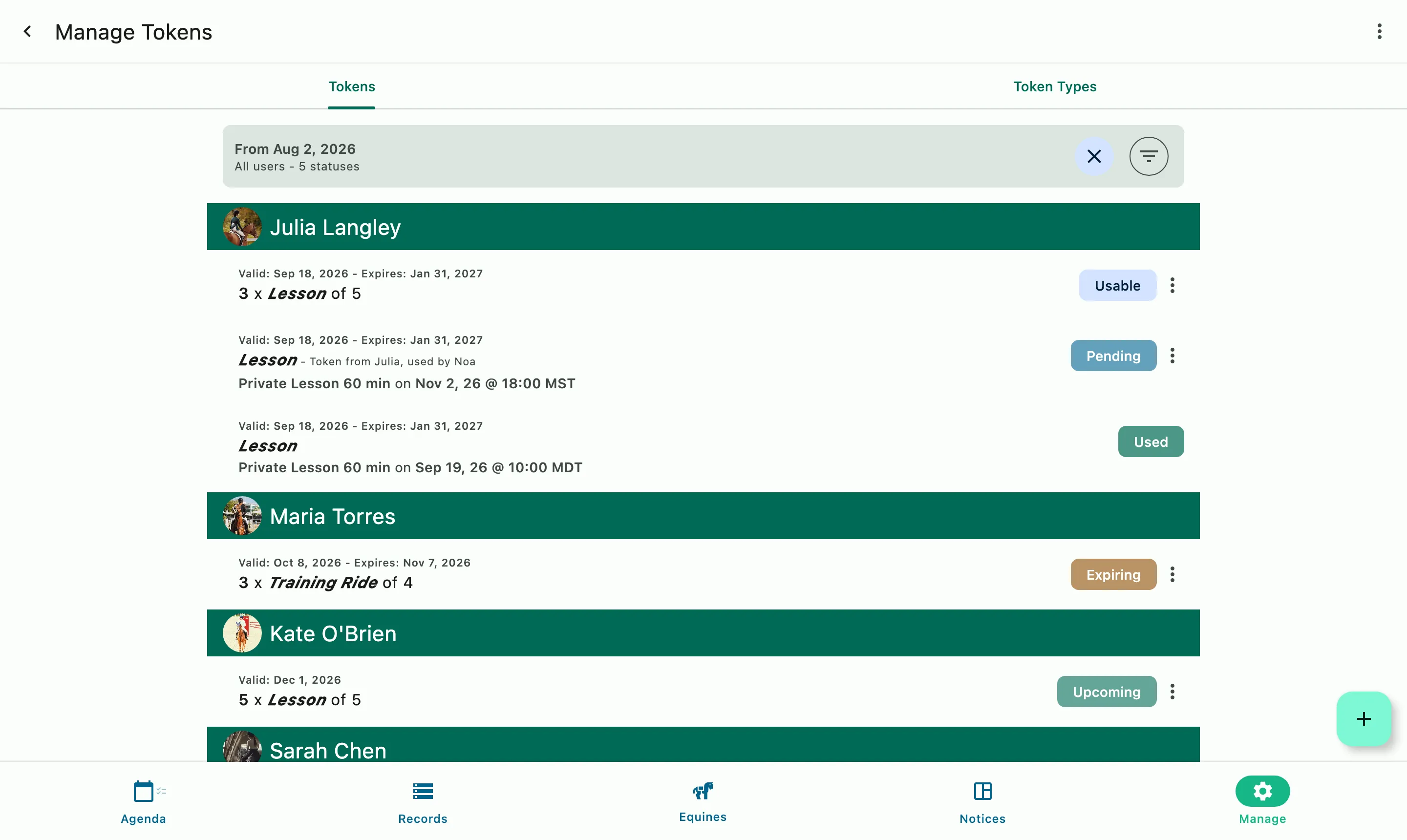
The Token Manager: each client's package credits and their status, including one shared within a family

How it works

Enabled by default

On from the start

Sharing is enabled for the barn, for every event and for every linked family. A family that links its accounts can share credits right away, with nothing to set up.

The barn decides where it's offered

A manager can turn sharing off for the whole organization, or for individual Event Products, so some services share credits and others stay with one rider.

The family decides for itself

A family that would rather not share can turn it off for their own group and disable it completely.

Families must link their accounts before sharing will work.

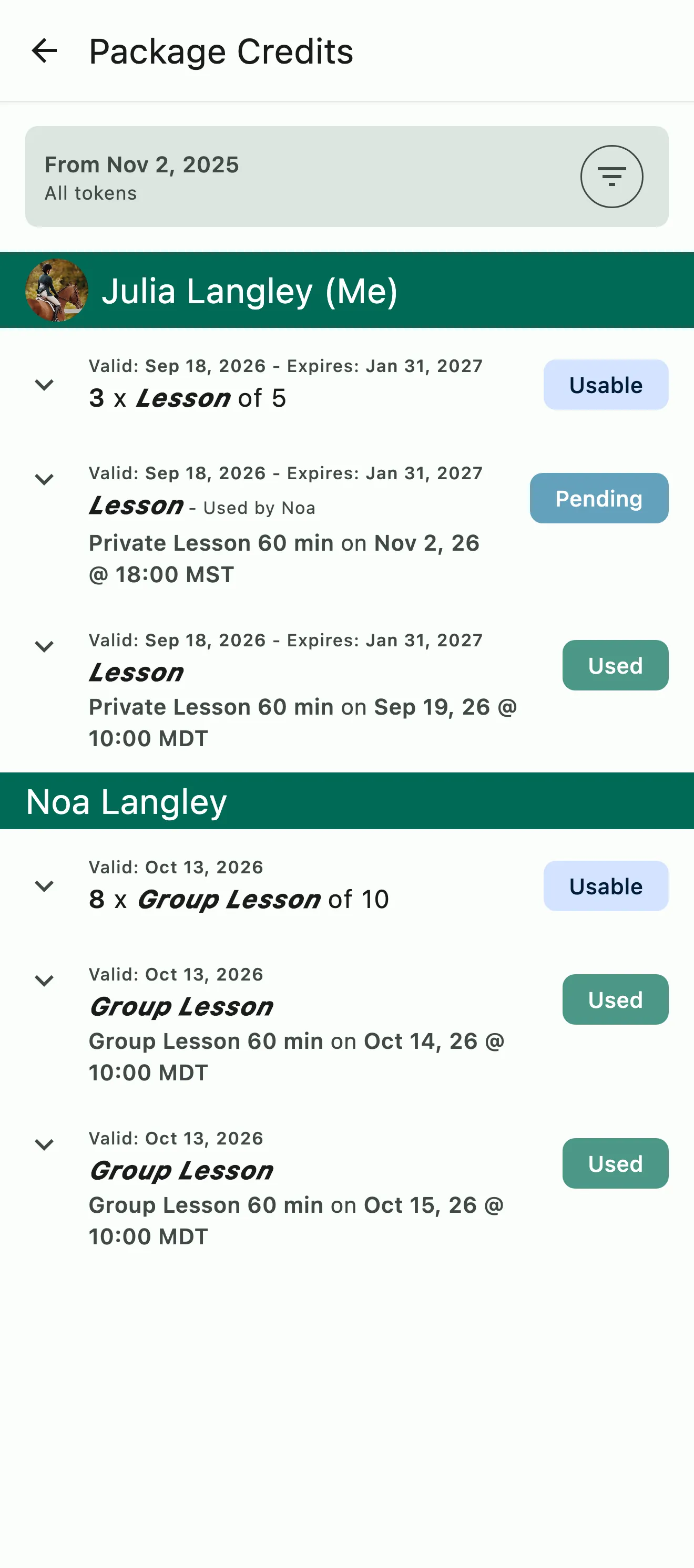
A parent's package credits, including one shared with a family member and booked on today's lesson

The household

A parent buys it, the whole family can use it

Link a parent's account with the kids' accounts, or with another adult in the family, and a package bought by one can be used by any of them. Parents can book for the whole family from their own account and pay every family member's invoice in one place.

  • Parent and child accounts, or adults managing together
  • Book for the family from one account
  • Every family member's invoices in one place
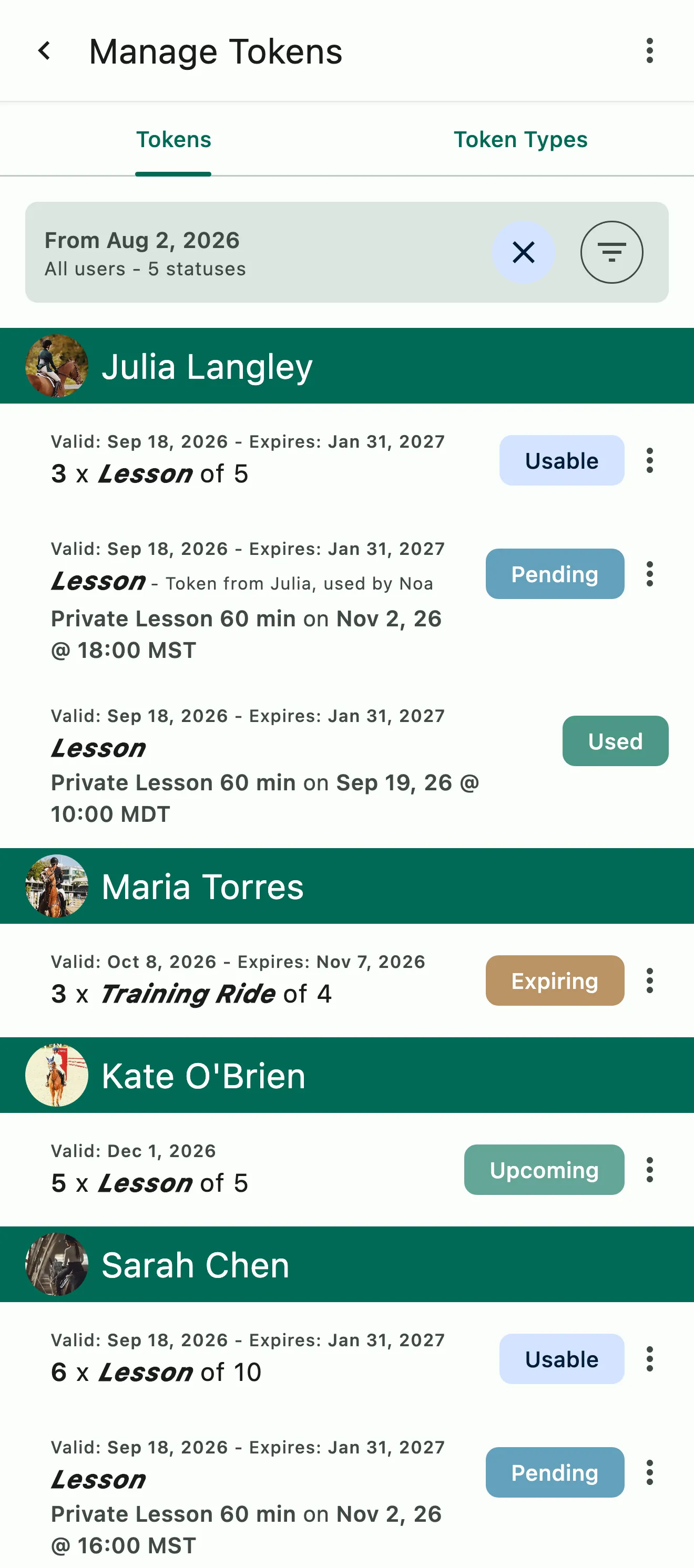
The Token Manager by client: usable, pending, and upcoming credits, including one shared within a family

Who used which credit

Every credit shows whose booking used it

When a shared credit is used, HayNet records which family member used it on which booking. Admins and families see the same answer on the booking summary, in their token managers and on the invoice, at any time, not just when the bill arrives. Full transparency. No confusion.

  • On the booking summary
  • In the barn's and the family's token managers
  • As a line on the invoice

Common questions

About Family Token Sharing

Can a single package be used across a family?

Yes. With Family Token Sharing, a package one family member buys can be used by every linked rider in the household. It's on by default for the barn, every event and every family, so there's nothing to set up, and a rider's own credits are used before the family's.

Every shared credit shows whose it was and whose booking used it, on the booking summary, in the barn's and the family's token managers, and on the invoice. Families link their accounts under Account & Billing › Family Account.

Can a family turn off token sharing?

Yes. Family Token Sharing is on by default, and a family that would rather not share turns off Share my credits with my family for its own group, under Account & Billing › Family Account. It's all or nothing: on for every event the barn offers sharing on, or off for all of them.

The barn has its own controls. Managers and admins can turn sharing off for the whole barn under Manage › Finances › Billing settings, or for a single Event Product. The barn decides whether sharing is offered and on which services; each family decides for its own group.

How do my clients set up their Family Account?

A parent sets it up. The parent opens the menu at the top of the screen, goes to Account & Billing › Family Account, taps Invite and sends an invite to the child's or the other adult's email. Once the other person accepts, the accounts are linked.

From then on the parent can manage the linked members' bookings, credits and invoices from their own account. If a child tries to start the family group, the app asks them to have a parent log in and send the invite.

Where can families see the tokens they've been issued and used?

In the app, under Account & Billing › Package Credits. Each family member sees their own credits and the ones shared with the family, grouped by person. Every credit shows its status, from usable or pending for an upcoming booking to used or expired, and which booking used it. You see every client's credits, families included, under Manage › Manage Tokens.

See the full FAQ

Let the whole family ride on one package.

No card required. Available on Apple iOS, Android and Web.